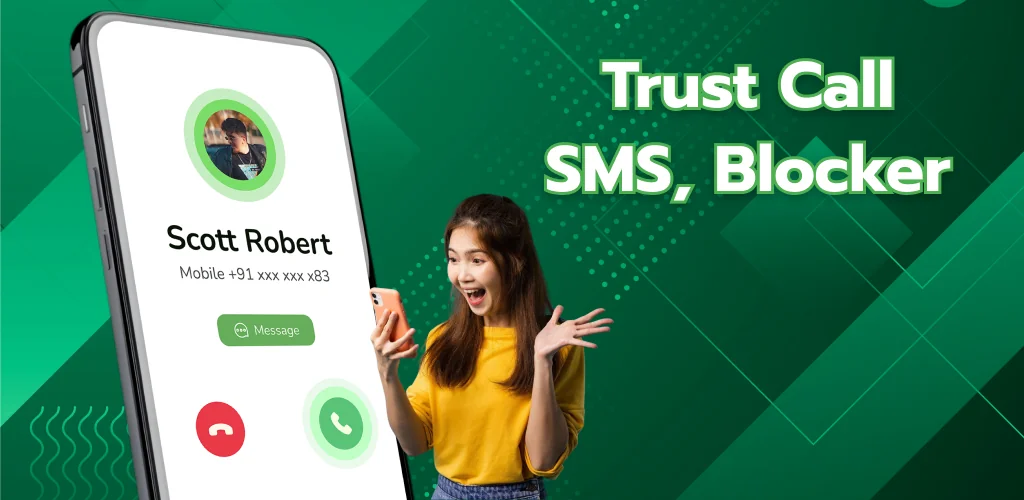
Trusted Call & SMS, Blocker app cover art for Android
Trusted Call & SMS, Blocker Icon

Trusted Call & SMS, Blocker APK for Android

8M+
Free
Oct 7, 2026

Caller ID, SMS manager, spam blocker, and contact dashboard in one app.

Download Trusted Call & SMS, Blocker APK 1.0.3 53MB

What is Trusted Call & SMS, Blocker?

Ever wish your phone could tell you who's calling before you answer, block spam texts without a second thought, and keep all your contacts and call logs in one place? Trusted Call & SMS, Blocker is a call management and spam blocking app that replaces four scattered tools with one unified dashboard for calls, messages, contacts, and blocking.

When an unknown number rings, the app identifies the caller and displays their name, location, and call details before you pick up. You can send and receive SMS inside the app, flag spam with a tap, and build custom block lists by number, contact name, or country code. Call statistics track every incoming, outgoing, and missed call so you can see who's been trying to reach you and when. The app also lets you apply custom themes to incoming calls, turning functional caller ID into something you'd actually want to look at.

Key Features:

  • Unknown callers show up with name, location, and call information before you answer.
  • SMS messaging built into the same interface, with one-tap spam detection and blocking.
  • Block calls and texts by phone number, contact name, or country code, all from your own list.
  • Call history logs track daily activity and missed calls so nothing slips through.
  • Custom caller themes let you assign specific looks to different contacts.

Managing contacts and call logs in one dashboard

The app consolidates your contact list so you can add, edit, and mark favorites without bouncing between screens. Search pulls up anyone by name or number, and every contact sits in the same place as your messaging and call history. Call statistics break down your activity by day, showing you patterns in who calls, when, and how often you've missed them.

Other call blocker and SMS manager apps

Truecaller relies on a community-based spam database and identifies callers using a global directory, so its accuracy depends on how many people have reported a number. Hiya focuses on carrier-grade spam protection and blocks fraud numbers automatically. Trusted Call & SMS, Blocker gives you manual control over your block list, letting you add numbers by name or country code rather than relying entirely on crowdsourced data. It suits anyone who prefers building their own filters over trusting a shared directory.

The app handles spam and unknown callers well, but it requires default SMS and Phone app status to function, and it contains advertisements. If you'd rather keep your current dialer or messaging app, this one won't layer on top of them.

Trusted Call & SMS, Blocker screenshot 1
Trusted Call & SMS, Blocker screenshot 2
Trusted Call & SMS, Blocker screenshot 3
Trusted Call & SMS, Blocker screenshot 4
Trusted Call & SMS, Blocker screenshot 5

Trusted Call & SMS, Blocker APK Download

What's New in Version 1.0.3

No official changelog provided for Trusted Call & SMS, Blocker version 1.0.3. This update likely includes general stability improvements and bug fixes.

Download Link:

System Requirements

OS Version
Android 8.0 (OREO) or higher
Architecture
Varies by file (Which one do I need?)
Disk Space
~70 MB free space required
RAM
1 GB
Internet
Not required
Google Services
Required   GMS dependent

APK File Details

Package ID com.ltd.trustcall.callerblock.number
Available on Google Play
Developer Truong Giang Company
License Free
Monetization Contains Ads  
Content Rating Everyone
Interface Language
English +79

English, Arabic, Bulgarian, Czech, German, Spanish, French, Hindi, Hungarian, Indonesian, Italian, Japanese, Korean, Polish, Portuguese, Romanian, Russian, Thai, Turkish, Ukrainian, Vietnamese, Chinese, + 58 localizations

Required Permissions (62)
  • Requires Google Play Services to launch:
    Note: This is an original file. Unlike modded versions with no verification, it validates via your store account. Details
  • Internet
  • Record Audio
  • Access Network State
  • Read Contacts
  • Read Phone State

APK Verification & Virus Scan Results

No Virus Signature Verified Safe & unmodified

Virus scan: Verified safe (0/65) View report. This APK is free of malware and its signature matches the official developer release.

Show File Details (SHA-256, SHA-1, MD5)

SHA-1 Signature:

0567320cea641dd6ead5b7e7f25a5409657b0f7d

SHA-256 Hash:

959facf709f72f5d959a523ea853a6d857626dbb3116330366c569e82a69b248

MD5 Checksum:

8a060fee5b2042e90229d3837706fcf3

Frequently Asked Questions

Is Trusted Call & SMS, Blocker safe to download?

Yes, Trusted Call & SMS, Blocker is safe to download. The APK is scanned on every update — no malware or viruses detected. You can verify the full scan report in the Security section above.

How to install XAPK file?

XAPK is a split APK package. Standard Android installer cannot open it directly. Use 'SAI' or 'XAPK Installer' — they handle XAPK files automatically. Download the installer, open the XAPK file with it, and follow the on-screen steps. Read more

What Android version does Trusted Call & SMS, Blocker require?

Trusted Call & SMS, Blocker requires Android 8.0 (API 26) or higher. Optimized for Android 16 (API 36).

Is Trusted Call & SMS, Blocker free?

Yes, it is free to use, but it is ad-supported.

Does Trusted Call & SMS, Blocker require a license check?

Yes, this app performs a license check. You may need to have the Google Play Store installed and be logged in to verify the license.

How to update Trusted Call & SMS, Blocker to the latest version?

Download the latest APK from this page and install it over your existing version — no need to uninstall first. Your data and settings will be preserved. We update the file as soon as a new version is released.

Does Trusted Call & SMS, Blocker require Root access?

No root is required for basic use. Trusted Call & SMS, Blocker works on standard Android for CPU info, RAM, battery, sensors, and network stats. Root unlocks a small set of advanced system parameters that Android restricts by default.

Found a problem on this page?

User Reviews & Ratings

Global rating (Play Store): 4.07★ (5.7K)
Site Rating: 5★ (1)
Rate this app

5.00

12345

1

Share your experience with other users.

Download Trusted Call & SMS, Blocker APK - Latest version

Get the official APK file for your Android device. Fast, safe, and free. Download APK