Puffin TV Browser Icon

Puffin TV Browser APK for Android

10M+
Free
Nov 24, 2025

Fast and stable Internet browser for smart TVs

Download Puffin TV Browser APK 10.1.1.70327 43MB Old versions

What is Puffin TV Browser?

Puffin TV Browser is a web browser for Android set-top boxes and smart TVs that guarantees a comfortable and safe surfing experience on the global web. The product is free to download and install, but free use is limited to one hour per day, a paid monthly or annual subscription is required to fully use the product’s functionality.

A user interface specially designed for TV screen control will give you a new experience on the Internet – bookmark web pages or drag them to the quick launch bar, send links from the mobile version of the application and instantly open on TV. For even more convenience, use the original remote control, which can be downloaded additionally for free. Enjoy ease of navigation, no ads, phenomenal web page loading speeds, and smooth video playback.

Features:

  • instant loading of web pages and smooth video playback;
  • use a virtual remote for comfortable interaction;
  • one hour of free use per day without a subscription;
  • intuitive design and comfortable navigation;
  • integrated ad blocker.

Puffin TV Browser changes the classic web browser interface, and thanks to its powerful performance, it allows you to enjoy Internet surfing even on entry-level smart TVs. Test the product’s features for free and make it your go-to for surfing the web from your TV.
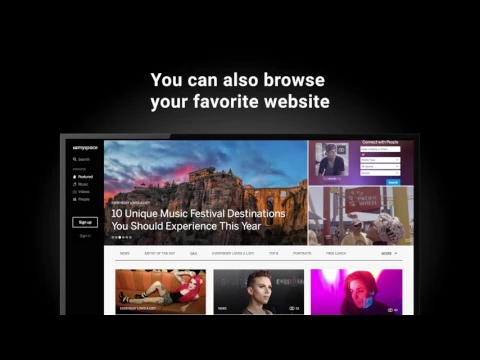
Video of Puffin TV Browser
Screenshot Puffin TV Browser 1
Screenshot Puffin TV Browser 2
Screenshot Puffin TV Browser 3

Download Puffin TV Browser APK for Android

What's New in Version 10.1.1.70327

Puffin TV Browser is free to download but requires a paid subscription to function. In this release (10.1.1.70327), we fixed several reported issues. Thanks for using Puffin.

Other versions

System Requirements

OS Version
Android 7.0 (Nougat) or higher
Architecture
Varies by file (Which one do I need?)
Disk Space
~70 MB free space required
RAM
1 GB
Internet
Required
Permissions (19)
  • Internet
  • Access Network State
  • Read External Storage
  • Write External Storage
  • Access Fine Location

APK File Details

Package ID com.cloudmosa.puffinTV
Available on Google Play
Developer CloudMosa Inc
License Free ( No Ads)
Monetization In-App Purchases
Content Rating Everyone
Interface Language
English +75

English, Japanese, German, Bulgarian, Thai, Hindi, Vietnamese, Ukrainian, Polish, Korean, Romanian, Arabic, French, Turkish, Czech, Spanish, Italian, Portuguese, Hungarian, Russian, Chinese, + 55 localizations

APK Verification & Virus Scan Results

No Virus Signature Verified Safe & Original

Virus scan: Clean (0/68) View report. This APK is free of malware and its signature matches the official developer release.

Show File Details (SHA-256, SHA-1, MD5)

SHA-1 Signature:

812d408e09d6ecc960eb6a0c63a191eadf014216

SHA-256 Hash:

52d21f9c1f375d8dc796bac9fc7ad115e3168ab7cd21387723a853bed218265d

MD5 Checksum:

495344b4bd7bb1e6c768b7b2367f187a

Frequently Asked Questions

Is Puffin TV Browser safe to download?

Yes, Puffin TV Browser is safe to download. The APK is scanned on every update — no malware or viruses detected. You can verify the full scan report in the Security section above.

How to install Puffin TV Browser APK on Android?

Download the APK using the button above. Then open the file and tap Install. If prompted, enable "Install from unknown sources" in Settings → Security. The process takes under a minute. Read more

What Android version does Puffin TV Browser require?

Puffin TV Browser requires Android 7.0 (API 24) or higher. Optimized for Android 15 (API 35).

Is Puffin TV Browser free?

Yes, the app is free to download, but it contains in-app purchases for additional content.

How to update Puffin TV Browser to the latest version?

Download the latest APK from this page and install it over your existing version — no need to uninstall first. Your data and settings will be preserved. We update the file as soon as a new version is released.

What processor architecture does Puffin TV Browser support?

Puffin TV Browser supports armeabi-v7a. This build does not support x86/x86_64 processors, so it will not run on most PC emulators. If you are unsure about your device architecture, check the Device Info section on this page.

How to enable installation from unknown sources on Android?

Go to Settings → Security (or Settings → Apps → Special access on Android 8+) and enable "Install unknown apps" for your browser or file manager. On Android 8 and above this setting is per-app, not global. Read more

If you have found any issue or are having difficulty with this page, please .

User Reviews & Ratings

Global rating(Play Store): 1.91(356)
Site Rating: 3(2)
Rate this app

3.00

12345

2

Share your experience with other users.