Canon Camera Connect app cover art for Android
Canon Camera Connect Icon

Canon Camera Connect APK for Android

Canon Inc. Original
52M+
Free
Oct 12, 2026

Transfer Canon camera photos wirelessly and shoot remotely from your phone

Download Canon Camera Connect APK 3.6.11.7 29MB

What is Canon Camera Connect?

You shot a great sequence on your Canon DSLR, and now you need those files on your phone before the day ends. Canon Camera Connect is a camera remote control app that pairs your Canon hardware with your Android device over Wi-Fi or Bluetooth, letting you move images across and trigger the shutter from a distance.

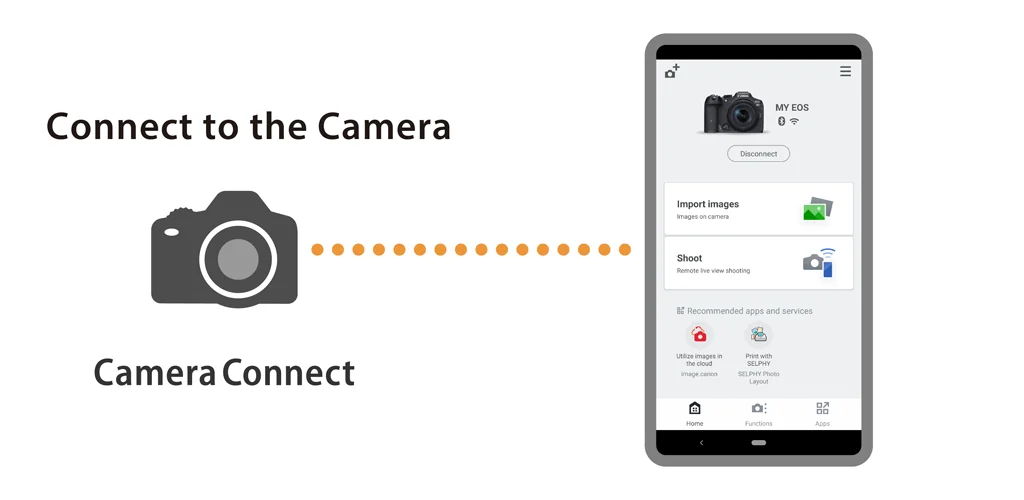
Connect your phone to a compatible Canon camera and the app opens a live feed from the sensor. You frame the shot on your screen and fire the shutter without touching the body. Files transfer directly to your device once you're done shooting. The app also writes GPS coordinates from your phone into the metadata of images still sitting on the camera, tagging location without needing a GPS module in the body itself.

Key Features:

  • Live View streaming lets you compose and trigger shots remotely, useful for group photos where you want to be in the frame or setups where the camera sits out of reach.
  • Image transfers pull JPEG and MP4 files from the camera to your phone, though RAW files get resized to JPEG on the way over and 8K footage won't move at all.
  • Location tagging grabs your phone's GPS data and writes it into the EXIF metadata of images stored on the camera.
  • Bluetooth Low Energy handles the initial pairing and remote shutter release without draining the camera battery as fast as a constant Wi-Fi link would.
  • Firmware updates push the latest camera software through the app instead of requiring a computer and a card reader.

Remote shooting workflow

Bluetooth gets the two devices talking, then you can switch to Wi-Fi when you need the bandwidth for Live View or bulk file transfers. The remote shutter works over Bluetooth alone if you're only firing the camera and not moving files immediately. Pair once and the app reconnects faster the next time. For Power Zoom Adapter users, the camera's Live View function has to stay enabled or the remote feed won't appear.

Other camera remote control apps

Cascable and Camera Connect & Control both offer cross-brand compatibility, connecting to Canon, Nikon, Sony and Fujifilm bodies through one interface. Canon Camera Connect stays Canon-only but includes firmware delivery and direct integration with Canon's cloud services, which third-party tools can't touch. If you shoot with multiple brands, a universal remote saves you from juggling apps. If your entire kit is Canon, this one handles the ecosystem-specific features the others skip.

Works for Canon shooters who want their phone as a wireless monitor and a faster way to move files than pulling the SD card. Limited file type support means RAW shooters have to accept JPEG conversions and anyone working with 8K or AVCHD footage will still need a card reader for those formats.

Canon Camera Connect screenshot 1
Canon Camera Connect screenshot 2
Canon Camera Connect screenshot 3
Canon Camera Connect screenshot 4
Canon Camera Connect screenshot 5
Canon Camera Connect screenshot 6
Canon Camera Connect screenshot 7
Canon Camera Connect screenshot 8

Canon Camera Connect APK Download

What's New in Version 3.6.11.7

Added support for EOS R8 Mark II.

Download Link:

System Requirements

OS Version
Android 13 (Tiramisu) or higher
Architecture
Varies by file (Which one do I need?)
Disk Space
~40 MB free space required
RAM
1 GB
Internet
Not required
Google Services
Required

APK File Details

Package ID jp.co.canon.ic.cameraconnect
Available on Google Play
Developer Canon Inc.
License Free ( No Ads)
Content Rating Rated for 3+
Interface Language
10 languages

German, Spanish, French, Italian, Japanese, Korean, Portuguese, Russian, Turkish, Chinese

Required Permissions (24)
  • Internet
  • Access Network State
  • Access Fine Location
  • Access Coarse Location
  • Vibrate

APK Verification & Virus Scan Results

No Virus Signature Verified Safe & unmodified

Virus scan: Verified safe (0/65) View report. This APK is free of malware and its signature matches the official developer release.

Show File Details (SHA-256, SHA-1, MD5)

SHA-1 Signature:

ebdff244cf84b9de74893a74c47bfcf82602a5b6

SHA-256 Hash:

096b9e97559ff9ec2ab3c0ee6fb1f175bfa534321775b4287396bfb186e51804

MD5 Checksum:

b79a2e3c1ad60ce3389d4fcbfbf05eac

Frequently Asked Questions

Is Canon Camera Connect safe to download?

Yes, Canon Camera Connect is safe to download. The APK is scanned on every update — no malware or viruses detected. You can verify the full scan report in the Security section above.

How to install XAPK file?

XAPK is a split APK package. Standard Android installer cannot open it directly. Use 'SAI' or 'XAPK Installer' — they handle XAPK files automatically. Download the installer, open the XAPK file with it, and follow the on-screen steps. Read more

What Android version does Canon Camera Connect require?

Canon Camera Connect requires Android 13 (API 33) or higher. Optimized for Android 16 (API 36).

Is Canon Camera Connect free?

Yes, this app is completely free to download and use.

How to update Canon Camera Connect to the latest version?

Download the latest APK from this page and install it over your existing version — no need to uninstall first. Your data and settings will be preserved. We update the file as soon as a new version is released.

What processor architecture does Canon Camera Connect support?

Canon Camera Connect supports arm64-v8a. This build does not support x86/x86_64 processors, so it will not run on most PC emulators. If you are unsure about your device architecture, check the Device Info section on this page.

How to enable installation from unknown sources on Android?

Go to Settings → Security (or Settings → Apps → Special access on Android 8+) and enable "Install unknown apps" for your browser or file manager. On Android 8 and above this setting is per-app, not global. Read more

Found a problem on this page?

User Reviews & Ratings

Global rating (Play Store): 4.27★ (355.9K)
Site Rating: 5★ (1)
Rate this app

5.00

12345

1

Share your experience with other users.

Download Canon Camera Connect APK - Latest version

Get the official APK file for your Android device. Fast, safe, and free. Download APK