What is Ultra HD Camera: Camera Plus?
Ultra HD Camera: Camera Plus is a photography camera and editor app that handles everything from capture to final touch-ups without switching between tools. You get specialized shooting modes, manual controls when you want them, and a full editor with collage and drawing features built in.
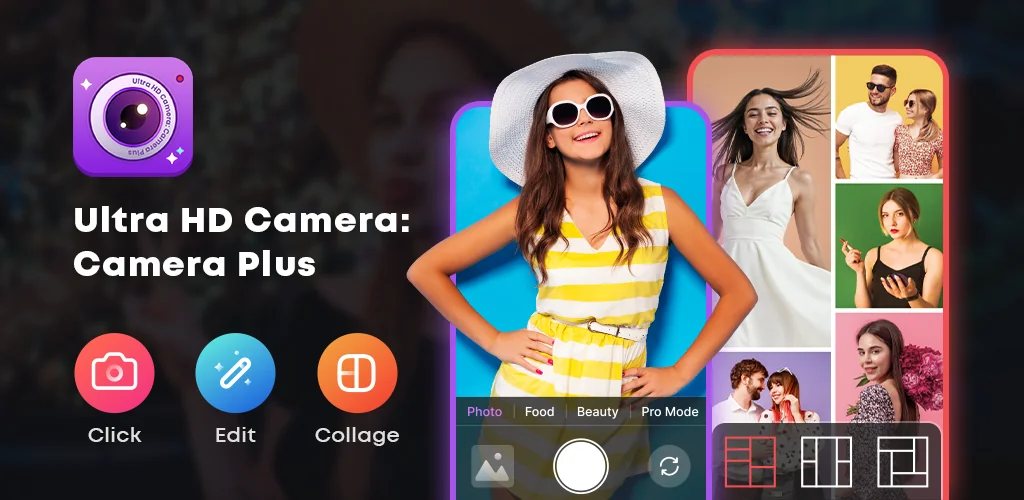
The app offers six camera modes. Normal Photo keeps daily shots sharp and natural. Food Mode boosts colors and textures so your meals look as good as they taste. Beauty Mode smooths skin and adjusts tone for cleaner selfies. Pro Mode gives you manual control over focus, exposure, and white balance when you need precision. HD Video records with clear audio, and Short Video creates quick clips ready for social sharing.
Key Features:
- Beauty Mode smooths and brightens selfies, while Food Mode sharpens colors to make dishes look restaurant-ready
- Pro controls let you manually adjust focus, exposure, and white balance for shots that need fine-tuning
- The built-in editor handles cropping, rotation, brightness, shadows, and sharpness without leaving the app
- Collage layouts combine multiple photos into a single frame with adjustable sizing and positioning
- A pen tool and eraser let you draw directly on images or remove unwanted parts
Camera modes and editing workflow
Normal, Food, Beauty, and Pro modes each tackle a different scenario. Food Mode sharpens colors. Beauty Mode softens skin. Pro Mode opens manual sliders. Once you've captured the shot, the editor handles adjustments like brightness and sharpness, applies filters, or crops the frame to size. The collage maker pulls in multiple photos and arranges them in layouts you can tweak until the spacing works. Everything stays in one app.
Other camera and photo editor apps
Adobe Lightroom focuses on advanced color grading and professional RAW workflows, making it the go-to for photographers who edit in depth. Camera360 leans into AR stickers and community-driven social filters. Ultra HD Camera: Camera Plus sits between the two: it gives you manual camera controls and a capable editor, but skips the heavy RAW processing and social features. If you want one tool for everyday shooting, quick edits, and collages without needing a desktop workflow, this handles it. The app shows ads, so expect interruptions between tasks.



Share your experience with other users.