What is Fly Go 4: Drone Camera Remote?
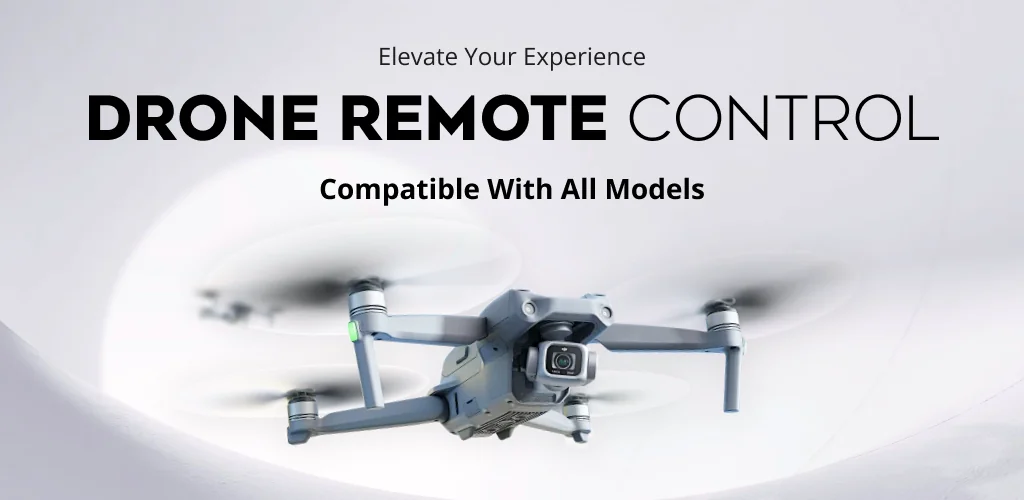
For users seeking the Fly Go 4: Drone Camera Remote APK, this application offers a third-party remote control solution for a wide array of drones. Fly Go 4: Drone Camera Remote provides a comprehensive interface for managing drone flights, capturing aerial footage, and monitoring flight data directly from your mobile device. It aims to deliver a robust control experience for pilots.
What is Fly Go 4: Drone Camera Remote?
Fly Go 4: Drone Camera Remote functions as a remote control and monitoring application for specific drone models, primarily from DJI. Built on Mobile SDK v4.18, it establishes a connection between your smartphone or tablet and your drone's remote controller. This setup allows you to pilot the drone, view a live camera feed, and access various flight functionalities. The app supports an extensive list of 36 drone models, including popular series like the Air 2S, Mini 2, Mavic Air, Phantom 4, Inspire 2, and Matrice 300 RTK, making it a versatile option for many drone owners.
The application centralizes drone operation, presenting flight information and control options within a single screen. You can execute complex maneuvers, adjust camera settings, and initiate automated flight patterns. It streamlines the process of getting your drone airborne and capturing content.
Key Features:
- Extensive Drone Compatibility: Supports 36 drone models, from consumer-grade Mini series to professional Matrice platforms, all based on Mobile SDK v4.18.
- Real-Time HD Video Transmission: Streams live high-definition video from the drone's camera directly to your mobile device, enabling precise framing and immediate adjustments.
- Advanced Flight Controls: Offers granular control over drone movement, altitude, and speed, facilitating both basic navigation and intricate aerial maneuvers.
- Smart Flight Modes: Includes intelligent modes like ActiveTrack, FocusTrack, Point of Interest, QuickShot, and Spotlight for automated, cinematic footage capture.
- Comprehensive Flight Data Logging: Records essential flight metrics such as path, altitude, and speed, providing insights for skill improvement and post-flight analysis.
- Integrated Media Management: Features QuickTransfer for direct access, editing, and sharing of photos and videos captured by the drone within the app.
Practical Use Cases for Drone Pilots
Fly Go 4: Drone Camera Remote serves several practical purposes for drone operators. It's ideal for aerial photographers and videographers who need precise control and intelligent flight modes to compose shots. For hobbyists, the intuitive interface simplifies learning to fly and experimenting with different capture techniques. The comprehensive flight data logging helps pilots track their progress and identify areas for improvement. Furthermore, the built-in safety features, including obstacle detection, Return-to-Home (RTH), and flight zone restrictions, contribute to safer operations, whether you're flying over a scenic landscape or a construction site. It helps pilots maintain situational awareness.
Fly Go 4: Drone Camera Remote vs similar apps
Fly Go 4: Drone Camera Remote functions as a third-party alternative to official drone control applications like DJI Fly or DJI Go 4. While it leverages the official Mobile SDK to provide core functionality, it is not an official product. This distinction means that while it offers a broad range of features and supports many models, some specific functionalities found in the first-party apps might be absent. For instance, Mavic users will notice missing features like certain low battery warnings, gimbal sync options, or media preview capabilities. Users prioritizing the absolute latest features and full integration for specific, newer DJI models might stick with the official apps. However, Fly Go 4: Drone Camera Remote can be a solid choice for pilots looking for an alternative interface or a consolidated app across a diverse fleet of supported drones, especially if they value its specific feature set and don't mind the minor trade-offs.
Ultimately, Fly Go 4: Drone Camera Remote is well-suited for drone pilots seeking a capable, feature-rich control app that supports a wide range of DJI models. Its comprehensive feature set, from advanced flight controls to smart modes, makes it a strong contender for capturing aerial content. However, users of Mavic series drones should be aware of the explicitly stated missing features before committing, as these could impact specific operational workflows.



Share your experience with other users.