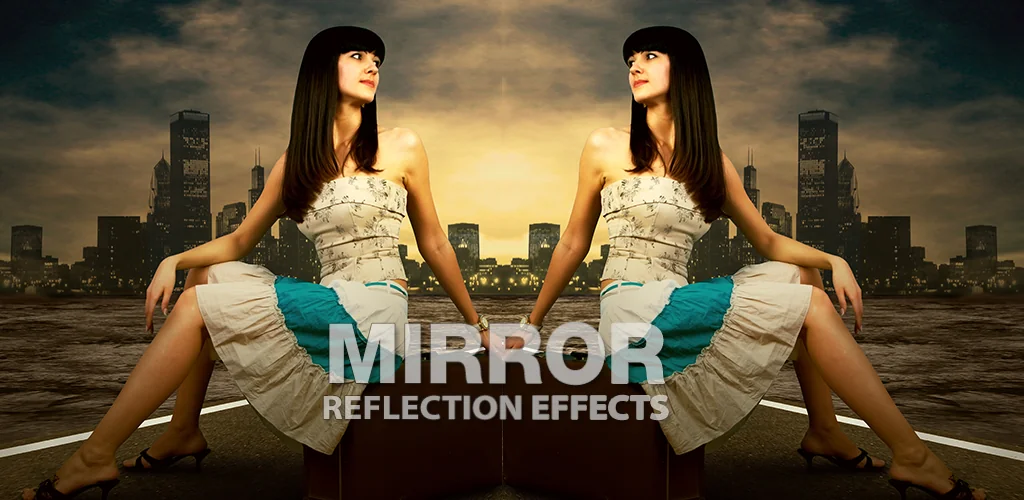

Mirror Photo Editor & Collage app cover art for Android
Mirror Photo Editor & Collage Icon

Mirror Photo Editor & Collage APK for Android

Fotopix Original
8M+
Free
Jun 17, 2026

Give pictures originality and mystery

Download Mirror Photo Editor & Collage APK 6.2 62MB Old versions

What is Mirror Photo Editor & Collage?

Mirror Photo Editor & Collage – a young and little-known Fotopix studio, of course, is not able to compete on equal terms with more eminent developers of applications in a creative-applied format, in principle, it does not set such a goal for itself. The company prefers to release simple-to-use photo editors with limited functionality, focused on one, maximum a couple of options. The culprit of this review meets these requirements – make amazing collages and add a mirror effect to your pictures.

Interface Mirror Photo Editor & Collage consists of only two tabs, the first of which is responsible for applying a mirror effect to the selected image, and the second allows you to realize yourself as the creator of original images consisting of several photos. The user can only choose the scope of work and begin to implement his vision of spectacular artwork, the options for which can potentially be a great many.

To “mirror” in Mirror Photo Editor & Collage image after selecting it, you need to experiment with the available templates, then pass the blank through the filter, and, if necessary, supplement the object with stickers, a frame or text. To create a collage, you can use from two to nine images – mark the selected objects with checkmarks and apply available blanks to them, if necessary, adjusting each photo to fit your window. After saving the work, it can be shared with other users through publication in popular social platforms or using a messenger.

Also known as: Mirror Collage Editor
Screenshot Mirror Photo Editor & Collage 1
Screenshot Mirror Photo Editor & Collage 2
Screenshot Mirror Photo Editor & Collage 3
Screenshot Mirror Photo Editor & Collage 4
Screenshot Mirror Photo Editor & Collage 5
Screenshot Mirror Photo Editor & Collage 6
Screenshot Mirror Photo Editor & Collage 7
Screenshot Mirror Photo Editor & Collage 8

Download Mirror Photo Editor & Collage APK for Android

What's New in Version 6.2

No official changelog provided for Mirror Photo Editor & Collage version 6.2. This update likely includes general stability improvements and bug fixes.

Other versions

System Requirements

OS Version
Android 7.0 (Nougat) or higher
Architecture
Varies by file (Which one do I need?)
Disk Space
~80 MB free space required
RAM
1 GB
Internet
Not required
Google Services
Required
Permissions (19)
  • Internet
  • Record Audio
  • Camera
  • Access Network State
  • Read External Storage

APK File Details

Package ID com.Fotopix.MirrorPhotoEditorCollage
Available on Google Play
Developer Fotopix
License Free
Monetization Contains Ads   In-App Purchases
Content Rating PEGI 3
Interface Language
English +16

English, Chinese, Thai, French, Italian, Japanese, German, Portuguese, Russian, Turkish, Arabic, Korean, Vietnamese, Spanish, Hindi, + 2 localizations

APK Verification & Virus Scan Results

Scan In Queue Signature Verified Safe & Original

Antivirus scan in queue, will be scanned soon. This APK is free of malware and its signature matches the official developer release.

Show File Details (SHA-256, SHA-1, MD5)

SHA-1 Signature:

8edd6a0d331b3ee976fb062d6def554507660062

SHA-256 Hash:

ec9bdaf54a93fdd64bfa641c5032663d870991f6fb937a14ebed6db2f619fa2d

MD5 Checksum:

db443142d72f3fa95c24b3543412e7df

Frequently Asked Questions

Is Mirror Photo Editor & Collage safe to download?

Mirror Photo Editor & Collage has passed a basic integrity check. A full antivirus scan is pending. You can check the current scan status in the Security section above.

How to install XAPK file?

XAPK is a split APK package. Standard Android installer cannot open it directly. Use 'SAI' or 'XAPK Installer' — they handle XAPK files automatically. Download the installer, open the XAPK file with it, and follow the on-screen steps. Read more

What Android version does Mirror Photo Editor & Collage require?

Mirror Photo Editor & Collage requires Android 7.0 (API 24) or higher. Optimized for Android 15 (API 35).

Is Mirror Photo Editor & Collage free?

Yes, it is free to download and use, but it contains ads and offers in-app purchases.

How to update Mirror Photo Editor & Collage to the latest version?

Download the latest APK from this page and install it over your existing version — no need to uninstall first. Your data and settings will be preserved. We update the file as soon as a new version is released.

What processor architecture does Mirror Photo Editor & Collage support?

Mirror Photo Editor & Collage supports arm64-v8a. This build does not support x86/x86_64 processors, so it will not run on most PC emulators. If you are unsure about your device architecture, check the Device Info section on this page.

How to enable installation from unknown sources on Android?

Go to Settings → Security (or Settings → Apps → Special access on Android 8+) and enable "Install unknown apps" for your browser or file manager. On Android 8 and above this setting is per-app, not global. Read more

If you have found any issue or are having difficulty with this page, please .

User Reviews & Ratings

Global rating(Play Store): 4.54(23.7K)
Rate this app

0.00

12345

not yet rated

Share your experience with other users.