
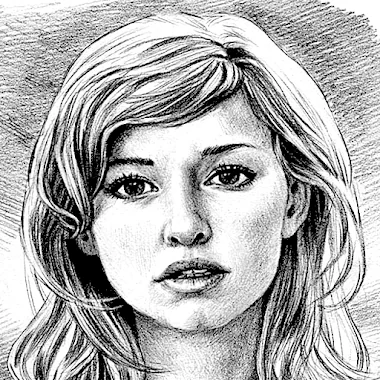
Pencil Sketch app cover art for Android
Pencil Sketch Icon

Pencil Sketch APK for Android

87M+
Free
Aug 12, 2026

Turns any photo into a pencil sketch, doodle, or comic panel offline

Download Pencil Sketch APK 8.6 37MB

What is Pencil Sketch?

Pencil Sketch is a photo editing app that turns ordinary pictures into pencil drawings, comic panels, or doodle art with a single tap. It works on gallery photos or fresh camera shots, and the whole process happens without waiting on a server to respond.

The conversion tool sits at the center of the app. Pick a photo, choose a style, and the app renders it either in black and white or in color depending on the look you want. The "Pencil" style aims for smooth, handmade-looking lines, while "Sketch" sticks closer to the photo's actual contours. "Doodle" flattens portraits into a cartoon look that suits selfie shots meant for social posting, and "Comic" applies a simpler comic-book treatment that works across most photo types. Beyond the sketch conversion, the app carries a standard set of editing tools: exposure, contrast, saturation, and color temperature sliders sit alongside sharpness adjustment and basic text and drawing overlays. There's also a blank canvas mode for freehand doodling, with a color picker, multiple pencil styles, and an eraser.

Key Features:

  • Four sketch styles cover pencil, sketch, doodle, and comic looks in one app
  • A doodle board lets you draw from scratch with adjustable pencils and colors
  • One-tap auto enhance cleans up a photo's exposure and color before any sketch effect is applied
  • Manual sliders control color temperature, contrast, and saturation for finer tuning
  • Finished images and sketches save straight to a folder named Pencil_Sketch on the device
  • Every tool in the app runs offline, with no network connection required

How the sketch styles compare

Each of the four styles reads differently depending on the source photo. "Pencil" leans toward soft, curved lines that mimic a hand-drawn sketch, which suits landscapes and still portraits. "Sketch" instead favors sharper contour tracing, so faces and objects keep more of their original shape. "Doodle" is built with selfies in mind, flattening skin tones and features into a cartoon look that reads well on a small phone screen. "Comic" is the most generic of the four, applying a flat comic-book style that holds up across almost any photo, from group shots to pet pictures.

Alternatives to Pencil Sketch

Pencil Sketch keeps its toolset narrow and offline, which is the opposite approach from Prisma Photo Editor, which relies on cloud-based neural networks to produce more elaborate style transfers. Picsart goes further still, layering in a much broader editing suite and a social community around shared edits. Anyone who wants a quick sketch effect without signing in or waiting on uploads gets more out of Pencil Sketch; anyone chasing deeper stylization or a community feed should look at the other two.

Pencil Sketch suits people who want a fast pencil or comic effect on a photo without digging through a professional editing suite. The four sketch styles are fixed presets with no option to blend or fine-tune the line work beyond the basic sliders, so the artistic range stops where those four looks end.

Pencil Sketch screenshot 1
Pencil Sketch screenshot 2
Pencil Sketch screenshot 3
Pencil Sketch screenshot 4
Pencil Sketch screenshot 5
Pencil Sketch screenshot 6
Pencil Sketch screenshot 7
Pencil Sketch screenshot 8

Pencil Sketch APK Download

What's New in Version 8.6

Support android 16 and update built-in photo editor

System Requirements

OS Version
Android 7.0 (Nougat) or higher
Architecture
Varies by file (Which one do I need?)
Disk Space
~50 MB free space required
RAM
1 GB
Internet
Not required
Google Services
Required   GMS dependent

APK File Details

Package ID com.dumplingsandwich.pencilsketch
Available on Google Play
Developer Dumpling Sandwich Software Inc.
License Free
Monetization Contains Ads   In-App Purchases
Content Rating Everyone
Interface Language
English +40

English, Arabic, Chinese, Italian, French, Korean, Russian, German, Spanish, Thai, Portuguese, Polish, Hindi, Vietnamese, Japanese, Turkish, Ukrainian, Czech, Hungarian, Romanian, + 21 localizations

Required Permissions (16)
  • Requires Google Play Services to launch:
    Note: This is an original file. Unlike modded versions with no verification, it validates via your store account. Details
  • Internet
  • Access Network State
  • Read External Storage
  • Write External Storage
  • Wake Lock

APK Verification & Virus Scan Results

No Virus Signature Verified Safe & unmodified

Virus scan: Verified safe (0/65) View report. This APK is free of malware and its signature matches the official developer release.

Show File Details (SHA-256, SHA-1, MD5)

SHA-1 Signature:

fbf9596001891e0183a6a249fcf707c287059d21

SHA-256 Hash:

81e5dd63f3b45512239f528418874f10d62f64baa8d5ba93541d5c5a0f3e6ce0

MD5 Checksum:

c3cb673fec71f26f83d496452ff0c2c0

Frequently Asked Questions

Is Pencil Sketch safe to download?

Yes, Pencil Sketch is safe to download. The APK is scanned on every update — no malware or viruses detected. You can verify the full scan report in the Security section above.

How to install XAPK file?

XAPK is a split APK package. Standard Android installer cannot open it directly. Use 'SAI' or 'XAPK Installer' — they handle XAPK files automatically. Download the installer, open the XAPK file with it, and follow the on-screen steps. Read more

What Android version does Pencil Sketch require?

Pencil Sketch requires Android 7.0 (API 24) or higher. Optimized for Android 16 (API 36).

Is Pencil Sketch free?

Yes, it is free to download and use, but it contains ads and offers in-app purchases.

Does Pencil Sketch require a license check?

Yes, this app performs a license check. You may need to have the Google Play Store installed and be logged in to verify the license.

How to update Pencil Sketch to the latest version?

Download the latest APK from this page and install it over your existing version — no need to uninstall first. Your data and settings will be preserved. We update the file as soon as a new version is released.

What processor architecture does Pencil Sketch support?

Pencil Sketch supports armeabi-v7a, x86, arm64-v8a, x86_64. If you are unsure about your device architecture, check the Device Info section on this page.

Found a problem on this page?

User Reviews & Ratings

Global rating (Play Store): 4.53(436.8K)
Site Rating: 5(1)
Rate this app

5.00

12345

1

Share your experience with other users.

Download Pencil Sketch APK - Latest version

Get the official APK file for your Android device. Fast, safe, and free. Download APK