What is All PDF Reader, PDF Viewer?
Most apps that handle PDFs are pretty basic, right? They let you open and scroll, maybe search. But what happens when you need to actually work with those files – combine reports, pull out a single page, or even turn a photo into a document? That’s where All PDF Reader, PDF Viewer steps in. I stumbled upon it looking for a better way to manage my digital documents, and it quickly became clear this was more than just a viewer.
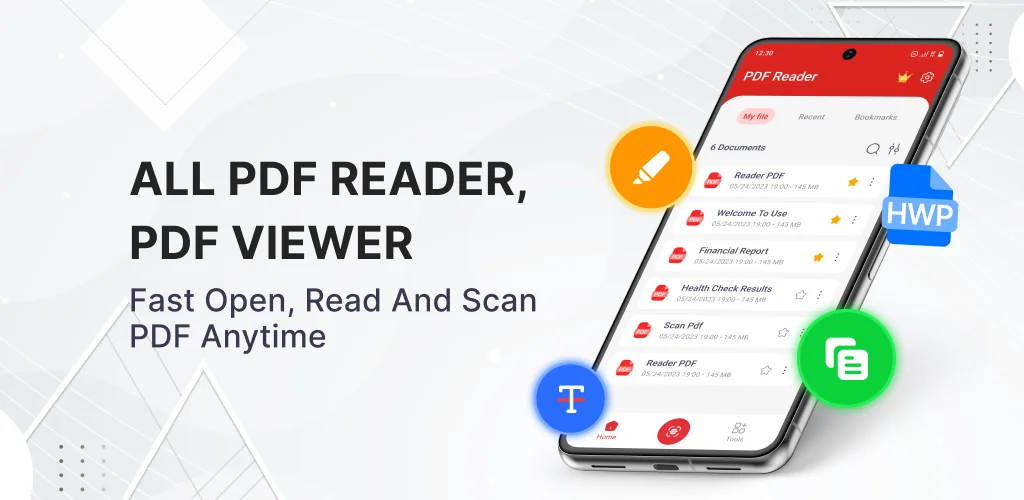
Immediately, I noticed how it automatically scans and organizes all the PDFs on my phone. No more digging through folders! It’s super handy for anyone juggling school assignments, business reports, or just personal receipts. Ever wished you could combine those scattered lecture notes into one file? Or maybe you needed to send just one specific page from a huge contract? This app handles it all. It even lets you turn photos into PDFs in seconds, which is a lifesaver for digitizing handwritten notes or receipts on the fly.
The interface feels clean and straightforward, making complex tasks surprisingly simple. I was genuinely impressed by how easily I could edit text and highlight directly within documents – perfect for quick revisions or study notes. Plus, for those who deal with specific document types, it even opens HWP files. Switching between light and dark mode is a nice touch, too, especially for late-night reading sessions.
The highlights — one punchy sentence each, no padding:
- Merge PDF — Combine multiple documents into one organized file.
- Image to PDF Converter — Transform photos and scans into high-quality PDF documents.
- Split PDF — Extract specific pages or divide large files into smaller parts.
- PDF Editor — Copy text, draw, highlight, and annotate directly on any page.
- HWP Reader — Open and view HWP files quickly on your phone.
If you’re tired of bouncing between different apps just to handle your PDFs, then you absolutely need to check out All PDF Reader, PDF Viewer. It’s a complete toolkit that simplifies your digital life. Go grab it now and take control of your documents!



Share your experience with other users.