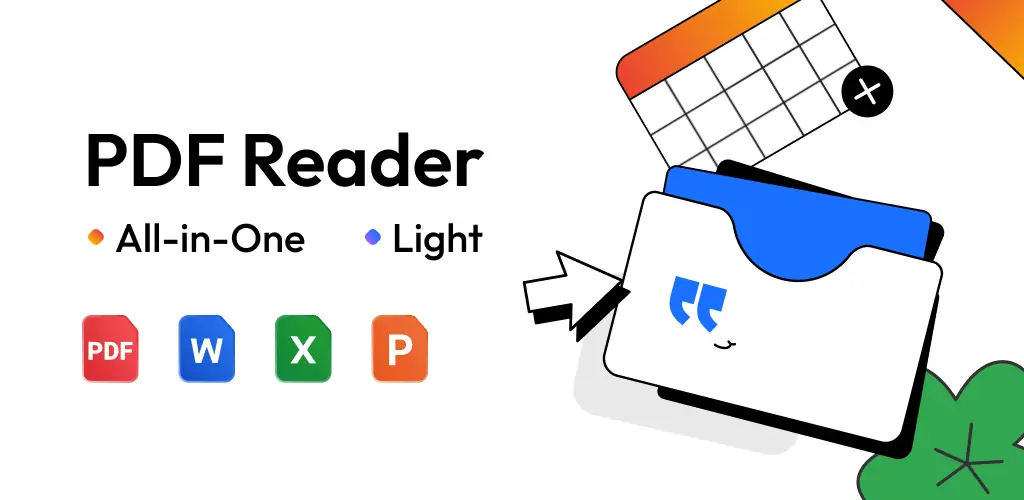
PDF Reader - PDF Viewer app cover art for Android
PDF Reader - PDF Viewer Icon

PDF Reader - PDF Viewer APK for Android

386M+
Free
Nov 21, 2025

The smartest way to read, edit, and manage all your documents

Download PDF Reader - PDF Viewer APK 1.9.5 67MB

What is PDF Reader?

Meet PDF Reader - PDF Viewer, your new go-to for everything documents. Forget clunky software; this app is a lightweight powerhouse, designed to make your life easier. It automatically finds and organizes all your files, so you can stop searching and start reading. Whether you’re reviewing a report in a PDF, tweaking a Word document, or scanning receipts into a new PDF file, this app has your back.

The interface is clean and simple, making navigation a breeze. You can switch between light and dark modes for comfortable reading anytime, day or night. Need to sign a document? No problem. The built-in editor lets you add text, highlight key points, and even draw your e-signature directly on the page. Plus, its smart AI assistant can summarize long documents or translate text, saving you precious time.

Here’s a quick look at what makes PDF Reader - PDF Viewer stand out:

  • Universal Document Hub: Reads all your files, including PDF, Word, Excel, and PPT.
  • Smart PDF Tools: Convert images to PDF, merge or split files, and protect them with a password.
  • Easy Editing: Add text, highlight, underline, and even sign documents on the go.
  • AI-Powered Assistant: Get summaries, translations, and grammar checks right within the app.
  • User-Friendly Reading: Enjoy dark mode, bookmarking, and various viewing modes.

Stop letting document management be a chore. Download PDF Reader - PDF Viewer today and discover how simple and efficient handling your files on Android can be!
Also known as: All PDF Reader
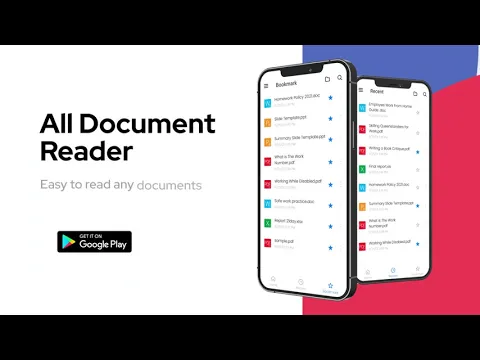
Video of PDF Reader - PDF Viewer
Screenshot PDF Reader - PDF Viewer 1
Screenshot PDF Reader - PDF Viewer 2
Screenshot PDF Reader - PDF Viewer 3
Screenshot PDF Reader - PDF Viewer 4
Screenshot PDF Reader - PDF Viewer 5
Screenshot PDF Reader - PDF Viewer 6
Screenshot PDF Reader - PDF Viewer 7
Screenshot PDF Reader - PDF Viewer 8

Download PDF Reader - PDF Viewer APK for Android

What's New in Version 1.9.5

🚀 New Experience: Easier on Your Eyes!
🌓 【Dark Mode】: Reduce eye strain for more comfortable reading at night
🔆 【Brightness Control】: Adjust screen brightness to suit your reading preference

✅ Performance Improvements
✨ Improved performance and interactions for a smoother experience
✨ Fixed minor bugs and enhanced overall stability

Available Files

System Requirements

OS Version
Android 6.0 (Marshmallow) or higher
Architecture
Varies by file (Which one do I need?)
Disk Space
~90 MB free space required
RAM
1 GB
Internet
Not required
Google Services
Required
Permissions (24)
  • Internet
  • Camera
  • Access Network State
  • Read External Storage
  • Write External Storage

APK File Details

Package ID pdf.pdfreader.viewer.editor.free
Available on Google Play
Developer QR Code Scanner.
License Free
Monetization Contains Ads   In-App Purchases
Content Rating Everyone

APK Verification & Virus Scan Results

Scan In Queue Signature Verified Safe & Original

Antivirus scan in queue, will be scanned soon. This APK is free of malware and its signature matches the official developer release.

Show File Details (SHA-256, SHA-1, MD5)

SHA-1 Signature:

36990ced153295e96f988f5c318a38c01e2f2759

SHA-256 Hash:

e69e7c54f0700fe155d94f28b6b4d3f6fc60d4704033d8173c9bcdf77a03e0d2

MD5 Checksum:

4680e11568a7fd9b5bddc2166f2843fc

Frequently Asked Questions

Is PDF Reader safe to download?

PDF Reader has passed a basic integrity check. A full antivirus scan is pending. You can check the current scan status in the Security section above.

How to install XAPK file?

XAPK is a split APK package. Standard Android installer cannot open it directly. Use 'SAI' or 'XAPK Installer' — they handle XAPK files automatically. Download the installer, open the XAPK file with it, and follow the on-screen steps. Read more

What Android version does PDF Reader require?

PDF Reader requires Android 6.0 (API 23) or higher. Optimized for Android 14 (API 34).

Is PDF Reader free?

Yes, it is free to download and use, but it contains ads and offers in-app purchases.

How to update PDF Reader to the latest version?

Download the latest APK from this page and install it over your existing version — no need to uninstall first. Your data and settings will be preserved. We update the file as soon as a new version is released.

What processor architecture does PDF Reader support?

PDF Reader supports arm64-v8a. This build does not support x86/x86_64 processors, so it will not run on most PC emulators. If you are unsure about your device architecture, check the Device Info section on this page.

How to enable installation from unknown sources on Android?

Go to Settings → Security (or Settings → Apps → Special access on Android 8+) and enable "Install unknown apps" for your browser or file manager. On Android 8 and above this setting is per-app, not global. Read more

If you have found any issue or are having difficulty with this page, please .

User Reviews & Ratings

Global rating(Play Store): 4.49(944.6K)
Site Rating: 5(1)
Rate this app

5.00

12345

1

Share your experience with other users.