
Flip Clock: World Clock app cover art for Android
Flip Clock: World Clock Icon

Flip Clock: World Clock APK for Android

wssc Original
8M+
Free
Jul 13, 2026

Master your day with elegant time and focused productivity.

Download Flip Clock: World Clock APK 1.5.4.5 15MB

What is Flip Clock: World Clock?

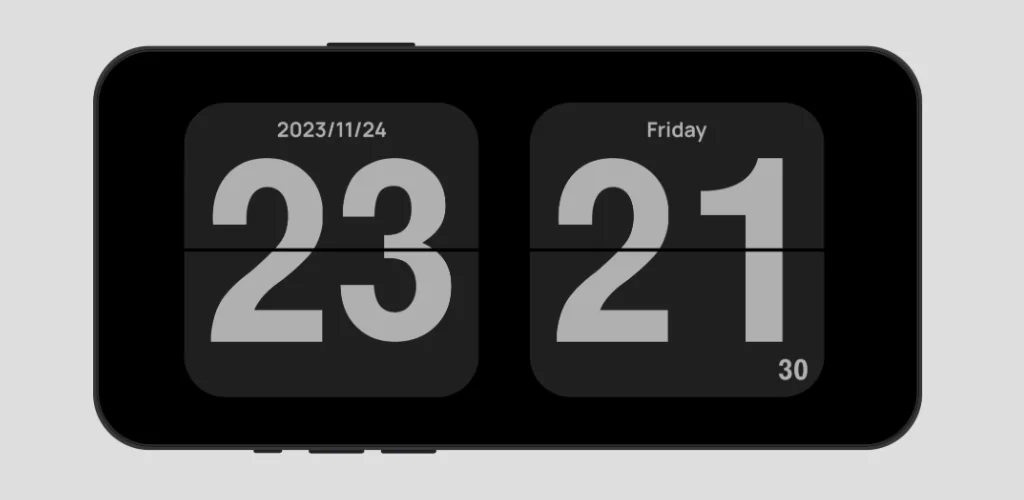
Ever wished your phone could do more than just tell time, but in a way that actually looks good and helps you focus? I recently tried out Flip Clock: World Clock, and it’s surprisingly versatile. Forget those plain digital displays; this app brings a minimalist flip clock to your screen, complete with a satisfying page-turn animation every minute. It’s perfect for turning an old tablet or phone into a stylish desk clock.

What really impressed me was how much utility it packs in. Beyond the elegant time display, you get a built-in Pomodoro timer – a real game-changer if you’re trying to boost your focus for study or work. Unlike most apps that just offer a basic timer, this one integrates it seamlessly. Need to know the time in Tokyo while you’re in London? The world clock feature handles global time zones and even shows local weather, or you can add a handy world clock widget right to your home screen.

Productivity & Display

  • Flip Clock Display: Enjoy a full-screen, minimalist clock with a smooth, page-turning animation.
  • Pomodoro Timer: Use a dedicated focus timer to enhance your study or work sessions.
  • World Clock & Weather: Easily check time and current weather for cities worldwide, including your location.

Personalization & Convenience

  • Customizable Themes: Switch between multiple visual themes and fonts to match your style.
  • Ad-Free Experience: No annoying ads or unnecessary permission requests to interrupt your flow.
  • Desktop Widgets: Add various clock and world clock widgets directly to your home screen.

Don’t settle for a basic time-teller. If you’re looking for a sleek, functional clock that helps you manage your day and stay focused, you’re missing out by not checking out Flip Clock: World Clock.

Screenshot Flip Clock: World Clock 1
Screenshot Flip Clock: World Clock 2
Screenshot Flip Clock: World Clock 3
Screenshot Flip Clock: World Clock 4
Screenshot Flip Clock: World Clock 5
Screenshot Flip Clock: World Clock 6
Screenshot Flip Clock: World Clock 7
Screenshot Flip Clock: World Clock 8

Flip Clock: World Clock APK Download

What's New in Version 1.5.4.5

• Optimized ambient sounds
• Standby supports notifications
• Timer and Pomodoro tags now support archiving
• Add more fonts
• Bug fixes

System Requirements

OS Version
Android 7.0 (Nougat) or higher
Architecture
Varies by file (Which one do I need?)
Disk Space
~20 MB free space required
RAM
1 GB
Internet
Not required
Google Services
Required

APK File Details

Package ID com.wssc.simpleclock
Available on Google Play
Developer wssc
License Free ( No Ads)
Monetization In-App Purchases
Content Rating Everyone
Interface Language
27 languages

Arabic, Bulgarian, Czech, German, Spanish, French, Hindi, Hungarian, Italian, Japanese, Korean, Polish, Portuguese, Russian, Thai, Turkish, Ukrainian, Vietnamese, Chinese, + 8 localizations

Required Permissions (31)
  • Internet
  • Access Network State
  • Read External Storage
  • Access Fine Location
  • Access Coarse Location

APK Verification & Virus Scan Results

Scan In Queue Signature Verified Safe & Original

Antivirus scan in queue, will be scanned soon. This APK is free of malware and its signature matches the official developer release.

Show File Details (SHA-256, SHA-1, MD5)

SHA-1 Signature:

e51886808ed2951ed345e3bdae03edbfc03c0ff4

SHA-256 Hash:

bbab43ae8b5f482efe4f05ca9a98a51b46c175587281e424d877a9434038ee51

MD5 Checksum:

a42495c7b8c7712b6e68398d265694f9

Frequently Asked Questions

Is Flip Clock: World Clock safe to download?

Flip Clock: World Clock has passed a basic integrity check. A full antivirus scan is pending. You can check the current scan status in the Security section above.

How to install XAPK file?

XAPK is a split APK package. Standard Android installer cannot open it directly. Use 'SAI' or 'XAPK Installer' — they handle XAPK files automatically. Download the installer, open the XAPK file with it, and follow the on-screen steps. Read more

What Android version does Flip Clock: World Clock require?

Flip Clock: World Clock requires Android 7.0 (API 24) or higher. Optimized for Android 15 (API 35).

Is Flip Clock: World Clock free?

Yes, the app is free to download, but it contains in-app purchases for additional content.

How to update Flip Clock: World Clock to the latest version?

Download the latest APK from this page and install it over your existing version — no need to uninstall first. Your data and settings will be preserved. We update the file as soon as a new version is released.

What processor architecture does Flip Clock: World Clock support?

Flip Clock: World Clock supports arm64-v8a, armeabi-v7a. This build does not support x86/x86_64 processors, so it will not run on most PC emulators. If you are unsure about your device architecture, check the Device Info section on this page.

How to enable installation from unknown sources on Android?

Go to Settings → Security (or Settings → Apps → Special access on Android 8+) and enable "Install unknown apps" for your browser or file manager. On Android 8 and above this setting is per-app, not global. Read more

If you have found any issue or are having difficulty with this page, please .

User Reviews & Ratings

Global rating(Play Store): 4.72(77.8K)
Site Rating: 5(1)
Rate this app

5.00

12345

1

Share your experience with other users.

Download Flip Clock: World Clock APK - Latest version

Get the official APK file for your Android device. Fast, safe, and free. Download APK