Transparent clock and weather app cover art for Android
Transparent clock and weather Icon

Transparent clock and weather APK for Android

67M+
Free
Jun 1, 2026

Live weather widgets, hourly & daily forecasts, storm and rain maps and alerts

Download Transparent clock and weather APK 9.07.1 105MB Old versions

What is Transparent clock and weather?

“Transparent clock and weather” – this utility combines several functions: launcher, widget manager, wallpaper and wallpaper for the main screen of smart Android devices. All functions are aimed at informing the user about the current weather, weather forecast and calendar events in a stylish way.

This application allows users to customize the features and interface of the main screen in the most popular style – transparency:

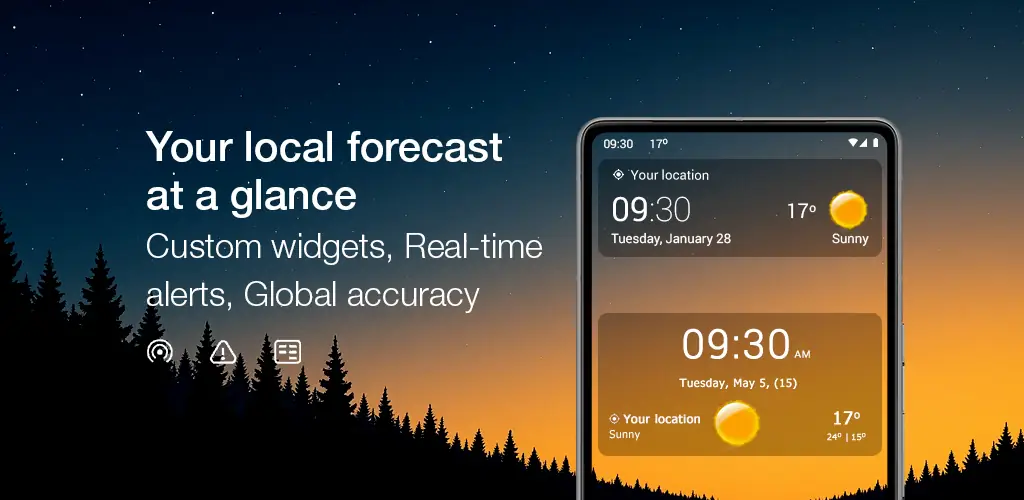
  • Widgets – you can choose the number of cells: 2×1, 4×1, 4×2, 4×3, 5x 2;
  • Themes – automatically set depending on the weather or time of day, or individually depending on the user’s mood;
  • Fonts for inscriptions;
  • The home screen also displays a calendar widget where you can set up alerts to the user about upcoming events;
  • “Hot Spots” – launch applications by default.

Algorithm of work – functions:

  1. The application automatically or manually determines the geolocation of the user (using GPS or Wi-Fi);
  2. The interface displays:
    • Local time;
    • Temperature: minimum and maximum temperature range;
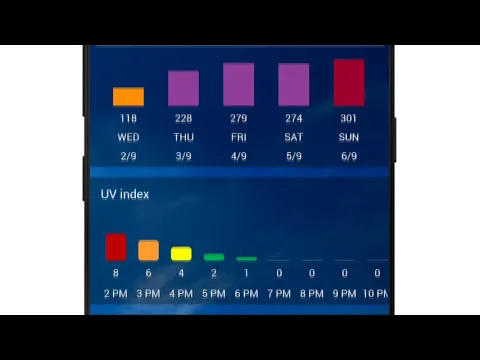
    • Atmospheric pressure, humidity, precipitation, wind strength and direction, UV index;
    • Sunrise and sunset – the length of the day;
    • Phases of the moon;
    • Weather forecast: hourly and daily;
  3. The user’s location is displayed on the navigation map. The navigation map displays objects “satellite view” or as a graphic image;
  4. You can follow the weather at ten points on the globe;
  5. Data is updated every 15 or 30 minutes; or 1, 2, 4, 8 hours.

Notes:

  • For correct operation, the application must be installed on the internal memory of the device;
  • The app runs in the background: if the user is using any device optimizers, in this case, you need to exclude “Transparent clock and weather” from the auto-stop list, or add the application to the “white list”;
  • The application has a Premium version – on a paid basis.
  • The application is Russified.
Also known as: Transparent clock & weather, Transparent weather clock
Video of Transparent clock and weather
Screenshot Transparent clock and weather 1
Screenshot Transparent clock and weather 2
Screenshot Transparent clock and weather 3
Screenshot Transparent clock and weather 4
Screenshot Transparent clock and weather 5
Screenshot Transparent clock and weather 6

Download Transparent clock and weather APK for Android

What's New in Version 9.07.1

Version 9.08.1
- Important bug fixes and optimizations

Other versions

System Requirements

OS Version
Android 7.0 (Nougat) or higher
Architecture
Varies by file (Which one do I need?)
Disk Space
~150 MB free space required
RAM
2 GB
Internet
Not required
Google Services
Required   GMS dependent
Permissions (29)
  • Requires Google Play Services to launch:
    Note: This is an original file. Unlike modded versions with no verification, it validates via your store account. Details
  • Internet
  • Camera
  • Access Network State
  • Read External Storage
  • Write External Storage

APK File Details

Package ID com.droid27.transparentclockweather
Available on Google Play
Developer MACHAPP Software Ltd
License Free
Monetization Contains Ads   In-App Purchases
Content Rating Everyone
Interface Language
English +78

English, Arabic, Bulgarian, Czech, German, Spanish, French, Hindi, Hungarian, Italian, Japanese, Korean, Polish, Portuguese, Romanian, Russian, Thai, Turkish, Ukrainian, Vietnamese, Chinese, + 58 localizations

APK Verification & Virus Scan Results

No Virus Signature Verified Safe & Original

Virus scan: Clean (0/58) View report. This APK is free of malware and its signature matches the official developer release.

Show File Details (SHA-256, SHA-1, MD5)

SHA-1 Signature:

bdb589a28302fbca84d766bb53fd1cdfe040e081

SHA-256 Hash:

47cf59066c7c520717ff9a1d0ed94ae616b0bf3da88819a60996b9df575dcff5

MD5 Checksum:

193d6e628f8f65092b152b0e2c5b4852

Frequently Asked Questions

Is Transparent clock and weather safe to download?

Yes, Transparent clock and weather is safe to download. The APK is scanned on every update — no malware or viruses detected. You can verify the full scan report in the Security section above.

How to install XAPK file?

XAPK is a split APK package. Standard Android installer cannot open it directly. Use 'SAI' or 'XAPK Installer' — they handle XAPK files automatically. Download the installer, open the XAPK file with it, and follow the on-screen steps. Read more

What Android version does Transparent clock and weather require?

Transparent clock and weather requires Android 7.0 (API 24) or higher. Optimized for Android 16 (API 36).

Is Transparent clock and weather free?

Yes, it is free to download and use, but it contains ads and offers in-app purchases.

Does Transparent clock and weather require a license check?

Yes, this app performs a license check. You may need to have the Google Play Store installed and be logged in to verify the license.

How to update Transparent clock and weather to the latest version?

Download the latest APK from this page and install it over your existing version — no need to uninstall first. Your data and settings will be preserved. We update the file as soon as a new version is released.

What processor architecture does Transparent clock and weather support?

Transparent clock and weather supports arm64-v8a, x86, armeabi-v7a, x86_64. If you are unsure about your device architecture, check the Device Info section on this page.

If you have found any issue or are having difficulty with this page, please .

User Reviews & Ratings

Global rating(Play Store): 4.49(966.2K)
Site Rating: 4.12(25)
Rate this app

4.12

12345

25

Share your experience with other users.

Dimitrios Kleftaras:
ΠΟΛΎ ΚΑΛΉ Η ΠΡΏΤΗ ΕΚΔΟΧΗ