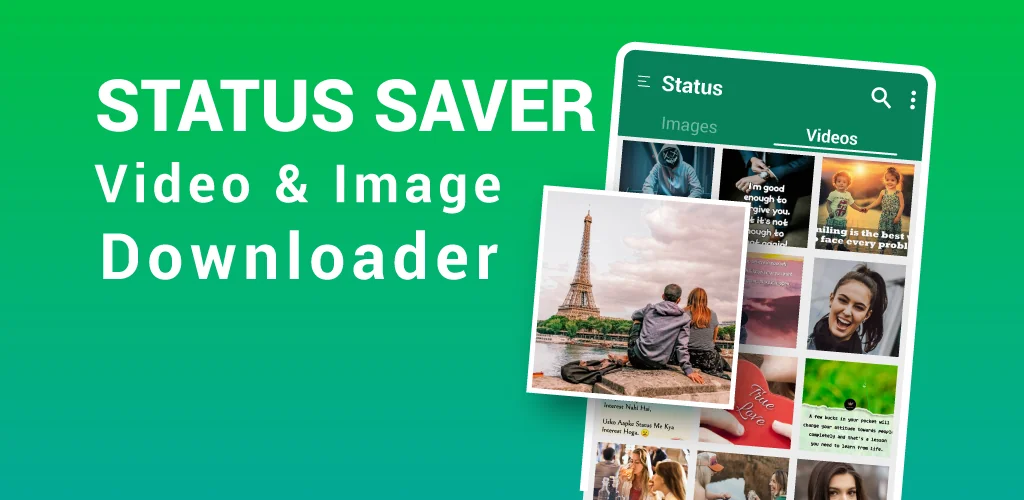

What is Status Saver?
Status Saver – Video Saver is a whatsapp status saver app that pulls photos and videos off a contact's status and drops them straight into the phone's gallery. The idea is simple: skip asking a friend to resend a clip they posted, and grab it yourself before it's gone.
Using it means a two-step routine. You open the status inside WhatsApp first, the way you normally would, then switch back to the saver app to pull down what you just watched. Images and videos land in separate tabs, so a status with ten photos and three clips doesn't turn into a jumbled mess. Multiple files can be selected and downloaded or deleted in one go, which matters when a contact dumps a dozen photos in a single post. Saved files play back through a built-in video player and photo gallery, so there's no need to hop over to another app just to rewatch something you already downloaded. The app also claims to hold onto HD quality on both the video and photo files it saves.
Other status saver apps to consider
Status Saver by LazyGenius Studio works on the same basic idea but adds a direct messaging feature that doesn't require saving a contact's number first. Status Downloader for WhatsApp by Zeo Region goes further, layering in WA Web scanning and deleted message recovery on top of standard status saving. This app skips those extras and sticks to the tab-based save-and-repost workflow described above.
Key Features:
- Downloaded images and videos are split across separate tabs so a mixed-media status stays organized.
- You can watch a friend's story without it registering as seen, using the anonymous viewing option.
- Multi-save and delete let you clear out or grab a batch of files in one single action.
- Every saved clip and photo plays back through a built-in viewer, no separate gallery app needed.
- Reposting saved files onto other social platforms works straight from inside the app.
- The app itself is described as small and lightweight, so it doesn't eat much storage on its own.
Saving statuses for offline viewing and reposting
Anyone scrolling statuses on a spotty connection benefits from having files sitting locally instead of reloading them every time. Once downloaded, videos and photos work without a data connection, which helps on a commute or when data is running low. A common case is someone reposting a supplier's or friend's photos to their own status after saving them here first. There's no login step required to get it working, so setup is just installing the app and pointing it at WhatsApp.
Regular WhatsApp users who want a copy of a status before it disappears, or who repost content across other platforms, are the obvious audience here. One friction point is built into how the app works: it can't pull a status directly off WhatsApp's own servers, so you still have to open and view the status inside WhatsApp itself before switching back here to save it.




Share your experience with other users.