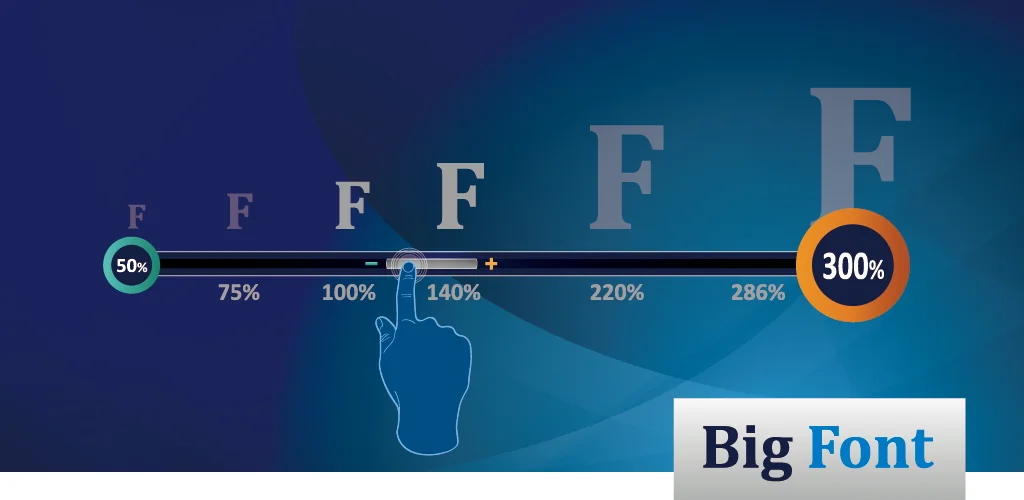

Big Font (change font size) app cover art for Android
Big Font (change font size) Icon

Big Font (change font size) APK for Android

5M+
Free
Oct 8, 2025

Program for changing the system font with flexible settings

Download Big Font (change font size) APK 3.97 11MB

What is Big Font?

Big Font (change font size) – this tool will primarily be useful to people with vision problems, but those users who do not experience such difficulties, but are not satisfied with the standard font size settings, also have the opportunity to bypass system restrictions using this program. As a rule, the “Green Robot” settings allow you to select the font size from the options small, medium and large, that is, there are only three, and the capabilities of this program expand “horizons”, ranging from 20 to 1000% of the original value.

The preliminary result of changes made through Big Font (change font size) can be immediately seen in the preview window, which greatly simplifies the selection of the optimal option for the user. It is worth saying that the application changes not only the system inscriptions, the font is also enlarged in other third-party programs, for example, clients of social networks, instant messengers, online stores, and so on. The new product also has such a useful function as a magnifying glass – using the camera of your mobile device, you photograph, for example, small text, and then simply enlarge it to the desired size.

But this is not all the possibilities of Big Font (change font size), because in addition to the font, you can experiment with the size of application and folder icons, if necessary, downloading a suitable magnification factor from the network. Using this mobile tool thanks to its intuitive interface is incredibly easy, just select the appropriate font size and tap the “apply” button. The program does not require mandatory payments or subscriptions, but if you want to get rid of advertising, you will have to pay about three dollars.

Also known as: Big Font (change font size & display size), Big Font
Screenshot Big Font (change font size) 1
Screenshot Big Font (change font size) 2
Screenshot Big Font (change font size) 3
Screenshot Big Font (change font size) 4
Screenshot Big Font (change font size) 5
Screenshot Big Font (change font size) 6
Screenshot Big Font (change font size) 7
Screenshot Big Font (change font size) 8

Download Big Font (change font size) APK for Android

What's New in Version 3.97

v4.03
★ stop supporting Android 6 devices
★ email me if you'd like to help with the translation
★ bugs fixed and optimizations

v4.02
★ Big Font is now Android 16 compatible

Available Files

  • 3.97 (latest) 11MB Android 6.0+ armeabi-v7a Download
  • 3.80 5MB Android 6.0+ arm64-v8aarmeabi-v7ax86x86_64 Download

System Requirements

OS Version
Android 6.0 (Marshmallow) or higher
Architecture
Varies by file (Which one do I need?)
Disk Space
~20 MB free space required
RAM
1 GB
Internet
Not required
Google Services
Required   GMS dependent
Permissions (18)
  • Requires Google Play Services to launch:
    Note: This is an original file. Unlike modded versions with no verification, it validates via your store account. Details
  • Internet
  • Camera
  • Access Network State
  • Wake Lock
  • Access Adservices Attribution

APK File Details

Package ID com.a0soft.gphone.bfont
Available on Google Play
Developer AZSoft Technology Inc.
License Free
Monetization Contains Ads   In-App Purchases
Content Rating Everyone

APK Verification & Virus Scan Results

No Virus Signature Verified Safe & Original

Virus scan: Clean (0/66) View report. This APK is free of malware and its signature matches the official developer release.

Show File Details (SHA-256, SHA-1, MD5)

SHA-1 Signature:

190d8057cd872b2f7ef67a2a7dea5117e0cc8945

SHA-256 Hash:

6df05676f25b49338f846ca8ffe81ca9adaabdc5effc9b8fb4ad4a54a9c9fa10

MD5 Checksum:

29d3085fe5a751c8938b8ee6449e09d1

Frequently Asked Questions

Is Big Font safe to download?

Yes, Big Font is safe to download. The APK is scanned on every update — no malware or viruses detected. You can verify the full scan report in the Security section above.

How to install XAPK file?

XAPK is a split APK package. Standard Android installer cannot open it directly. Use 'SAI' or 'XAPK Installer' — they handle XAPK files automatically. Download the installer, open the XAPK file with it, and follow the on-screen steps. Read more

What Android version does Big Font require?

Big Font requires Android 6.0 (API 23) or higher. Optimized for Android 15 (API 35).

Is Big Font free?

Yes, it is free to download and use, but it contains ads and offers in-app purchases.

Does Big Font require a license check?

Yes, this app performs a license check. You may need to have the Google Play Store installed and be logged in to verify the license.

How to update Big Font to the latest version?

Download the latest APK from this page and install it over your existing version — no need to uninstall first. Your data and settings will be preserved. We update the file as soon as a new version is released.

Does Big Font require Root access?

No root is required for basic use. Big Font works on standard Android for CPU info, RAM, battery, sensors, and network stats. Root unlocks a small set of advanced system parameters that Android restricts by default.

If you have found any issue or are having difficulty with this page, please .

User Reviews & Ratings

Global rating(Play Store): 4.31(21.6K)
Rate this app

0.00

12345

not yet rated

Share your experience with other users.