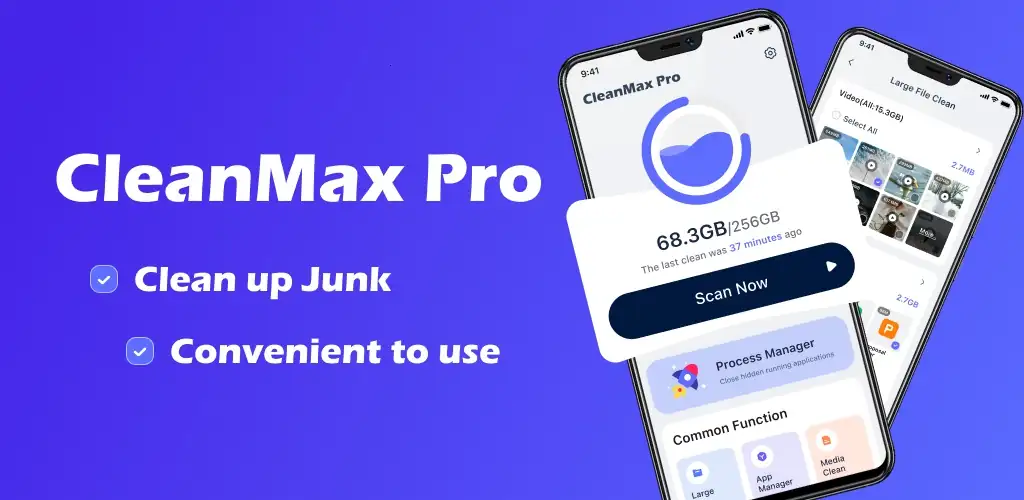

What is CleanMax Pro?
CleanMax Pro provides a focused solution for Android users looking to reclaim storage space and manage their device's digital clutter. This utility app offers a suite of tools designed to identify and remove unnecessary files, helping your phone run more efficiently. If you're searching for an effective CleanMax Pro APK to optimize your device, this review details its capabilities.
What is CleanMax Pro?
CleanMax Pro functions as a comprehensive cleaning and management tool for Android devices. Its core purpose is to help users identify and clear out various types of digital waste that accumulate over time. This includes temporary files, residual data from uninstalled applications, and system cache that can bloat your device's storage. The app scans your internal storage, pinpointing areas where space can be recovered, then presents these findings for your review.
Beyond simple junk removal, CleanMax Pro also offers features to manage your installed applications and media. It can highlight apps that consume significant storage or those you haven't opened in months, prompting you to consider if they're still needed. This proactive approach to app management helps prevent your device from becoming sluggish due to too many dormant applications.
Key Features:
- Junk Cleaner: Scans and clears cache files, temporary data, and residual files left behind by apps, freeing up valuable storage.
- App Manager: Identifies large applications and those left unused for extended periods, assisting you in making informed decisions about what to keep.
- Large Files Cleaner: Locates and lists exceptionally large files, such as videos or archives, that often eat storage without you realizing it.
- Duplicate Photos Remover: Automatically detects identical photos on your device, allowing you to delete redundant copies and declutter your gallery.
- Device Information: Displays detailed specifications about your Android phone, including storage usage, RAM, and processor details, offering a quick overview of your device's health.
Practical Use Cases for CleanMax Pro
This app shines when you need to quickly free up space for new photos, videos, or application updates. Perhaps your phone is constantly warning you about low storage, or you notice a general slowdown in performance. CleanMax Pro can help diagnose these issues by showing you exactly where your storage is going. It's particularly useful for users with older devices or those with limited internal storage, where every megabyte counts. You can use it before a major system update to ensure enough room, or simply as a routine maintenance tool to keep your device tidy.
CleanMax Pro vs similar apps
When compared to general file managers like Files by Google, CleanMax Pro offers a more specialized focus on cleaning and optimization rather than broad file browsing. While Files by Google includes some cleaning features, CleanMax Pro dedicates its entire toolkit to identifying and purging various forms of digital junk, including specific duplicate photo detection. Against dedicated cleaners like CCleaner, CleanMax Pro positions itself as a straightforward, easy-to-navigate option, consolidating core cleaning functions without excessive complexity. Users prioritizing a direct, no-frills approach to freeing up space will find CleanMax Pro a compelling choice.
CleanMax Pro is well-suited for Android users who frequently find their storage full or their device feeling sluggish. It provides a clear, actionable way to manage digital clutter and reclaim precious space. However, like any powerful cleaning tool, it requires user discretion; always review the files suggested for deletion to ensure you don't accidentally remove something important.




Share your experience with other users.