Clock Vault-Hide Photos,Videos app cover art for Android
Clock Vault-Hide Photos,Videos Icon

Clock Vault-Hide Photos,Videos APK for Android

WS INFOTECH Original
48M+
Free
Nov 20, 2025

Hide Your Memories, Behind a Clock's Face.

Download Clock Vault-Hide Photos,Videos APK 68.0 22MB

What is Clock Vault-Hide Photos,Videos?

Ever feel like your phone’s gallery is a little too public? Wish you could hide away those embarrassing selfies or private videos? Clock Vault-Hide Photos,Videos for Android is like a secret agent for your personal files! It’s a clever app that disguises itself as a regular clock, but behind that ticking face lies a powerful vault for your photos and videos.

So, how does it work? Imagine setting a secret time as your password. Only you know that 3:15 unlocks the door to your hidden files. Pretty cool, right?

Clock Vault-Hide Photos,Videos lets you easily hide photos and videos directly from your gallery. You can even crop and rotate photos within the app! Plus, it supports almost any video format. Want extra security? You can change the clock icon to look like a weather app, calculator, or something else entirely. And if someone does stumble upon your “clock,” you can set up a fake vault with a decoy password to throw them off the scent!

But wait, there’s more! Clock Vault-Hide Photos,Videos includes a private browser, so you can download and hide stuff directly from the internet without leaving a trace. It even has a built-in video player. For extra convenience, you can unlock the app with your fingerprint (if your phone supports it).

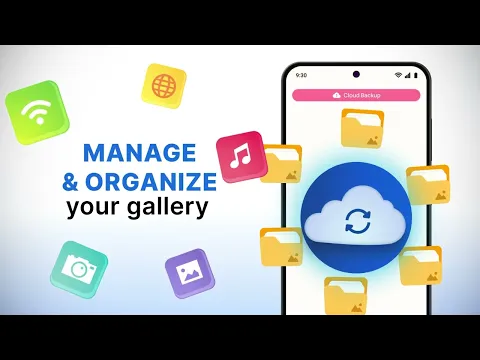
Worried about losing your phone? Clock Vault-Hide Photos,Videos offers cloud backup, so your precious hidden files are safe and sound. Just remember to upload them before anything happens to your device!

Lost your password? Don’t panic! There’s a recovery option using the clock hands. Just follow the instructions.

Ready to take control of your privacy? Download Clock Vault-Hide Photos,Videos today and experience the peace of mind that comes with knowing your personal files are safe and sound! It’s like having your own personal Fort Knox on your Android device.
Also known as: Clock Vault - Hide Photos, Videos, Clock
Video of Clock Vault-Hide Photos,Videos
Screenshot Clock Vault-Hide Photos,Videos 1
Screenshot Clock Vault-Hide Photos,Videos 2
Screenshot Clock Vault-Hide Photos,Videos 3
Screenshot Clock Vault-Hide Photos,Videos 4
Screenshot Clock Vault-Hide Photos,Videos 5
Screenshot Clock Vault-Hide Photos,Videos 6
Screenshot Clock Vault-Hide Photos,Videos 7
Screenshot Clock Vault-Hide Photos,Videos 8

Download Clock Vault-Hide Photos,Videos APK for Android

What's New in Version 68.0

No official changelog provided for Clock Vault-Hide Photos,Videos version 68.0. This update likely includes general stability improvements and bug fixes.

Available Files

System Requirements

OS Version
Android 7.0 (Nougat) or higher
Architecture
Varies by file (Which one do I need?)
Disk Space
~30 MB free space required
RAM
1 GB
Internet
Not required
Google Services
Required
Permissions (27)
  • Internet
  • Record Audio
  • Camera
  • Access Network State
  • Read External Storage

APK File Details

Package ID ws.clockthevault
Available on Google Play
Developer WS INFOTECH
License Free
Monetization Contains Ads   In-App Purchases
Content Rating Everyone
Interface Language
English +0

English

APK Verification & Virus Scan Results

No Virus Signature Verified Safe & Original

Virus scan: Clean (0/64) View report. This APK is free of malware and its signature matches the official developer release.

Show File Details (SHA-256, SHA-1, MD5)

SHA-1 Signature:

6eba930378e8df352fe564430a380b9e305b6e6c

SHA-256 Hash:

7bab53aa905339aa6b5deca348b3b5f138203088290d07b98852db310b6a9cd7

MD5 Checksum:

18a39704315b41cb51e138d19345ffb5

Frequently Asked Questions

Is Clock Vault-Hide Photos,Videos safe to download?

Yes, Clock Vault-Hide Photos,Videos is safe to download. The APK is scanned on every update — no malware or viruses detected. You can verify the full scan report in the Security section above.

How to install XAPK file?

XAPK is a split APK package. Standard Android installer cannot open it directly. Use 'SAI' or 'XAPK Installer' — they handle XAPK files automatically. Download the installer, open the XAPK file with it, and follow the on-screen steps. Read more

What Android version does Clock Vault-Hide Photos,Videos require?

Clock Vault-Hide Photos,Videos requires Android 7.0 (API 24) or higher. Optimized for Android 16 (API 36).

Is Clock Vault-Hide Photos,Videos free?

Yes, it is free to download and use, but it contains ads and offers in-app purchases.

How to update Clock Vault-Hide Photos,Videos to the latest version?

Download the latest APK from this page and install it over your existing version — no need to uninstall first. Your data and settings will be preserved. We update the file as soon as a new version is released.

Does Clock Vault-Hide Photos,Videos require Root access?

No root is required for basic use. Clock Vault-Hide Photos,Videos works on standard Android for CPU info, RAM, battery, sensors, and network stats. Root unlocks a small set of advanced system parameters that Android restricts by default.

What processor architecture does Clock Vault-Hide Photos,Videos support?

Clock Vault-Hide Photos,Videos supports arm64-v8a. This build does not support x86/x86_64 processors, so it will not run on most PC emulators. If you are unsure about your device architecture, check the Device Info section on this page.

If you have found any issue or are having difficulty with this page, please .

User Reviews & Ratings

Global rating(Play Store): 4.53(489.3K)
Site Rating: 5(1)
Rate this app

5.00

12345

1

Share your experience with other users.