AppLock app cover art for Android
AppLock Icon

AppLock APK for Android

PIPS Tech Original
324M+
Free
Aug 17, 2024

Reliable protection of your data and privacy.

Download AppLock APK 5.9.6 32MB

What is AppLock?

Create protection against leakage of your confidential data using the AppLock application. The program supports 45 languages, will be useful for users around the world.

Hide photos and videos in your smartphone gallery. These files will disappear from the gallery and become invisible. This will help protect personal photos and family memories. Access to them is granted only after entering the PIN code.

Block Instagram, Facebook, Snapchat, Whatsapp, OK, SMS, Messenger, Settings, Contacts and more. This is a guarantee against unauthorized access and protection of the smartphone. Ensuring your security and preventing leakage of personal data. Supports random key layout and a graphic key that is invisible to the human eye. Now you don’t have to worry about someone remembering your password or snooping on your security key.

By using AppLock, you won’t have to worry about:

  • One of your friends or children will be able to take your smartphone to play on it or look at photos.
  • Your colleagues or other third parties will look at confidential and personal information, or read secret correspondence in the messenger.
  • Children will take the phone and reset all the settings or go to the application with games and pay for the purchase on the smartphone.
    Colleagues or partners will open a gallery with photos as a joke.

The application uses device administrator permission and never sets default settings on its own. In order to enable additional protection, you need to open the application yourself and set all the settings manually. The program never uses access to your data, and performs all operations only with the permission of the smartphone owner. Energy Saving AppLock is considered one of the best, since the program practically does not consume the smartphone’s battery power and does not interfere with the stability of its operation.
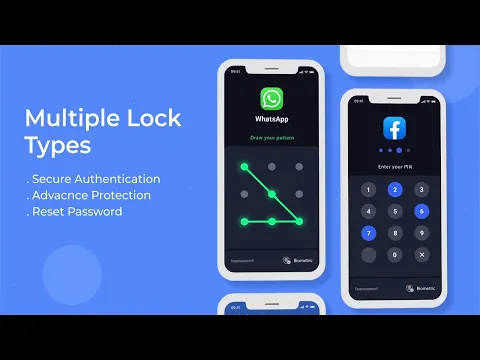
Video of AppLock
Screenshot AppLock 1
Screenshot AppLock 2
Screenshot AppLock 3
Screenshot AppLock 4
Screenshot AppLock 5
Screenshot AppLock 6
Screenshot AppLock 7
Screenshot AppLock 8

Download AppLock APK for Android

What's New in Version 5.9.6

Optimized function, better experience!

Available Files

System Requirements

OS Version
Android 5.0 (Lollipop) or higher
Architecture
Varies by file (Which one do I need?)
Disk Space
~50 MB free space required
RAM
1 GB
Internet
Not required
Permissions (44)
  • Internet
  • Camera
  • Access Network State
  • Read External Storage
  • Write External Storage

APK File Details

Package ID com.domobile.applockwatcher
Available on Google Play
Developer PIPS Tech
License Free
Monetization Contains Ads   In-App Purchases
Content Rating Everyone
Interface Language
English +36

English, Japanese, German, Thai, Chinese, Hindi, Vietnamese, Polish, Korean, Romanian, Arabic, French, Turkish, Czech, Spanish, Italian, Portuguese, Hungarian, Russian, + 18 localizations

APK Verification & Virus Scan Results

No Virus Signature Verified Safe & Original

Virus scan: Clean (0/64) View report. This APK is free of malware and its signature matches the official developer release.

Show File Details (SHA-256, SHA-1, MD5)

SHA-1 Signature:

238fddcac8e92c522478d550a31296b438898fa4

SHA-256 Hash:

e80bfe00b3607db948617b6f4ff8d8d396b8f237782ed183a75678e04d73733b

MD5 Checksum:

c5041446d255624a41e45419cf85744d

Frequently Asked Questions

Is AppLock safe to download?

Yes, AppLock is safe to download. The APK is scanned on every update — no malware or viruses detected. You can verify the full scan report in the Security section above.

How to install AppLock APK on Android?

Download the APK using the button above. Then open the file and tap Install. If prompted, enable "Install from unknown sources" in Settings → Security. The process takes under a minute. Read more

What Android version does AppLock require?

AppLock requires Android 5.0 (API 21) or higher. Optimized for Android 14 (API 34).

Is AppLock free?

Yes, it is free to download and use, but it contains ads and offers in-app purchases.

How to update AppLock to the latest version?

Download the latest APK from this page and install it over your existing version — no need to uninstall first. Your data and settings will be preserved. We update the file as soon as a new version is released.

Does AppLock require Root access?

No root is required for basic use. AppLock works on standard Android for CPU info, RAM, battery, sensors, and network stats. Root unlocks a small set of advanced system parameters that Android restricts by default.

What processor architecture does AppLock support?

AppLock supports universal. If you are unsure about your device architecture, check the Device Info section on this page.

If you have found any issue or are having difficulty with this page, please .

User Reviews & Ratings

Global rating(Play Store): 4.2(1.4M)
Site Rating: 5(1)
Rate this app

5.00

12345

1

Share your experience with other users.