CrookCatcher: Anti-Theft app cover art for Android
CrookCatcher: Anti-Theft Icon

CrookCatcher: Anti-Theft APK for Android

11M+
Free
Oct 11, 2026

Catches intruders with photo, location, and email proof on wrong unlock

Download CrookCatcher: Anti-Theft APK 3.0.35 26MB

What is CrookCatcher: Anti-Theft?

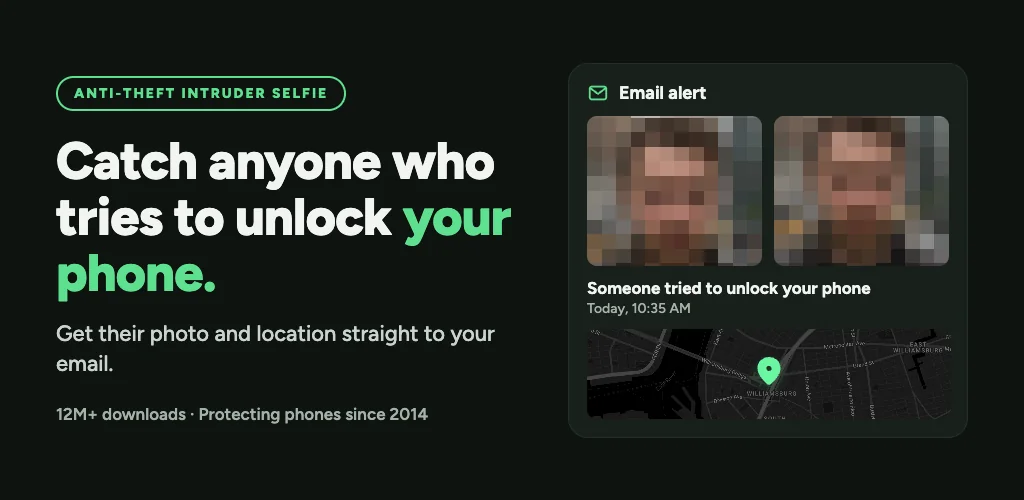
Ever handed your phone to someone and wondered if they tried getting past your lock screen the second you left the room? CrookCatcher: Anti-Theft is a security and anti-theft tool that catches anyone who enters the wrong unlock code. The app takes their photo, logs where they were standing, and emails you the evidence automatically.

The setup is straightforward. When someone types the wrong PIN, password, or pattern, the front camera fires and captures a photo. That image gets sent to your email along with GPS coordinates and an estimated street address of the attempt. You don't need to open the app or check logs later; the alert lands in your inbox with everything attached. If the person eventually guesses your code after failing a few times, the PRO version still captures them during those earlier attempts.

Key Features:

  • The app emails you an intruder selfie along with GPS location and estimated address every time someone enters the wrong unlock code.
  • PRO mode records video with sound and uses the back camera to capture surroundings during the intrusion.
  • A loud alarm sounds and displays a warning message on the lock screen to scare off thieves.
  • You can disguise the app icon and name so intruders won't recognize the security software running in the background.
  • The app only activates on failed unlock attempts, keeping battery drain minimal during normal use.

Camera and location evidence

Each failed attempt triggers the front camera without the intruder noticing. The photo goes straight to your email with coordinates attached, so you can see who tried and where they were at the time. The PRO version adds video recording with audio and switches to the rear camera to capture what's around them. All evidence backs up to Google Drive automatically, so you keep the proof even if the phone disappears. The app also lets you fake a home screen after a wrong unlock; the intruder thinks they got in, and you collect more footage while they poke around.

Other anti-theft security apps

Where most apps stop at a photo and email alert, CrookCatcher: Anti-Theft layers in GPS location and estimated address reporting directly inside that same alert. Lockwatch sends an email with a photo and location when someone enters the wrong code, covering the same ground. Cerberus takes a broader approach with remote device management, including tracking, remote wipe, and audio recording across the whole device. CrookCatcher: Anti-Theft stays focused on the moment someone fails to unlock, documenting that attempt with photo, video, sound, and location in one automated email.

CrookCatcher: Anti-Theft handles one job well: catching the person who tried to unlock your phone without permission. It suits anyone who wants evidence of snooping or theft without monitoring the device constantly. The app won't work on phones with pop-up cameras or fingerprint-only unlocks, and Android 13 and later show a camera-in-use notification when it activates. You also need to unlock the phone once after every reboot to reactivate protection.
CrookCatcher: Anti-Theft video
CrookCatcher: Anti-Theft screenshot 1
CrookCatcher: Anti-Theft screenshot 2
CrookCatcher: Anti-Theft screenshot 3
CrookCatcher: Anti-Theft screenshot 4
CrookCatcher: Anti-Theft screenshot 5
CrookCatcher: Anti-Theft screenshot 6
CrookCatcher: Anti-Theft screenshot 7

CrookCatcher: Anti-Theft APK Download

What's New in Version 3.0.35

Bug fixes.

Download Link:

System Requirements

OS Version
Android 8.0 (OREO) or higher
Architecture
Varies by file (Which one do I need?)
Disk Space
~40 MB free space required
RAM
1 GB
Internet
Not required
Google Services
Required   GMS dependent

APK File Details

Package ID com.harteg.crookcatcher
Available on Google Play
Developer CrookCatcher
License Free
Monetization Contains Ads   In-App Purchases
Content Rating Everyone
Interface Language
35 languages

Arabic, Czech, German, Spanish, French, Hindi, Hungarian, Italian, Japanese, Korean, Polish, Portuguese, Russian, Thai, Turkish, Ukrainian, Vietnamese, + 18 localizations

Required Permissions (33)
  • Requires Google Play Services to launch:
    Note: This is an original file. Unlike modded versions with no verification, it validates via your store account. Details
  • Internet
  • Record Audio
  • Camera
  • Access Network State
  • Read External Storage

APK Verification & Virus Scan Results

No Virus Signature Verified Safe & unmodified

Virus scan: Verified safe (0/66) View report. This APK is free of malware and its signature matches the official developer release.

Show File Details (SHA-256, SHA-1, MD5)

SHA-1 Signature:

27acb5afe6622c10aeaa12c744c170996449ece3

SHA-256 Hash:

b16492e8ab0eb238b29d386dce9c2e5d4d770fa7b5dca6bf6248a9841c8efa8f

MD5 Checksum:

e6fd5bcef5edc78130386341a50b003b

Frequently Asked Questions

Is CrookCatcher: Anti-Theft safe to download?

Yes, CrookCatcher: Anti-Theft is safe to download. The APK is scanned on every update — no malware or viruses detected. You can verify the full scan report in the Security section above.

How to install XAPK file?

XAPK is a split APK package. Standard Android installer cannot open it directly. Use 'SAI' or 'XAPK Installer' — they handle XAPK files automatically. Download the installer, open the XAPK file with it, and follow the on-screen steps. Read more

What Android version does CrookCatcher: Anti-Theft require?

CrookCatcher: Anti-Theft requires Android 8.0 (API 26) or higher. Optimized for Android 16 (API 36).

Is CrookCatcher: Anti-Theft free?

Yes, it is free to download and use, but it contains ads and offers in-app purchases.

Does CrookCatcher: Anti-Theft require a license check?

Yes, this app performs a license check. You may need to have the Google Play Store installed and be logged in to verify the license.

How to update CrookCatcher: Anti-Theft to the latest version?

Download the latest APK from this page and install it over your existing version — no need to uninstall first. Your data and settings will be preserved. We update the file as soon as a new version is released.

Does CrookCatcher: Anti-Theft require Root access?

No root is required for basic use. CrookCatcher: Anti-Theft works on standard Android for CPU info, RAM, battery, sensors, and network stats. Root unlocks a small set of advanced system parameters that Android restricts by default.

Found a problem on this page?

User Reviews & Ratings

Global rating (Play Store): 4.54★ (91K)
Site Rating: 5★ (1)
Rate this app

5.00

12345

1

Share your experience with other users.

Download CrookCatcher: Anti-Theft APK - Latest version

Get the official APK file for your Android device. Fast, safe, and free. Download APK