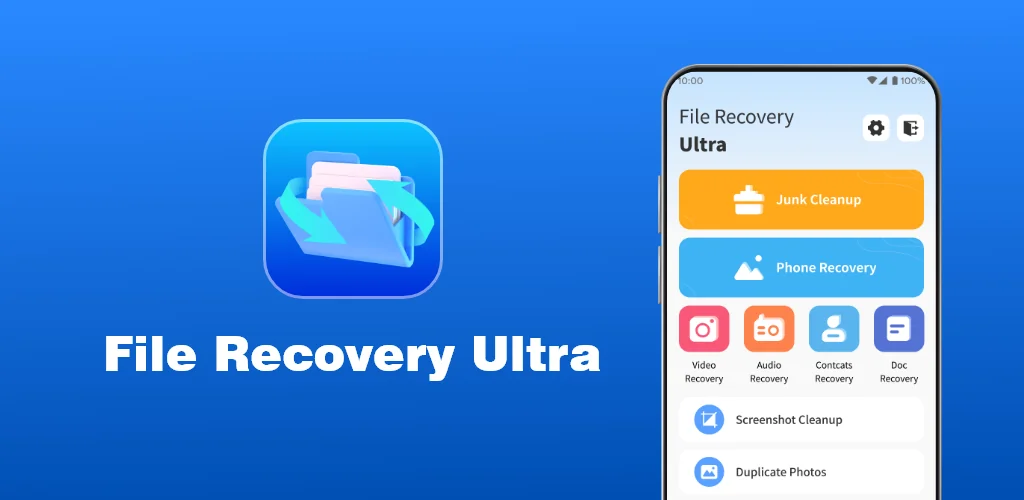
File Recovery Ultra app cover art for Android
File Recovery Ultra Icon

File Recovery Ultra APK for Android

9M+
Free
Jun 12, 2026

Recover deleted photos and videos from your Android device.

Download File Recovery Ultra APK 1.3.2 49MB

What is File Recovery Ultra?

Forget that sinking feeling when you accidentally delete a precious photo or video. File Recovery Ultra actually works to bring those lost memories back, and it’s surprisingly simple. My first impression was how incredibly clean and straightforward the interface felt. I braced myself for a complicated, techy mess, but navigating it was a breeze from the get-go.

What really surprised me was its ability to dig up files I thought were gone for good. I’ve tried other recovery tools that felt like a wild goose chase, but this one felt more purposeful. It scans your device’s storage, and suddenly, pictures and clips you’d mourned as lost start popping up. It’s a huge relief when you see that cherished photo reappear. Who hasn’t accidentally swiped away a memory they wanted to keep?

Beyond just recovery, I found a neat backup feature. It’s like a little safety net, letting you save important files so you don’t even have to worry about losing them again. The whole process, from scanning to restoring, felt quick and efficient. It doesn’t promise 100% success for every single file (especially if your phone’s been factory reset), but for everyday accidental deletions, it’s a powerful digital lifesaver.

Key Features

  • Powerful Recovery: It dives deep into your phone’s storage to find those “gone forever” photos and videos, giving you a real chance to get them back.
  • Intuitive Interface: No tech degree needed! The app is super easy to use, guiding you through the recovery process without any confusion.
  • Simple File Backup: Proactively protect your important files. Back them up within the app to prevent future data loss and restore them whenever needed.

If you’ve ever panicked over a lost digital memory, give File Recovery Ultra a shot. It might just save your day and bring those precious moments back to your screen.

Screenshot File Recovery Ultra 1
Screenshot File Recovery Ultra 2
Screenshot File Recovery Ultra 3
Screenshot File Recovery Ultra 4
Screenshot File Recovery Ultra 5

File Recovery Ultra APK Download

What's New in Version 1.3.2

fix bugs

System Requirements

OS Version
Android 6.0 (Marshmallow) or higher
Architecture
Varies by file (Which one do I need?)
Disk Space
~60 MB free space required
RAM
1 GB
Internet
Not required
Google Services
Required   GMS dependent

APK File Details

Package ID com.file.recoveryultra.filerecovey
Available on Google Play
Developer Adkins Studio
License Free
Monetization Contains Ads  
Content Rating Everyone
Interface Language
English +78

English, Arabic, Bulgarian, Czech, German, Spanish, French, Hindi, Hungarian, Indonesian, Italian, Japanese, Korean, Polish, Portuguese, Romanian, Russian, Thai, Turkish, Ukrainian, Vietnamese, Chinese, + 57 localizations

Required Permissions (25)
  • Requires Google Play Services to launch:
    Note: This is an original file. Unlike modded versions with no verification, it validates via your store account. Details
  • Internet
  • Access Network State
  • Read External Storage
  • Write External Storage
  • Read Contacts

APK Verification & Virus Scan Results

No Virus Signature Verified Safe & Original

Virus scan: Clean (0/64) View report. This APK is free of malware and its signature matches the official developer release.

Show File Details (SHA-256, SHA-1, MD5)

SHA-1 Signature:

da4e132b71343e9872069c51c5e442036de6bc22

SHA-256 Hash:

c88cd56352ac783e71ae06053e2de17d7cab44bd49c7881ad295fac24f08a45c

MD5 Checksum:

1ff2a336ad87b051aa8c3d46489c889f

Frequently Asked Questions

Is File Recovery Ultra safe to download?

Yes, File Recovery Ultra is safe to download. The APK is scanned on every update — no malware or viruses detected. You can verify the full scan report in the Security section above.

How to install XAPK file?

XAPK is a split APK package. Standard Android installer cannot open it directly. Use 'SAI' or 'XAPK Installer' — they handle XAPK files automatically. Download the installer, open the XAPK file with it, and follow the on-screen steps. Read more

What Android version does File Recovery Ultra require?

File Recovery Ultra requires Android 6.0 (API 23) or higher. Optimized for Android 15 (API 35).

Is File Recovery Ultra free?

Yes, it is free to use, but it is ad-supported.

Does File Recovery Ultra require a license check?

Yes, this app performs a license check. You may need to have the Google Play Store installed and be logged in to verify the license.

How to update File Recovery Ultra to the latest version?

Download the latest APK from this page and install it over your existing version — no need to uninstall first. Your data and settings will be preserved. We update the file as soon as a new version is released.

Does File Recovery Ultra require Root access?

No root is required for basic use. File Recovery Ultra works on standard Android for CPU info, RAM, battery, sensors, and network stats. Root unlocks a small set of advanced system parameters that Android restricts by default.

If you have found any issue or are having difficulty with this page, please .

User Reviews & Ratings

Global rating(Play Store): 3.68(9.8K)
Site Rating: 5(1)
Rate this app

5.00

12345

1

Share your experience with other users.

Download File Recovery Ultra APK - Latest version

Get the official APK file for your Android device. Fast, safe, and free. Download APK