What is File Manager?
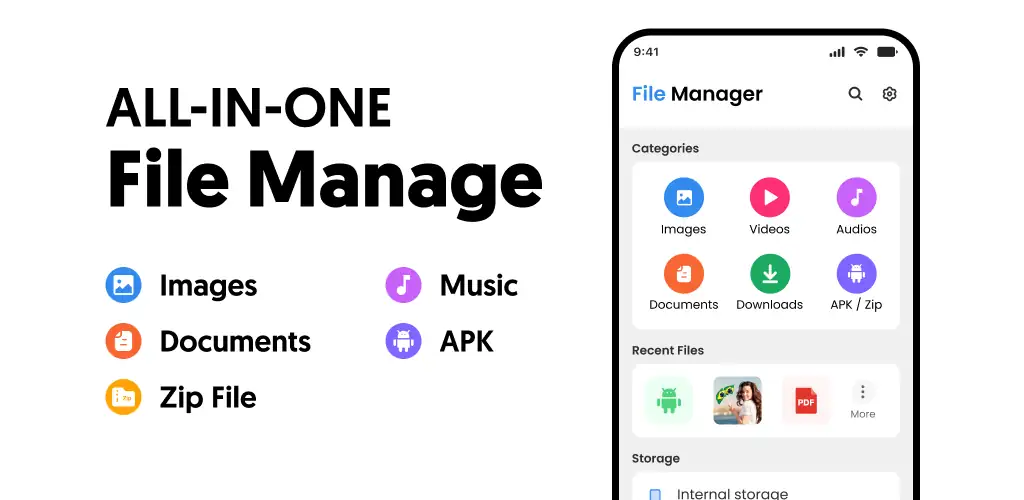
File Manager is a file manager and storage utility that gives you direct access to internal storage, SD cards, and cloud accounts from one screen. You navigate folders, compress archives, and protect sensitive files without switching between apps.
The app centers on local file operations. You can move batches of files between folders, rename them in bulk, compress directories into ZIP archives, and extract existing ones. A built-in storage analyzer breaks down what’s eating your space by file type and size, so you know where the large videos and duplicate downloads are hiding. Cloud integration pulls in Google Drive, Dropbox, and OneDrive, letting you manage remote files alongside local ones. Password-protected folders lock away anything you don’t want visible in a standard gallery or file picker.
Key Features:
- Compress folders into ZIP archives directly, and extract compressed files without a separate tool.
- A storage space analyzer sorts files by size and type, so you can spot what’s hogging gigabytes at a glance.
- Password-protected folders keep sensitive documents and photos out of reach, even if someone picks up your unlocked phone.
- Built-in viewers for documents, images, and video, plus a music player that works offline.
- Cloud storage integration for Google Drive, Dropbox, and OneDrive means you can move files between local and remote storage without leaving the app.
File compression and storage insights
The compression tool works both ways. You can pack a folder into a ZIP to free up space or email it as a single attachment, then extract archives someone sends you. The storage analyzer is more useful than it sounds: it categorizes files by type (videos, images, documents, downloads) and shows the largest ones first. If your phone warns you about low storage, this tells you what to delete.
Other file manager apps for Android
Files by Google focuses on automated cleanup, flagging junk files and duplicate photos for removal, and it handles offline file sharing between nearby devices over Wi-Fi Direct. Solid Explorer offers a dual-pane layout and supports network protocols like FTP, SFTP, and WebDAV for remote server access. File Manager skips the automation and server tools, prioritizing manual control over local and cloud files in a single-pane interface.
This works for anyone managing a mix of local downloads, SD card media, and cloud documents on Android. The app contains ads and locks certain features behind in-app purchases ranging from $4.99 to $24.99, so expect interruptions in the free version.



Share your experience with other users.