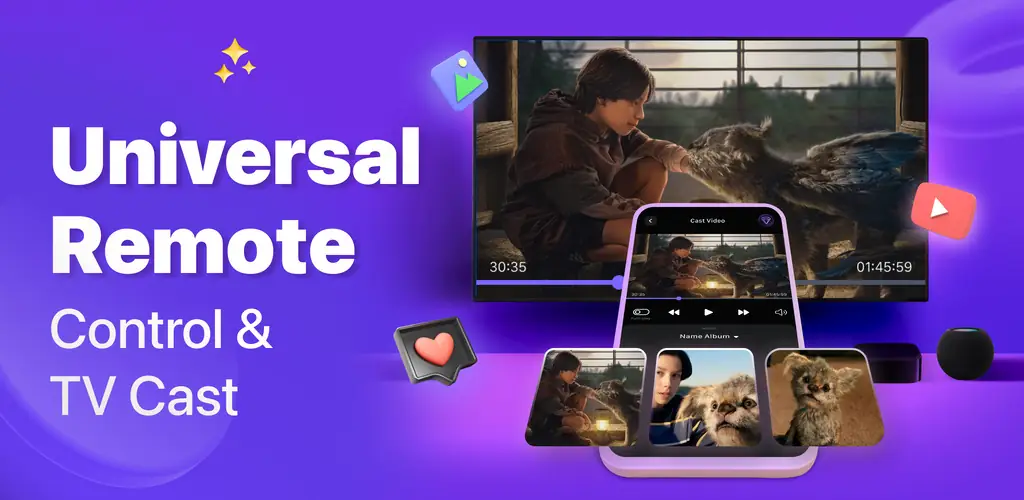
Universal Remote Control TV app cover art for Android
Universal Remote Control TV Icon

Universal Remote Control TV APK for Android

5M+
Free
Jul 21, 2026

Controls major TV brands, offers casting, and phone-as-gamepad features.

Download Universal Remote Control TV APK 1.6.57 89MB

What is Universal Remote Control TV?

The Universal Remote Control TV APK transforms your Android device into a comprehensive remote control for nearly any television. This utility consolidates multiple physical remotes into a single, accessible interface on your phone, simplifying how you interact with your home entertainment system. It’s a handy solution for lost remotes or cluttered coffee tables.

What is Universal Remote Control TV?

Universal Remote Control TV functions as a universal TV remote, allowing users to manage various television brands directly from their smartphone. The app supports both Wi-Fi connectivity for modern Smart TVs and infrared (IR) blasters for older models, offering broad compatibility. You can power your TV on or off, adjust volume, change channels, and navigate menus with simple taps.

Beyond basic controls, the app integrates advanced features for Smart TV users. It provides a touchpad for smoother navigation, quick launch buttons for popular streaming services like Netflix and YouTube, and even supports casting media from your phone to the TV screen. This means your phone becomes a central hub for all TV interactions, from casual browsing to media playback.

Key Features:

  • Dual Connectivity: Controls TVs via Wi-Fi for Smart TVs (Roku, Fire TV, Samsung, LG) and via built-in IR blaster for older, non-smart models.
  • Quick App Launch: Instantly open streaming services such as Netflix, YouTube, or The Roku Channel with dedicated buttons.
  • Media Casting & Mirroring: Stream photos, videos, and music directly from your phone to your television display.
  • Gamepad Functionality: Use your smartphone as a virtual gamepad for compatible TV games or even for services like PlayStation Remote Play.
  • Universal Brand Support: Compatible with a wide array of major TV brands, including Roku, Fire TV, Samsung, LG, Vizio, Sony, Hisense, TCL, Insignia, Toshiba, Android TV, Google TV, and Apple TV.

Practical Use Cases

Imagine you’ve misplaced your Roku remote, or the batteries in your old Samsung remote have finally given up the ghost. Universal Remote Control TV steps in as a reliable replacement, eliminating the need to hunt for physical controllers or scramble for fresh batteries. It's particularly useful for households with multiple TVs of different brands, as it centralizes control for everything from a Fire Stick to an LG ThinQ display. The quick launch feature for apps is a real time-saver, bypassing several menu clicks.

Universal Remote Control TV vs similar apps

Compared to dedicated universal remote apps like AnyMote Smart IR Remote or SURE Universal Smart TV Remote, Universal Remote Control TV carves out its niche with a strong focus on Smart TV integrations like casting and gamepad support, alongside its dual IR/Wi-Fi capabilities. While AnyMote offers deep customization for IR devices and SURE provides a broad feature set, Universal Remote Control TV feels particularly streamlined for users who want a straightforward, universal solution that handles both legacy and modern TV features without too much fuss. If you primarily use Smart TV apps and occasionally need to control an older set, this app is a solid pick.

Universal Remote Control TV offers a robust solution for anyone looking to declutter their living room and consolidate TV controls onto their smartphone. It’s particularly well-suited for users with a mix of Smart TVs and older sets, or those who frequently misplace their physical remotes. One important consideration: for controlling non-Smart TVs, your phone must have a built-in IR blaster, or you'll need an external one.

Screenshot Universal Remote Control TV 1
Screenshot Universal Remote Control TV 2
Screenshot Universal Remote Control TV 3
Screenshot Universal Remote Control TV 4
Screenshot Universal Remote Control TV 5
Screenshot Universal Remote Control TV 6
Screenshot Universal Remote Control TV 7
Screenshot Universal Remote Control TV 8

Universal Remote Control TV APK Download

What's New in Version 1.6.57

No official changelog provided for Universal Remote Control TV version 1.6.57. This update likely includes general stability improvements and bug fixes.

System Requirements

OS Version
Android 7.0 (Nougat) or higher
Architecture
Varies by file (Which one do I need?)
Disk Space
~150 MB free space required
RAM
1 GB
Internet
Not required
Google Services
Required

APK File Details

Package ID universal.remote.control.cast
Available on Google Play
Developer LeoStudio Global Ltd.
License Free
Monetization Contains Ads   In-App Purchases
Content Rating PEGI 3
Interface Language
English +13

English, Arabic, German, Spanish, French, Hindi, Italian, Japanese, Korean, Polish, Portuguese, Russian, Turkish, Chinese

Required Permissions (22)
  • Internet
  • Access Network State
  • Read External Storage
  • Vibrate
  • Wake Lock

APK Verification & Virus Scan Results

No Virus Signature Verified Safe & Original

Virus scan: Clean (0/66) View report. This APK is free of malware and its signature matches the official developer release.

Show File Details (SHA-256, SHA-1, MD5)

SHA-1 Signature:

c6790b4c228a8b753b1bb4343a59137645f6bdf4

SHA-256 Hash:

89ef7e549ec63423ce512e26c963c87ed9a9119b54e3e207baee008424aa30bf

MD5 Checksum:

dd386d557356c1c8e8de5d535243cb4b

Frequently Asked Questions

Is Universal Remote Control TV safe to download?

Yes, Universal Remote Control TV is safe to download. The APK is scanned on every update — no malware or viruses detected. You can verify the full scan report in the Security section above.

How to install XAPK file?

XAPK is a split APK package. Standard Android installer cannot open it directly. Use 'SAI' or 'XAPK Installer' — they handle XAPK files automatically. Download the installer, open the XAPK file with it, and follow the on-screen steps. Read more

What Android version does Universal Remote Control TV require?

Universal Remote Control TV requires Android 7.0 (API 24) or higher. Optimized for Android 15 (API 35).

Is Universal Remote Control TV free?

Yes, it is free to download and use, but it contains ads and offers in-app purchases.

How to update Universal Remote Control TV to the latest version?

Download the latest APK from this page and install it over your existing version — no need to uninstall first. Your data and settings will be preserved. We update the file as soon as a new version is released.

Does Universal Remote Control TV require Root access?

No root is required for basic use. Universal Remote Control TV works on standard Android for CPU info, RAM, battery, sensors, and network stats. Root unlocks a small set of advanced system parameters that Android restricts by default.

What processor architecture does Universal Remote Control TV support?

Universal Remote Control TV supports arm64-v8a. This build does not support x86/x86_64 processors, so it will not run on most PC emulators. If you are unsure about your device architecture, check the Device Info section on this page.

If you have found any issue or are having difficulty with this page, please .

User Reviews & Ratings

Global rating(Play Store): 4.17(85.1K)
Site Rating: 5(1)
Rate this app

5.00

12345

1

Share your experience with other users.

Download Universal Remote Control TV APK - Latest version

Get the official APK file for your Android device. Fast, safe, and free. Download APK