Vanced MicroG Icon

Vanced MicroG APK for Android

Free
Sep 8, 2025

Run your favorite apps without the Google baggage

Download Vanced MicroG APK 0.3.1.4.240913 38MB

What is Vanced MicroG?

Ever downloaded a fantastic app only to find it won’t run without Google’s framework? It’s a common headache, especially if you’re using a custom version of Android (often called a custom ROM) to boost your privacy or performance. What if you could get the best of both worlds—run all your favorite apps without being tied to Google’s ecosystem? Say hello to Vanced MicroG.

Vanced MicroG is a clever, open-source tool that acts as a stand-in for Google Play Services . Think of it as a universal key that unlocks apps that would normally require Google’s software to function. It allows these apps to work by providing the essential services they need, like notifications and location data, but in a much lighter and more privacy-conscious package. This means you can use many popular apps on a “de-Googled” phone, freeing you from unnecessary tracking and data collection.

The real magic of Vanced MicroG is the control it gives back to you. It’s designed to be lean and efficient, so you’ll often notice better battery life and smoother performance. Plus, since it’s an open-source project, its code is available for anyone to inspect, offering a level of transparency you just don’t get with proprietary software.

Here’s a quick look at what makes Vanced MicroG a game-changer:

  • Broad App Compatibility: Run apps that depend on Google services without the full Google package.
  • Privacy First: Puts you in control by letting you choose which Google services to enable.
  • Lightweight and Efficient: Say goodbye to bloatware. It’s built to be easy on your battery, memory, and processor.
  • Flexible Location Services: Offers both online and offline location tracking options.
  • Completely Free & Open Source: Built by a community dedicated to user freedom and transparency.

Ready to take back control of your Android experience? Download Vanced MicroG and discover a more open, efficient, and private way to enjoy your device and all the apps you love.
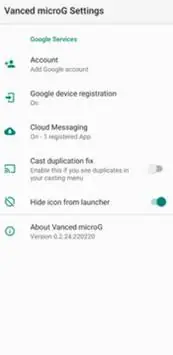
Also known as: microG Services
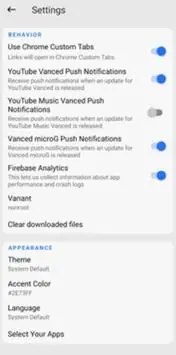
Screenshot Vanced MicroG 1
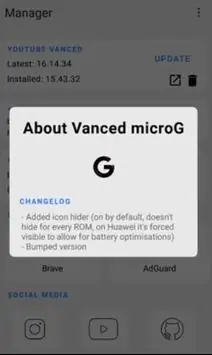
Screenshot Vanced MicroG 2
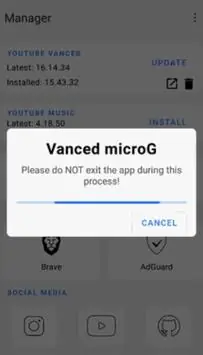
Screenshot Vanced MicroG 3
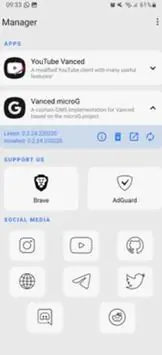
Screenshot Vanced MicroG 4
Screenshot Vanced MicroG 5

Download Vanced MicroG APK for Android

What's New in Version 0.3.1.4.240913

No official changelog provided for Vanced MicroG version 0.3.1.4.240913. This update likely includes general stability improvements and bug fixes.

Available Files

  • 0.3.1.4.240913 38MB Android 4.4+ arm64-v8aarmeabi-v7ax86x86_64 Download

System Requirements

OS Version
Android 4.4 (Kit Kat) or higher
Architecture
Varies by file (Which one do I need?)
Disk Space
~60 MB free space required
RAM
1 GB
Internet
Not required
Permissions (52)
  • Internet
  • Access Network State
  • Read External Storage
  • Write External Storage
  • Read Contacts

APK File Details

Package ID app.revanced.android.gms
Developer Revanced Team
License Free ( No Ads)
Interface Language
English +76

English, Japanese, German, Bulgarian, Thai, Hindi, Vietnamese, Ukrainian, Polish, Korean, Romanian, Arabic, French, Turkish, Czech, Spanish, Italian, Hungarian, Russian, Chinese, Portuguese, + 56 localizations

APK Verification & Virus Scan Results

No Virus Signature Verified Custom build

Virus scan: Clean (0/65) View report. Please note that this is a modified or custom build. Its signature cannot be verified against official sources.

Show File Details (SHA-256, SHA-1, MD5)

SHA-1 Signature:

290c27c2d822646f027a403ed609f78673948e85

SHA-256 Hash:

68ea7a4fc95fcb81cb1c1278c11c8da8caba5608ecefb6142461c668282a0545

MD5 Checksum:

f3ad361dbc85efe6b9f79e8e28c9b913

Frequently Asked Questions

Is Vanced MicroG safe to download?

Yes, Vanced MicroG is safe to download. The APK is scanned on every update — no malware or viruses detected. You can verify the full scan report in the Security section above.

How to install Vanced MicroG APK on Android?

Download the APK using the button above. Then open the file and tap Install. If prompted, enable "Install from unknown sources" in Settings → Security. The process takes under a minute. Read more

Why does installation fail on newer Android versions (14 - 16)?

Newer Android versions strictly block the installation of apps built for older Android versions (API < 23) for security reasons. Standard installation is not possible. Read our step-by-step guide on how to bypass this restriction using ADB or Shizuku.

What Android version does Vanced MicroG require?

Vanced MicroG requires Android 4.4 (API 19) or higher. Optimized for Android 10 (API 29).

Does Vanced MicroG require Root access?

No root is required for basic use. Vanced MicroG works on standard Android for CPU info, RAM, battery, sensors, and network stats. Root unlocks a small set of advanced system parameters that Android restricts by default.

What processor architecture does Vanced MicroG support?

Vanced MicroG supports arm64-v8a, armeabi-v7a, x86, x86_64. If you are unsure about your device architecture, check the Device Info section on this page.

How to enable installation from unknown sources on Android?

Go to Settings → Security (or Settings → Apps → Special access on Android 8+) and enable "Install unknown apps" for your browser or file manager. On Android 8 and above this setting is per-app, not global. Read more

If you have found any issue or are having difficulty with this page, please .

User Reviews & Ratings

Site Rating: 5(1)
Rate this app

5.00

12345

1

Share your experience with other users.