UNIP Icon

UNIP APK for Android

- simply park and enjoy
UnIP AG Original
152K+
Free
Mar 11, 2024

Search for the nearest parking space and remote parking payment

Download UNIP APK 1.25.2.631 108MB

What is UNIP?

UNIP is a tool that helps to avoid problems with finding and paying for a parking space in Ukraine, making life easier for car owners. With an increase in the number of cars in the population and a large lag in this indicator of legal places where parking is allowed without the risk of running into penalties, this application is turning into a real savior.

Run the program and view the list of free and paid parking nearby – the exact address, travel time or mileage to the parking lot, location on the map. In order to pay for parking online and take advantage of other useful features, you must first register in the application – enter your phone number, vehicle number and pin code, which will be sent via SMS. For convenient payment for parking, it is recommended to add a bank card.

Features:

  • quick search for a parking space based on the current location;
  • search for parking by cost, type or distance;
  • system of flexible discounts for electric vehicles;
  • map with a detailed route to the parking lot.

Having found a suitable parking lot through the application, it remains to decide on the payment format – per minute, hourly or long-term according to the calendar. Start the session by pressing the “Start” button, and to end – the “Stop” button, after which the payment will be automatically debited from your card or balance. The UNIP service saves time and money by helping you remotely find free parking spaces, pay remotely and control sessions.
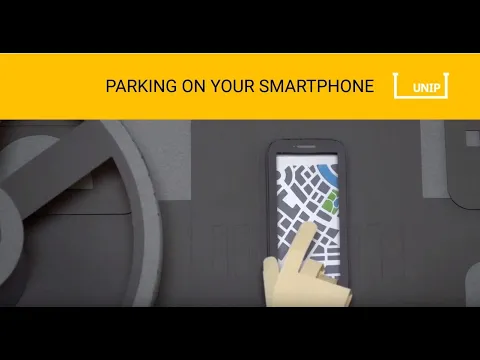
Also known as: UNIP – simply park and enjoy
Video of UNIP
Screenshot UNIP 1
Screenshot UNIP 2
Screenshot UNIP 3
Screenshot UNIP 4

Download UNIP – simply park and enjoy APK for Android

What's New in Version 1.25.2.631

Bugs fixed and application stability improved.

Available Files

  • 1.25.2.631 (latest) 108MB Android 6.0+ arm64-v8aarmeabiarmeabi-v7amipsx86x86_64 Download
  • 1.20.0.487 83MB Android 5.0+ arm64-v8aarmeabiarmeabi-v7amipsx86x86_64 Download

System Requirements

OS Version
Android 6.0 (Marshmallow) or higher
Architecture
Varies by file (Which one do I need?)
Disk Space
~200 MB free space required
RAM
2 GB
Internet
Not required
Permissions (22)
  • Internet
  • Camera
  • Access Network State
  • Read External Storage
  • Write External Storage

APK File Details

Package ID biz.unip.unip
Available on Google Play
Developer UnIP AG
License Free ( No Ads)
Content Rating Everyone
Interface Language
English +75

English, Ukrainian, Russian, Japanese, German, Bulgarian, Thai, Hindi, Vietnamese, Polish, Korean, Romanian, Arabic, French, Turkish, Czech, Spanish, Italian, Hungarian, Chinese, Portuguese, Indonesian, + 54 localizations

APK Verification & Virus Scan Results

Scan In Queue Signature Verified Safe & Original

Antivirus scan in queue, will be scanned soon. This APK is free of malware and its signature matches the official developer release.

Show File Details (SHA-256, SHA-1, MD5)

SHA-1 Signature:

994b4e049dc603d95baca1d3a9e7d657d680050b

SHA-256 Hash:

8bdf17cc1e7aba37d2f962268f93069c05a445a1da430af0a80b75d43ad188f4

MD5 Checksum:

b1e3f118ea6c40f0eaf354c7b36a7986

Frequently Asked Questions

Is UNIP safe to download?

UNIP has passed a basic integrity check. A full antivirus scan is pending. You can check the current scan status in the Security section above.

How to install UNIP APK on Android?

Download the APK using the button above. Then open the file and tap Install. If prompted, enable "Install from unknown sources" in Settings → Security. The process takes under a minute. Read more

What Android version does UNIP require?

UNIP requires Android 6.0 (API 23) or higher. Optimized for Android 13 (API 33).

Is UNIP free?

Yes, this app is completely free to download and use.

How to update UNIP to the latest version?

Download the latest APK from this page and install it over your existing version — no need to uninstall first. Your data and settings will be preserved. We update the file as soon as a new version is released.

What processor architecture does UNIP support?

UNIP supports arm64-v8a, armeabi, armeabi-v7a, mips, x86, x86_64. If you are unsure about your device architecture, check the Device Info section on this page.

How to enable installation from unknown sources on Android?

Go to Settings → Security (or Settings → Apps → Special access on Android 8+) and enable "Install unknown apps" for your browser or file manager. On Android 8 and above this setting is per-app, not global. Read more

If you have found any issue or are having difficulty with this page, please .

User Reviews & Ratings

Rate this app

0.00

12345

not yet rated

Share your experience with other users.