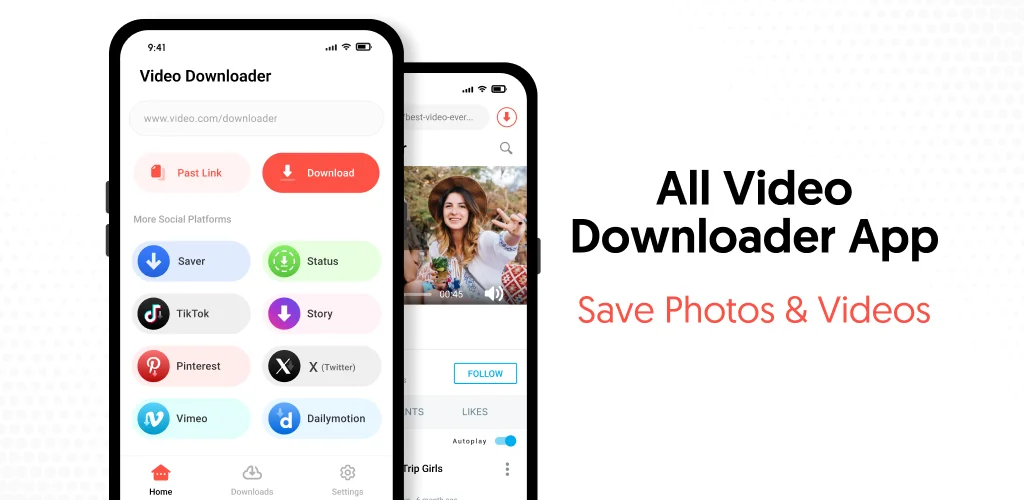

What is All Video Downloader & Browser?
All Video Downloader & Browser is a video downloader and media manager built to pull videos, stories, reels, and photos off social platforms and store them for offline viewing. Copy a link, and the app grabs it automatically, no manual paste-and-fetch routine needed.
The core process runs on link detection: open a platform, find a video or story, copy the link, and the app’s clipboard watcher picks it up and starts the save. A built-in browser lets you find content without leaving the app, and downloads keep running in the background while you check other apps or lock the screen. Once saved, files sort into separate tabs so photos, videos, and statuses don’t pile into one messy list. Quality choice sits right before the download starts, with options spanning HD to 4K, so a quick save for a phone screen doesn’t have to eat the same storage as a full 4K capture.
Key Features:
- Copied links trigger automatic detection and start downloading without extra taps.
- A built-in browser lets you find and queue videos inside the app itself.
- Downloads continue in the background while other apps stay open.
- Saved files land in separate tabs for videos, photos, and stories.
- An offline video player and photo viewer handles playback without needing another app.
- Quality selection covers 1080p and higher before a download even begins.
How the video downloader works
Multiple downloads can run at once, and each one can be paused, resumed, or canceled mid-transfer rather than forcing a restart from zero. That matters most on reels and longer clips, where losing a download halfway through on a shaky connection is a common annoyance. The two labeled modes inside the app, All Video Downloader and Download videos for social media, point at the same engine but frame it around different habits: one for general link-and-save use, the other aimed specifically at reels and short-form clips. Saved content stays viewable through the app’s own player, so there’s no need to hunt for a gallery app afterward.
Apps like All Video Downloader & Browser
Snaptube leans harder into search, letting you browse and pull from multiple video platforms with built-in conversion tools rather than relying only on a copied link. TubeMate narrows its focus to YouTube specifically, with format selection built around that one platform. All Video Downloader & Browser sits closer to a general-purpose catch-all: paste a link from wherever, and it figures out the rest.
This fits people who save reels, stories, or clips from several platforms in one sitting and want them organized afterward rather than scattered across a phone’s default downloads folder. Every save still depends on the source platform’s link staying accessible, so a removed or private post can’t be recovered once its link stops working.




Share your experience with other users.