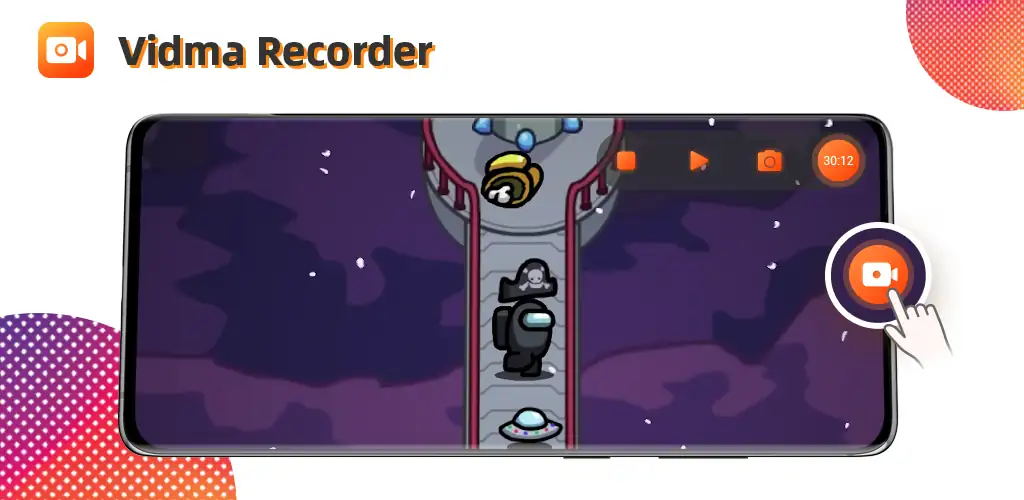

Screen Recorder - Vidma REC app cover art for Android
Screen Recorder - Vidma REC Icon

Screen Recorder - Vidma REC APK for Android

51M+
Free
Sep 7, 2026

Record your screen without watermarks, ads between takes only

Download Screen Recorder - Vidma REC APK 2.6.20 26MB

What is Screen Recorder?

Screen Recorder - Vidma REC is a screen recording utility that captures your device display with no watermark stamped on the final file. Record a gaming session, film a tutorial, save a lecture – the output stays clean and the app runs light enough for older hardware.

Recording starts with a floating button or a gesture. Audio pulls from your mic, internal sound, or both, set through the audio source menu. The facecam overlay drops your front camera feed into a corner of the frame so reaction clips get both views at once. Stop a take by flipping a gesture, tapping the notification, or just turning off the screen. A trim tool opens right after the recording ends if you need to cut the intro or a dead segment before sharing.

The highlights:

  • Captures screen activity with no watermark on the saved video file
  • Records your face and screen together through the facecam overlay
  • Saves every file locally on your device with no third-party access
  • Stops recordings through gesture controls or by turning off the screen
  • Trims clips immediately after recording with the built-in editor

Screen recording settings

The audio source toggle lets you record mic input, internal sound, or silence the track entirely. Screen touches show as visual taps during gameplay recordings when you flip that setting on. The record button floats over other apps so you can start and pause mid-session, or you can disable it and rely on gestures instead. Screenshots pull from the same overlay when you need a still rather than a clip.

Other screen recorders for Android

AZ Screen Recorder adds live streaming and more advanced editing tools to the post-recording flow. XRecorder uses a floating ball interface for one-tap access and includes a brush tool for on-screen annotation during the take. Screen Recorder - Vidma REC trades those extras for a smaller install size and simpler controls, which matters when you’re working with limited storage or an older device.

The app shows ads between sessions. Storage fills up fast when you record long clips at high resolution, so you’ll need to clear out old files manually since everything stays local. Works for tutorial creators, students capturing lectures, and anyone who records their screen more than once a month and doesn’t want a logo burned into the corner.

Also known as: Vidma Recorder Lite
Screen Recorder - Vidma REC screenshot 1
Screen Recorder - Vidma REC screenshot 2
Screen Recorder - Vidma REC screenshot 3
Screen Recorder - Vidma REC screenshot 4
Screen Recorder - Vidma REC screenshot 5
Screen Recorder - Vidma REC screenshot 6
Screen Recorder - Vidma REC screenshot 7
Screen Recorder - Vidma REC screenshot 8

Download Screen Recorder - Vidma REC APK for Android

What's New in Version 2.6.20

- Performance improvements

Download Links:

System Requirements

OS Version
Android 6.0 (Marshmallow) or higher
Architecture
Varies by file (Which one do I need?)
Disk Space
~40 MB free space required
RAM
1 GB
Internet
Not required
Google Services
Required
Permissions (31)
  • Internet
  • Record Audio
  • Camera
  • Access Network State
  • Read External Storage

APK File Details

Package ID vidma.screenrecorder.videorecorder.videoeditor.lite
Available on Google Play
Developer Vidma Video Studio
License Free
Monetization Contains Ads  
Content Rating Everyone
Interface Language
English +75

English, Arabic, Bulgarian, Czech, German, Spanish, French, Hindi, Hungarian, Indonesian, Italian, Japanese, Korean, Polish, Portuguese, Romanian, Russian, Thai, Turkish, Ukrainian, Vietnamese, Chinese, + 54 localizations

APK Verification & Virus Scan Results

No Virus Signature Verified Safe & unmodified

Virus scan: Verified safe (0/64) View report. This APK is free of malware and its signature matches the official developer release.

Show File Details (SHA-256, SHA-1, MD5)

SHA-1 Signature:

c48a38ce664dfc6298d45c711ee04f2a2e9e85b7

SHA-256 Hash:

e374f072d57a747fce37793916fb135aa23e8658916a6d1edd9fa0635c26c896

MD5 Checksum:

c91c600c3038ccc18ce53002f200a88c

Frequently Asked Questions

Is Screen Recorder safe to download?

Yes, Screen Recorder is safe to download. The APK is scanned on every update — no malware or viruses detected. You can verify the full scan report in the Security section above.

How to install XAPK file?

XAPK is a split APK package. Standard Android installer cannot open it directly. Use 'SAI' or 'XAPK Installer' — they handle XAPK files automatically. Download the installer, open the XAPK file with it, and follow the on-screen steps. Read more

What Android version does Screen Recorder require?

Screen Recorder requires Android 6.0 (API 23) or higher. Optimized for Android 16 (API 36).

Is Screen Recorder free?

Yes, it is free to use, but it is ad-supported.

How to update Screen Recorder to the latest version?

Download the latest APK from this page and install it over your existing version — no need to uninstall first. Your data and settings will be preserved. We update the file as soon as a new version is released.

What processor architecture does Screen Recorder support?

Screen Recorder supports arm64-v8a. This build does not support x86/x86_64 processors, so it will not run on most PC emulators. If you are unsure about your device architecture, check the Device Info section on this page.

How to enable installation from unknown sources on Android?

Go to Settings → Security (or Settings → Apps → Special access on Android 8+) and enable "Install unknown apps" for your browser or file manager. On Android 8 and above this setting is per-app, not global. Read more

Found a problem on this page?

User Reviews & Ratings

Global rating (Play Store): 4.59(623.7K)
Site Rating: 5(1)
Rate this app

5.00

12345

1

Share your experience with other users.