Mobizen Icon

Mobizen APK for Android

- Screen Recorder
MOBIZEN Original
228M+
Free
Nov 11, 2024

Handy screen recording tool

Download Mobizen APK 3.10.6.6 46MB Old versions

What is Mobizen?

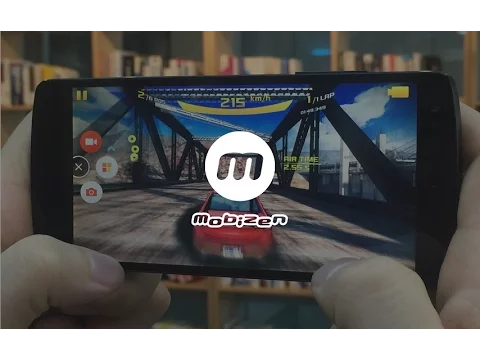
Mobizen Screen Recorder – Record, Capture, Edit is a multi-functional tool capable of capturing and recording video from the screen of a mobile device and then modifying the footage. After installing the product, it is constantly in standby mode, and to activate it, that is, start video recording from the screen, just tap a couple of buttons. In the application settings, you can select the recording time, image quality and set the directory for saving the captured video.

But this is not all the functionality of Mobizen Screen Recorder, because with the help of this program you can connect a mobile device to a personal computer, after which everything that happens on the screen of a smartphone or tablet will be broadcast on the desktop. To do this, it is necessary that the appropriate software be installed on both devices, after which it remains to connect them using a usb cable or use Wi-Fi wireless data transmission.

After that, the user gets the opportunity to record in HD and FULL HD quality, apply any music and audio effects to the video, arrange the recorded video frame by frame, trim it or “remove” the required frames if necessary. If the picture slows down while Mobizen Screen Recorder is working, then disable unnecessary applications running in the background, or reduce the quality of video recording in the settings of the MOBIZEN tool. Now any user can become a successful clip maker, because the utility settings allow you to shoot and edit videos with just a couple of touches!
Also known as: Mobizen Screen Recorder - Record, Capture, Edit, Mobizen Screen Recorder
Video of Mobizen
Screenshot Mobizen 1
Screenshot Mobizen 2
Screenshot Mobizen 3
Screenshot Mobizen 4
Screenshot Mobizen 5

Download Mobizen Screen Recorder APK for Android

What's New in Version 3.10.6.6

A new version has been released.

- Fixed an issue with internal audio recording on Pixel 8/9 devices.
- Added recording settings presets and a snapshot feature.

Other versions

  • 3.10.6.6 (latest) 46MB Android 4.4+ x86x86_64 Download
  • 3.10.0.31 38MB Android 4.4+ x86x86_64 Download
  • 3.7.4.11 26MB Android 4.4+ arm64-v8aarmeabi-v7a Download
  • 3.7.3.11 22MB Android 4.4+ arm64-v8aarmeabi-v7a Download

System Requirements

OS Version
Android 4.4 (Kit Kat) or higher
Architecture
Varies by file (Which one do I need?)
Disk Space
~70 MB free space required
RAM
1 GB
Internet
Not required
Permissions (33)
  • Internet
  • Record Audio
  • Camera
  • Access Network State
  • Read External Storage

APK File Details

Package ID com.rsupport.mvagent
Available on Google Play
Developer MOBIZEN
License Free
Monetization Contains Ads   In-App Purchases
Content Rating Everyone
Interface Language
English +20

English, Japanese, German, Thai, Vietnamese, Ukrainian, Korean, Romanian, French, Turkish, Spanish, Italian, Portuguese, Russian, Chinese, + 6 localizations

APK Verification & Virus Scan Results

No Virus Signature Verified Safe & Original

Virus scan: Clean (0/62) View report. This APK is free of malware and its signature matches the official developer release.

Show File Details (SHA-256, SHA-1, MD5)

SHA-1 Signature:

B83FC5F2ADC8B6C7A269D6695F8DD45491B273CB

SHA-256 Hash:

ac0dcb48e0b5edcab80af33b153876f820b0da30769fa2a13d7a8d2df7d112cb

MD5 Checksum:

d2b0baa6c3ac591e9e9cc3ec8b6d93bf

Frequently Asked Questions

Is Mobizen safe to download?

Yes, Mobizen is safe to download. The APK is scanned on every update — no malware or viruses detected. You can verify the full scan report in the Security section above.

How to install Mobizen APK on Android?

Download the APK using the button above. Then open the file and tap Install. If prompted, enable "Install from unknown sources" in Settings → Security. The process takes under a minute. Read more

What Android version does Mobizen require?

Mobizen requires Android 4.4 (API 19) or higher. Optimized for Android 14 (API 34).

Is Mobizen free?

Yes, it is free to download and use, but it contains ads and offers in-app purchases.

How to update Mobizen to the latest version?

Download the latest APK from this page and install it over your existing version — no need to uninstall first. Your data and settings will be preserved. We update the file as soon as a new version is released.

Does Mobizen require Root access?

No root is required for basic use. Mobizen works on standard Android for CPU info, RAM, battery, sensors, and network stats. Root unlocks a small set of advanced system parameters that Android restricts by default.

What processor architecture does Mobizen support?

Mobizen supports x86, x86_64. If you are unsure about your device architecture, check the Device Info section on this page.

If you have found any issue or are having difficulty with this page, please .

User Reviews & Ratings

Global rating(Play Store): 4.17(3.3M)
Site Rating: 4.18(11)
Rate this app

4.18

12345

11

Share your experience with other users.

ceylin:
bence bu uygulama çok iyi