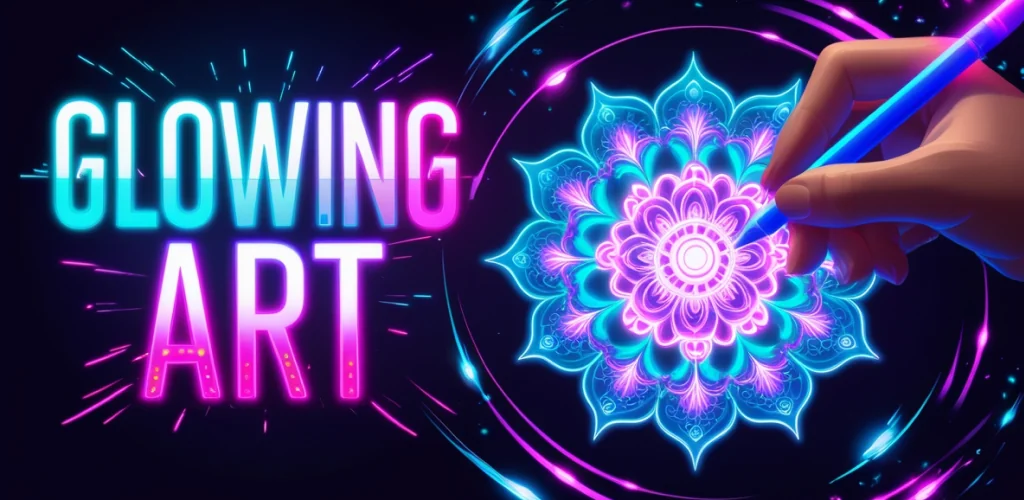
Glow Art Drawing - Doodle App app cover art for Android
Glow Art Drawing - Doodle App Icon

Glow Art Drawing - Doodle App APK for Android

Braly JSC Original
6M+
Free
Sep 30, 2026

Draw glowing light trails on a dark canvas, export as stills or animated clips.

Download Glow Art Drawing - Doodle App APK 1.0.22 90MB

What is Glow Art Drawing?

Glow Art Drawing - Doodle App is a glow drawing app that turns your phone into a light-painting studio. The hook is simple: dark canvas, luminous brushstrokes, colors that pulse and shimmer with adjustable intensity. You sketch something and watch it glow.

The interface keeps you focused on the canvas. Pick a color, adjust the glow intensity, and draw. The strokes respond to pressure and speed, so fast swipes produce sharper trails while slower movements let the glow spread. You can layer colors without muddying them because each stroke stays bright against the black background. The result feels less like traditional digital painting and more like catching light trails in long-exposure photography. When you finish, the app saves the piece to your built-in gallery automatically, and you can export it as a still image or animate it into a short video sequence.

Key Features:

  • The glow stroke engine renders lines that shimmer and pulse, with adjustable intensity for soft halos or sharp neon streaks.
  • A curated color spectrum designed specifically for luminous effects, so every shade looks vibrant against the dark canvas.
  • Export finished work as high-resolution images or turn your doodles into simple animated video clips.
  • The Artwork gallery saves every project automatically, letting you revisit pieces or track how your style develops.
  • Intuitive controls that respond to pressure and speed, translating gestures directly into glowing trails without buried menus.

Glow brush styles

The app gives you one main brush with multiple glow behaviors. You can dial in soft diffusion for hazy light clouds or crank up the intensity for crisp neon lines. The strokes layer cleanly because the black background keeps colors from blending into mud. Fast flicks produce thin light trails; slower drags create wider halos. That responsiveness makes it easy to sketch flowing shapes or precise geometric patterns without switching tools constantly.

Other glow drawing apps

Neon Draw focuses on preset neon brushes and background templates, so you pick a style and fill in the lines. Glow Art Drawing - Doodle App skips the templates and gives you a blank canvas with customizable glow behavior instead, which suits freeform sketching better than guided coloring. ibis Paint X is a full digital painting suite with layers, blending modes, and professional-grade brush engines, built for detailed illustration work. Glow Art Drawing - Doodle App strips that down to one glowing brush and a dark canvas, trading complexity for the specific feel of light painting.

This fits casual users who want a quick creative outlet without learning layer management or blend modes. The automatic gallery and video export make it easy to collect finished pieces and share them. The app contains ads, which interrupt the flow when you are mid-sketch. If you are looking for something relaxing that produces eye-catching results fast, the glow effect delivers. If you need traditional painting tools or want to work on detailed compositions, the single-brush setup will feel too limited.

Glow Art Drawing - Doodle App screenshot 1
Glow Art Drawing - Doodle App screenshot 2
Glow Art Drawing - Doodle App screenshot 3
Glow Art Drawing - Doodle App screenshot 4
Glow Art Drawing - Doodle App screenshot 5
Glow Art Drawing - Doodle App screenshot 6
Glow Art Drawing - Doodle App screenshot 7

Glow Art Drawing APK Download

What's New in Version 1.0.22

Glow Art - Doodle version 1.0.22 20/07/2026
- Fix bugs
- Improve performance

Download Links:

System Requirements

OS Version
Android 7.0 (Nougat) or higher
Architecture
Varies by file (Which one do I need?)
Disk Space
~150 MB free space required
RAM
1 GB
Internet
Not required
Google Services
Required   GMS dependent

APK File Details

Package ID com.draw.drawing.glow.art.doodle
Available on Google Play
Developer Braly JSC
License Free
Monetization Contains Ads  
Content Rating Everyone
Interface Language
English +75

English, Arabic, Bulgarian, Czech, German, Spanish, French, Hindi, Hungarian, Indonesian, Italian, Japanese, Korean, Polish, Portuguese, Romanian, Russian, Thai, Turkish, Ukrainian, Vietnamese, Chinese, + 54 localizations

Required Permissions (22)
  • Requires Google Play Services to launch:
    Note: This is an original file. Unlike modded versions with no verification, it validates via your store account. Details
  • Internet
  • Camera
  • Access Network State
  • Read External Storage
  • Write External Storage

APK Verification & Virus Scan Results

Scan In Queue Signature Verified Safe & unmodified

Full antivirus scan in queue; report will appear here shortly. Signature matches the official developer release.

Show File Details (SHA-256, SHA-1, MD5)

SHA-1 Signature:

56654d19e01d85fb5075108ddc3a0d81798890d2

SHA-256 Hash:

ab46289c903cd26363b38829eb5d0a983eacef8b46394d3f7d2552556b3fe968

MD5 Checksum:

9a3921e92ac4dcc96073d376002cc832

Frequently Asked Questions

Is Glow Art Drawing safe to download?

Glow Art Drawing has passed a basic integrity check. A full antivirus scan is pending. You can check the current scan status in the Security section above.

How to install XAPK file?

XAPK is a split APK package. Standard Android installer cannot open it directly. Use 'SAI' or 'XAPK Installer' — they handle XAPK files automatically. Download the installer, open the XAPK file with it, and follow the on-screen steps. Read more

What Android version does Glow Art Drawing require?

Glow Art Drawing requires Android 7.0 (API 24) or higher. Optimized for Android 15 (API 35).

Is Glow Art Drawing free?

Yes, it is free to use, but it is ad-supported.

Does Glow Art Drawing require a license check?

Yes, this app performs a license check. You may need to have the Google Play Store installed and be logged in to verify the license.

How to update Glow Art Drawing to the latest version?

Download the latest APK from this page and install it over your existing version — no need to uninstall first. Your data and settings will be preserved. We update the file as soon as a new version is released.

What processor architecture does Glow Art Drawing support?

Glow Art Drawing supports armeabi-v7a. This build does not support x86/x86_64 processors, so it will not run on most PC emulators. If you are unsure about your device architecture, check the Device Info section on this page.

Found a problem on this page?

User Reviews & Ratings

Global rating (Play Store): 4.08★ (3K)
Site Rating: 5★ (1)
Rate this app

5.00

12345

1

Share your experience with other users.

Download Glow Art Drawing APK - Latest version

Get the official APK file for your Android device. Fast, safe, and free. Download APK