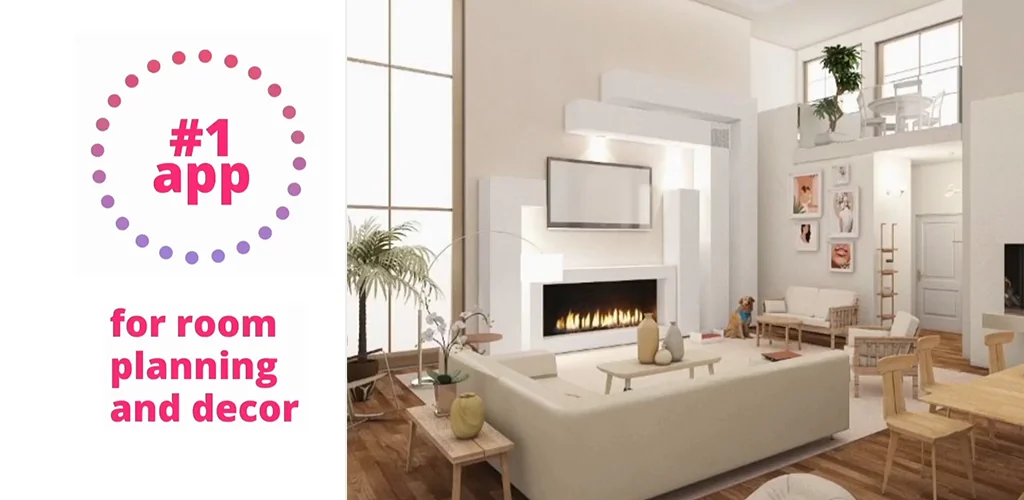

Home Planner app cover art for Android
Home Planner Icon

Home Planner APK for Android

- AI: Room Interior
34M+
Free
Jan 31, 2026

Upload a photo of your room and get a ready-made design to your liking.

Download Home Planner APK 2603 1147MB

What is Home Planner?

Create the interior of your dream room using the Home Planner AI: Room Interior app. This program uses artificial intelligence to create and visualize interiors. With it, you can easily plan furniture placement, choose design styles, create 3D models of rooms, and receive ready-made design solutions based on your preferences. The app offers an extensive catalog of products from popular brands, helping you easily find your unique style.

No longer do you need to hire a designer to implement your renovation ideas. The app allows you to do it all yourself and choose the color scheme for your bedroom or kitchen. A huge catalog of goods from the best designers and home decor developers is at your disposal. Enjoy using it and take advantage of ready-made house projects to create the home of your dreams. If you have design skills, you can independently create a project for a kitchen, children’s room, or any other room in the house and visualize your work to see how it will look in the future.

Key Features:

  • Smart interior design – upload a photo of a room or create a plan. AI automatically suggests ready-made interior options based on the selected style, for example: loft, Scandinavian, minimalism, classic, etc.
  • Convenient room planning – the ability to draw an accurate room plan with dimensions. Placement of furniture and interior items, taking into account their dimensions and a real 1:1 scale.
  • Huge catalog of decor and various furniture – use a library of 3D objects: furniture, appliances, decor. Support for popular brands or stylized models of furniture, household and electronic appliances.
  • Clear visualization – 3D rendering with lighting and shadows. Ability to switch between day and night lighting modes.
  • Convenient viewing in virtual mode – use your smartphone’s camera to overlay the 3D design onto a real room. VR viewing in the app (if you have virtual reality glasses).
  • Saving the project in any format and the ability to export it via any messenger or email – export to PDF, JPG, or 3D model. Ability to share the project with a designer or construction team.
  • Style and color settings.

If you need a few more features, subscribe for a week, month, or year and try the PRO version of the Home Planner app.

Also known as: Room Planner AI: Home Interior, Room Planner, Home Planner AI: Room Interior
Video of Home Planner
Screenshot Home Planner 1
Screenshot Home Planner 2
Screenshot Home Planner 3
Screenshot Home Planner 4
Screenshot Home Planner 5
Screenshot Home Planner 6
Screenshot Home Planner 7

Download Home Planner AI: Room Interior APK for Android

What's New in Version 2603

No official changelog provided for Home Planner version 2603. This update likely includes general stability improvements and bug fixes.

Available Files

System Requirements

OS Version
Android 10 (Q) or higher
Architecture
Varies by file (Which one do I need?)
Disk Space
~1400 MB free space required
RAM
2 GB
Internet
Not required
Google Services
Required   GMS dependent
Permissions (23)
  • Requires Google Play Services to launch:
    Note: This is an original file. Unlike modded versions with no verification, it validates via your store account. Details
  • Internet
  • Camera
  • Access Network State
  • Read External Storage
  • Write External Storage

APK File Details

Package ID com.icandesignapp.all
Available on Google Play
Developer Room Planner Ltd
License Free ( No Ads)
Monetization In-App Purchases
Content Rating Everyone
Interface Language
English +79

English, Arabic, Bulgarian, Czech, German, Spanish, French, Hindi, Hungarian, Italian, Japanese, Korean, Polish, Portuguese, Romanian, Russian, Thai, Turkish, Ukrainian, Vietnamese, Chinese, + 59 localizations

APK Verification & Virus Scan Results

Verified Source Signature Verified Safe & Original

File is too large for an automated antivirus scan. This APK is free of malware and its signature matches the official developer release.

Show File Details (SHA-256, SHA-1, MD5)

SHA-1 Signature:

5814d271a7cabd1ea6ad3ef7db4d2a13a6c430fa

SHA-256 Hash:

bba47080699df849df3efce16818b467bbbb0a9113454035e820cabbc4e336fc

MD5 Checksum:

9348e43a083f946ae60d0247e6379614

Frequently Asked Questions

Is Home Planner safe to download?

Home Planner has passed a basic integrity check. A full antivirus scan is pending. You can check the current scan status in the Security section above.

How to install XAPK file?

XAPK is a split APK package. Standard Android installer cannot open it directly. Use 'SAI' or 'XAPK Installer' — they handle XAPK files automatically. Download the installer, open the XAPK file with it, and follow the on-screen steps. Read more

Why is Home Planner such a large file?

Home Planner is 1147 MB because it includes high-resolution assets and offline content. We recommend downloading over Wi-Fi. Make sure you have enough free storage before installing.

What Android version does Home Planner require?

Home Planner requires Android 10 (API 29) or higher. Optimized for Android 15 (API 35).

Is Home Planner free?

Yes, the app is free to download, but it contains in-app purchases for additional content.

Does Home Planner require a license check?

Yes, this app performs a license check. You may need to have the Google Play Store installed and be logged in to verify the license.

How to update Home Planner to the latest version?

Download the latest APK from this page and install it over your existing version — no need to uninstall first. Your data and settings will be preserved. We update the file as soon as a new version is released.

If you have found any issue or are having difficulty with this page, please .

User Reviews & Ratings

Global rating(Play Store): 4.14(225.1K)
Site Rating: 5(1)
Rate this app

5.00

12345

1

Share your experience with other users.