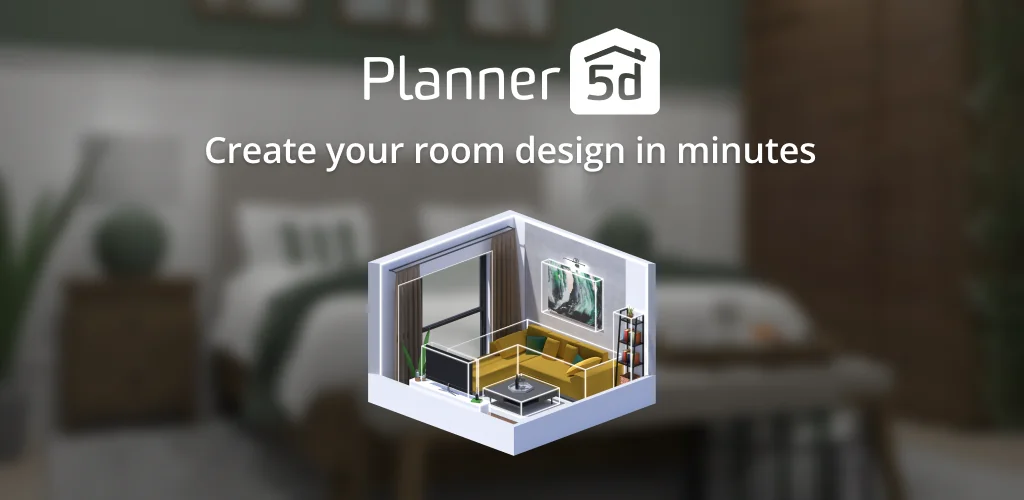
Planner 5D app cover art for Android
Planner 5D Icon

Planner 5D APK for Android

- AI Home Design
Planner 5D Original
52M+
Free
Jan 4, 2026

A planning and design tool

Download Planner 5D APK 2.60.3 271MB Old versions

What is Planner 5D?

Planner 5D – Home and Interior Designer is a mobile tool that can be an indispensable assistant for anyone planning a renovation of an apartment, house, or office. The app’s functionality allows you to create and visually see the result in a 3D format on your Android mobile device screen, thanks to a huge selection of specialized tools from the thematic catalog.

Planner 5D is geared towards casual users – no need to be a design and decor expert or have programming skills. After launching Planner 5D, thanks to intuitive tutorials, you’ll be able to start creating a room’s interior in under five minutes, whether it’s a living room, bathroom, bedroom, children’s room, or kitchen. Moreover, you can create a new interior from scratch or use pre-installed templates.

Working with interactive projects within the Planner 5D utility is quite convenient and fast, and each step can be viewed in either 2D or a more visual and realistic 3D format. Literally everything is changeable, from the room’s area to windows, doors, partitions, and other elements. If your mobile device supports Google Cardboard technology, you can use a compatible headset to take a virtual “walk” through the room created in the program – the realism in this case approaches 100%.

The program’s catalog offers a wide variety of decor items – furniture in different colors and textures, wallpapers, flooring, and so on. The whole process is more like an interesting game than a serious undertaking. At each stage, you can not only see the result but also “rewind” the process if you don’t like something for any reason. Planner 5D – Home and Interior Designer is distributed under a freemium model, meaning the basic functionality is free, but users may occasionally need to watch ads or purchase a subscription for exclusive content, or they can get unlimited access with a one-time payment. So, if you want to create your dream home without any professional skills, Planner 5D is your choice!
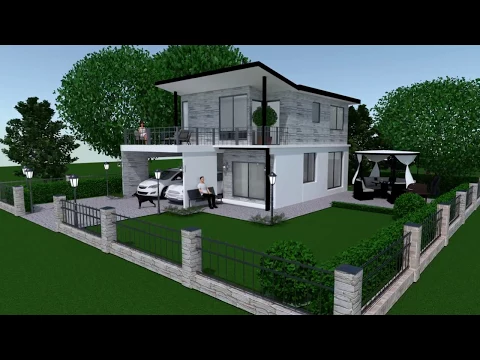
Also known as: Planner 5D: Home Design, Decor, Planner 5D: AI Home Design
Video of Planner 5D
Screenshot Planner 5D 1
Screenshot Planner 5D 2
Screenshot Planner 5D 3
Screenshot Planner 5D 4
Screenshot Planner 5D 5
Screenshot Planner 5D 6
Screenshot Planner 5D 7
Screenshot Planner 5D 8

Download Planner 5D: AI Home Design APK for Android

What's New in Version 2.60.3

Introducing AI Designer—your smart assistant for transforming any room! With just a few taps, you can completely redefine your space. Explore the latest addition to our app featuring two powerful tools: Furnisher and Styler. Whether you’re updating your current decor or designing a new room from the ground up, AI Designer simplifies the process, making interior design both effortless and enjoyable. Start transforming your space with AI Designer today and unlock the full potential of your home!

Other versions

System Requirements

OS Version
Android 10 (Q) or higher
Architecture
Varies by file (Which one do I need?)
Disk Space
~350 MB free space required
RAM
2 GB
Internet
Not required
Google Services
Required   GMS dependent
Permissions (24)
  • Requires Google Play Services to launch:
    Note: This is an original file. Unlike modded versions with no verification, it validates via your store account. Details
  • Internet
  • Record Audio
  • Access Network State
  • Read External Storage
  • Write External Storage

APK File Details

Package ID com.planner5d.planner5d
Available on Google Play
Developer Planner 5D
License Free ( No Ads)
Monetization In-App Purchases
Content Rating Everyone
Interface Language
English +73

English, Arabic, Bulgarian, Czech, German, Spanish, French, Hindi, Hungarian, Italian, Japanese, Korean, Polish, Portuguese, Romanian, Russian, Thai, Turkish, Ukrainian, Vietnamese, Chinese, + 53 localizations

APK Verification & Virus Scan Results

Scan In Queue Signature Verified Safe & Original

Antivirus scan in queue, will be scanned soon. This APK is free of malware and its signature matches the official developer release.

Show File Details (SHA-256, SHA-1, MD5)

SHA-1 Signature:

9543c2fe74891ada82cae2185bab9416ac96423a

SHA-256 Hash:

4327f3d20defdff8efdfffed2a5e6959dbfe187583de4d132546e8bfca4a5a5e

MD5 Checksum:

7bb41449878081659dfc01821e39da1c

Frequently Asked Questions

Is Planner 5D safe to download?

Yes, Planner 5D is safe to download. The APK is scanned on every update — no malware or viruses detected. You can verify the full scan report in the Security section above.

How to install XAPK file?

XAPK is a split APK package. Standard Android installer cannot open it directly. Use 'SAI' or 'XAPK Installer' — they handle XAPK files automatically. Download the installer, open the XAPK file with it, and follow the on-screen steps. Read more

What Android version does Planner 5D require?

Planner 5D requires Android 10 (API 29) or higher. Optimized for Android 15 (API 35).

Is Planner 5D free?

Yes, the app is free to download, but it contains in-app purchases for additional content.

Does Planner 5D require a license check?

Yes, this app performs a license check. You may need to have the Google Play Store installed and be logged in to verify the license.

How to update Planner 5D to the latest version?

Download the latest APK from this page and install it over your existing version — no need to uninstall first. Your data and settings will be preserved. We update the file as soon as a new version is released.

What processor architecture does Planner 5D support?

Planner 5D supports arm64-v8a. This build does not support x86/x86_64 processors, so it will not run on most PC emulators. If you are unsure about your device architecture, check the Device Info section on this page.

If you have found any issue or are having difficulty with this page, please .

User Reviews & Ratings

Global rating(Play Store): 3.42(317.6K)
Site Rating: 4(2)
Rate this app

4.00

12345

2

Share your experience with other users.