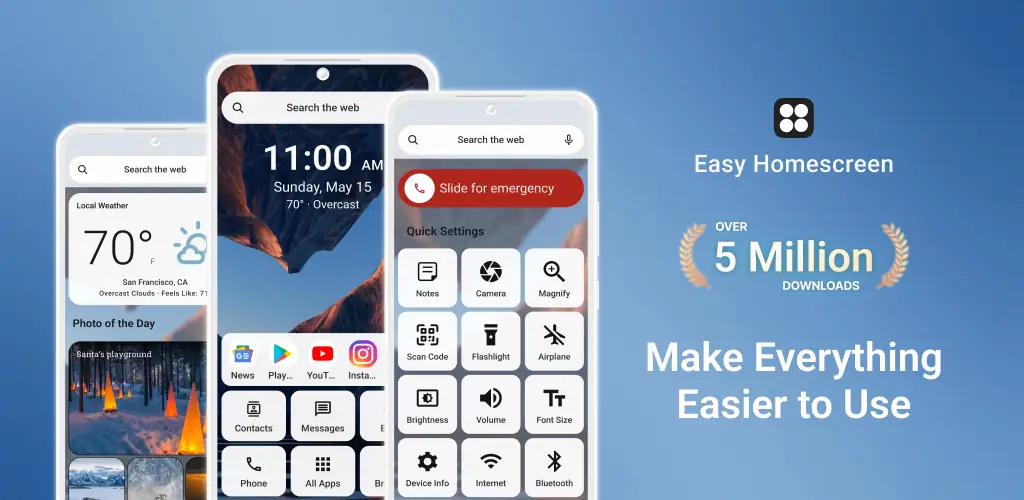

Easy Homescreen app cover art for Android
Easy Homescreen Icon

Easy Homescreen APK for Android

21M+
Free
Sep 9, 2025

Transform your cluttered phone into a simple, smart, and stress-free space

Download Easy Homescreen APK 1.8.12 108MB

What is Easy Homescreen?

Ever feel like your phone’s home screen is a chaotic mess of icons you barely use? You’re not alone. What if you could transform that jumbled space into a calm, simple, and truly personal command center? That’s exactly what Easy Homescreen does, and it’s a game-changer for anyone wanting a stress-free smartphone experience.

Easy Homescreen is a “home launcher,” which is a special type of app on Android that completely redesigns your main screen and app drawer. It replaces confusing layouts with a clean, beautiful interface that puts you back in control. The app is smart, too. It learns which apps you use most and keeps them front and center, while neatly tucking away the rest. It’s like having a personal assistant organize your phone for you.

But it’s not just about looking clean. Everything is designed to be effortlessly easy to use. No more squinting at tiny text or fumbling to hit the right icon.

Here’s what makes it stand out:

  • Big, Bold, and Clear: Enjoy oversized app buttons and large, easy-to-read fonts across the board.
  • A Screen That Knows You: The layout cleverly adapts to your habits, showing you what you need most.
  • Your Style, Your Rules: Customize themes, fonts, and icons to make your phone feel uniquely yours.
  • Helpful Widgets: Get important info at a glance right from your home or lock screen.
  • Easy Typing Keyboard: An optional keyboard with larger keys makes typing a breeze.

This isn’t just for tech beginners. It’s for anyone who wants their phone to be a tool, not a chore. Stop fighting with a cluttered screen. Download Easy Homescreen and discover how simple and enjoyable your phone can truly be.

Video of Easy Homescreen
Screenshot Easy Homescreen 1
Screenshot Easy Homescreen 2
Screenshot Easy Homescreen 3
Screenshot Easy Homescreen 4
Screenshot Easy Homescreen 5
Screenshot Easy Homescreen 6
Screenshot Easy Homescreen 7
Screenshot Easy Homescreen 8

Download Easy Homescreen APK for Android

What's New in Version 1.8.12

Bug fixes and stability improvements

Available Files

System Requirements

OS Version
Android 9.0 (Pie) or higher
Architecture
Varies by file (Which one do I need?)
Disk Space
~150 MB free space required
RAM
2 GB
Internet
Not required
Google Services
Required
Permissions (47)
  • Internet
  • Camera
  • Access Network State
  • Read External Storage
  • Write External Storage

APK File Details

Package ID easy.launcher
Available on Google Play
Developer Homescreen Apps
License Free
Monetization Contains Ads   In-App Purchases
Content Rating Everyone
Interface Language
3 languages

German, French, Spanish

APK Verification & Virus Scan Results

Scan In Queue Signature Verified Safe & Original

Antivirus scan in queue, will be scanned soon. This APK is free of malware and its signature matches the official developer release.

Show File Details (SHA-256, SHA-1, MD5)

SHA-1 Signature:

36877c110d37c16ce5ee484d6bc6cf4162874bcf

SHA-256 Hash:

f94dcc8c0320229a642e9335bcae83a885b36e85a791ec3b09c5a0c72f70a3c6

MD5 Checksum:

cbef856d6722f6b8ea929e7a5a4bba26

Frequently Asked Questions

Is Easy Homescreen safe to download?

Easy Homescreen has passed a basic integrity check. A full antivirus scan is pending. You can check the current scan status in the Security section above.

How to install XAPK file?

XAPK is a split APK package. Standard Android installer cannot open it directly. Use 'SAI' or 'XAPK Installer' — they handle XAPK files automatically. Download the installer, open the XAPK file with it, and follow the on-screen steps. Read more

What Android version does Easy Homescreen require?

Easy Homescreen requires Android 9.0 (API 28) or higher. Optimized for Android 15 (API 35).

Is Easy Homescreen free?

Yes, it is free to download and use, but it contains ads and offers in-app purchases.

How to update Easy Homescreen to the latest version?

Download the latest APK from this page and install it over your existing version — no need to uninstall first. Your data and settings will be preserved. We update the file as soon as a new version is released.

What processor architecture does Easy Homescreen support?

Easy Homescreen supports arm64-v8a. This build does not support x86/x86_64 processors, so it will not run on most PC emulators. If you are unsure about your device architecture, check the Device Info section on this page.

How to enable installation from unknown sources on Android?

Go to Settings → Security (or Settings → Apps → Special access on Android 8+) and enable "Install unknown apps" for your browser or file manager. On Android 8 and above this setting is per-app, not global. Read more

If you have found any issue or are having difficulty with this page, please .

User Reviews & Ratings

Global rating(Play Store): 3.92(177.5K)
Site Rating: 4(1)
Rate this app

4.00

12345

1

Share your experience with other users.