What is Launcher OS?
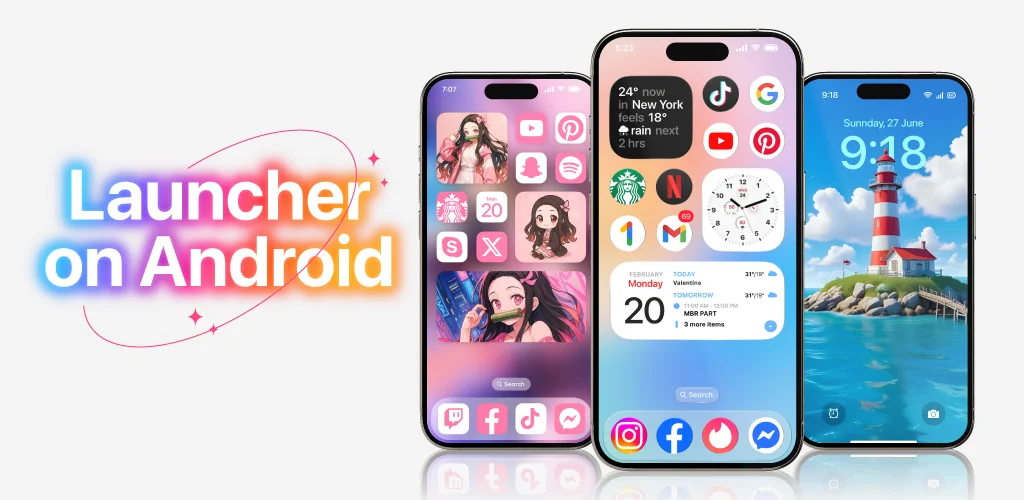
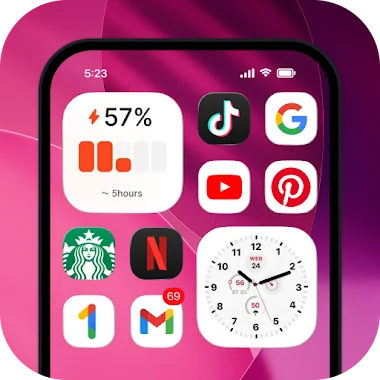
Launcher OS swaps out the stock Android home screen and lock screen for a layout built to mimic iOS, right down to the control shortcuts and icon grid. It falls under the iOS launcher for Android category, aimed at people who like the iPhone look but don’t want to switch phones.
The home screen rearranges app icons and widgets into an Apple-style grid, and the lock screen sits on top of whatever app you’re using, popping up over full-screen apps the same way iOS does. Underneath the cosmetic layer there’s a file search tool that digs through device storage, plus an AI chat feature that takes voice input and converts it to text. Wallpapers can be pulled from local storage or saved from the app’s own server-hosted images.
Getting the lock screen and camera shortcut to work properly means handing over a fair number of permissions: camera access, phone state, notification access, storage, drawing over other apps, and microphone access. That’s a lot to grant for a launcher, and it’s worth checking each one applies before turning them all on blind.
Key Features:
- A built-in file search tool lets you dig through everything stored on the device without hunting through folders manually.
- Voice input in the AI chat runs on microphone access, turning spoken words into text on the fly.
- Wallpapers can be set from your own gallery or pulled from server-saved images built into the app.
- The lock screen overlay sits on top of other apps, matching how iOS handles it.
- A camera shortcut opens straight from the locked screen, skipping the unlock step for quick shots.
Everyday use cases
Anyone bored of the default Android grid can use this to fake an iPhone-style layout without buying new hardware. The lock screen camera shortcut is handy for grabbing a photo fast, and the file search doubles as a quick way to locate downloads or documents buried in storage. The AI chat’s voice-to-text option works as a shortcut for people who’d rather talk than type.
iOS launchers for Android compared
Launcher iOS 16 covers similar ground, with its own take on widgets and layout controls, so it’s the closest direct comparison if you want to see how another app handles the same iPhone-replica idea. Nova Launcher sits in a different lane entirely: it leans into deep Android-native customization and gesture controls rather than copying Apple’s look, so it’s a better fit for people who want flexibility over imitation.
This fits Android users who specifically want the iPhone interface without switching platforms, not people looking for deep Android customization options. The permission list is the real catch: camera, phone state, notifications, full storage access, and drawing over other apps are all requested, and some genre-typical launchers in this category also lean on full-screen ads during setup or in the settings menu.




Share your experience with other users.