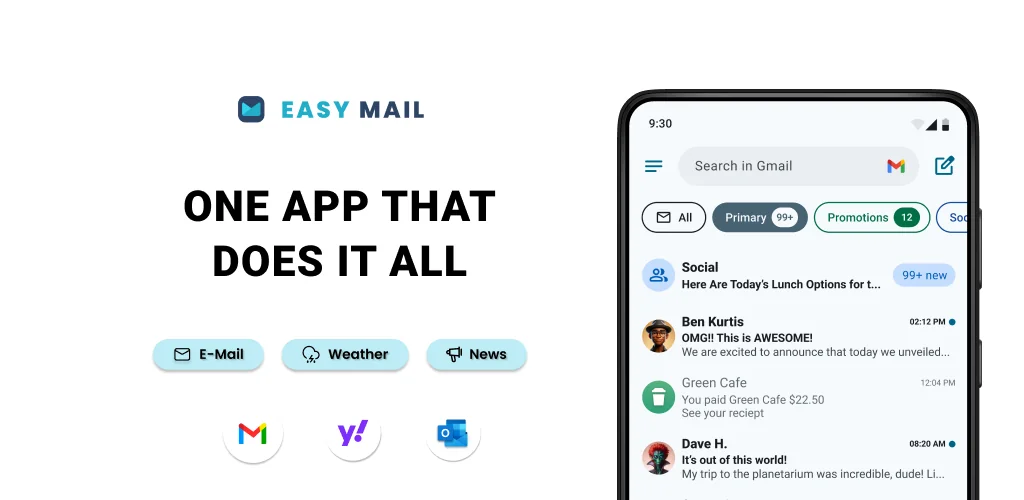

What is Easy Mail?
The Easy Mail - Email Launcher APK offers a unique approach to managing your digital life, integrating email access directly into your Android homescreen. This launcher aims to simplify daily communication, making your inbox a central, easily accessible element of your phone's interface. It’s designed for users seeking a focused, clutter-free experience where email is always a swipe away.
What is Easy Mail - Email Launcher?
Easy Mail - Email Launcher functions as a full-fledged Android launcher, replacing your device's default homescreen. Its core design prioritizes email and productivity. Instead of opening a separate app, you swipe right from your homescreen to instantly access your inbox. This unified feed can consolidate emails from unlimited accounts, including popular services like Gmail, Outlook, Yahoo, and AOL, or any other IMAP/POP3 provider. The goal is to reduce the friction involved in checking and responding to messages, streamlining your daily workflow.
Beyond email, the launcher includes an organized app drawer, accessible with an upward swipe. You can drag frequently used applications back to your homescreen for quick access. A downward swipe reveals a content feed, blending news and entertainment alongside your email updates, keeping you informed without needing to jump between multiple apps.
Key Features:
- Integrated Email Homescreen: Your primary screen is built around email access, allowing a right swipe to open a unified inbox for all your accounts.
- Unlimited Account Support: Consolidate emails from Gmail, Outlook, Yahoo, Hotmail, AOL, and other providers into a single, easy-to-manage feed.
- AI Email Assistance: Tools to rephrase, shorten, or polish your email drafts instantly, helping refine your message while preserving your natural writing style.
- Privacy-First Design: All email processing occurs locally on your device, ensuring your communications remain private and are never read by the app developers.
- Unified Productivity Hub: Combines an app drawer, widget support, and an integrated web search powered by Yahoo Search, complete with autocomplete suggestions.
Practical Use Cases
Easy Mail - Email Launcher is particularly useful for anyone who feels overwhelmed by constant app-switching to manage their inbox. Imagine needing to quickly check a work email while waiting for a bus; a simple swipe and you're in, without navigating through app folders. The AI assistance can be a real time-saver, especially for crafting professional replies on the go, helping you sound sharp even when you're in a rush. For those who juggle multiple personal and professional email addresses, the unified inbox cuts down on mental load, presenting everything in one coherent stream. It’s a solid choice for users who want their phone to be a focused communication tool rather than a distraction machine.
Easy Mail - Email Launcher vs similar launchers
While launchers like Niagara Launcher emphasize extreme minimalism and quick app access, and Microsoft Launcher integrates deeply with Microsoft services, Easy Mail - Email Launcher carves out its niche by making email the absolute center of the homescreen experience. Niagara might appeal more to users who want the fastest possible access to apps, while Microsoft Launcher suits those entrenched in the Microsoft ecosystem. Easy Mail - Email Launcher, however, is purpose-built for individuals whose primary mobile productivity revolves around email, offering a direct, integrated solution that other launchers don't replicate with the same level of focus.
This launcher is ideal for users who prioritize email management and a streamlined digital interface. It offers a distinct way to interact with your device, though adopting a new launcher always involves a bit of a learning curve to get comfortable with its unique navigation.




Share your experience with other users.