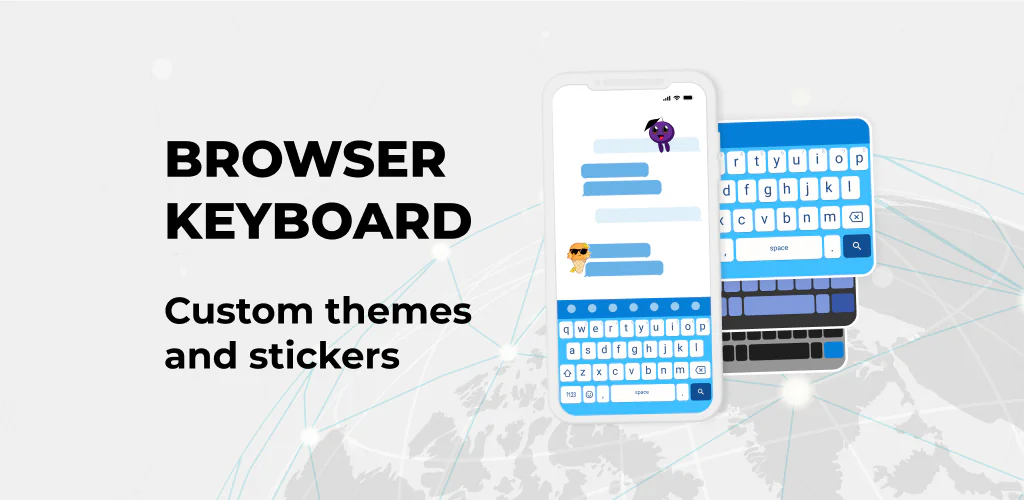

Browser Keyboard app cover art for Android
Browser Keyboard Icon

Browser Keyboard APK for Android

6M+
Free
Jan 28, 2026

Search, chat, and create without ever leaving your keyboard.

Download Browser Keyboard APK 56.0 67MB

What is Browser Keyboard?

Tired of constantly switching between your chat apps and browser just to look something up or grab a link? We’ve all been there! Imagine searching the web, getting instant answers, and expressing yourself without ever leaving your conversation. That’s exactly what Browser Keyboard brings to your Android device, revolutionizing your typing and messaging experience.

This isn’t just another Android keyboard; it’s a productivity powerhouse. The standout feature is its brilliant in-keyboard browser. Seriously, no more pausing your chat to open Chrome! You can quickly search for anything, grab information, and share links directly from your keyboard. It’s perfect for those moments when you need to multitask messaging and get answers fast.

But wait, there’s more! Browser Keyboard also features a ChatGPT-powered AI assistant built right in. Need help brainstorming ideas, correcting a typo, or even translating a phrase? This smart keyboard assistant is your instant digital companion, making your conversations smoother and more intelligent. I honestly appreciate how it helps improve typing experience with real-time suggestions.

Key Features:

  • In-Keyboard Browser: Search the web and share links directly from your chat, keeping conversations flowing.
  • ChatGPT-Powered Assistant: Get instant help with writing, spellcheck, and translations for smarter messages.
  • Stickers & GIFs: Add personality and fun to your chats with a massive collection of expressive content.
  • Smart Clipboard: Easily access and paste your most recent copied items, saving you time.
  • Customizable Keyboard: Personalize your typing experience with various keyboard themes, layouts, and vibrations.

Ready to upgrade your mobile communication? Browser Keyboard isn’t just a keyboard; it’s a complete toolkit designed to make your digital life easier and more fun. Ditch the constant app-switching and embrace a truly integrated typing experience. Download Browser Keyboard today and discover how effortless smart messaging can be!

Also known as: LED Keyboard
Screenshot Browser Keyboard 1
Screenshot Browser Keyboard 2
Screenshot Browser Keyboard 3
Screenshot Browser Keyboard 4

Download Browser Keyboard APK for Android

What's New in Version 56.0

This update fixes bugs for improved autocorrect accuracy, responsiveness, and layout consistency. Enjoy smoother performance across all devices. Upgrade now for a better typing experience!

Available Files

System Requirements

OS Version
Android 6.0 (Marshmallow) or higher
Architecture
Varies by file (Which one do I need?)
Disk Space
~150 MB free space required
RAM
1 GB
Internet
Not required
Permissions (21)
  • Internet
  • Access Network State
  • Read External Storage
  • Write External Storage
  • Read Contacts

APK File Details

Package ID com.jb.gokeyboard.theme.tmeledkeyboard
Available on Google Play
Developer 2025 Themes & Keyboards
License Free
Monetization Contains Ads  
Content Rating Everyone
Interface Language
English +79

English, German, Bulgarian, Thai, Hindi, Vietnamese, Ukrainian, Polish, Romanian, Arabic, French, Turkish, Czech, Spanish, Italian, Portuguese, Hungarian, Russian, Japanese, Korean, Chinese, + 59 localizations

APK Verification & Virus Scan Results

No Virus Signature Verified Safe & Original

Virus scan: Clean (0/66) View report. This APK is free of malware and its signature matches the official developer release.

Show File Details (SHA-256, SHA-1, MD5)

SHA-1 Signature:

8256b772a412eb466da13b70a50bc9ac94e80243

SHA-256 Hash:

fb2d3d4b52c6d1f70cbfde4c19ec2b95cc271e59b3178e6c9a681cab8d515208

MD5 Checksum:

4eb69e6efe338b7ad2b6a46962fa9212

Frequently Asked Questions

Is Browser Keyboard safe to download?

Yes, Browser Keyboard is safe to download. The APK is scanned on every update — no malware or viruses detected. You can verify the full scan report in the Security section above.

How to install Browser Keyboard APK on Android?

Download the APK using the button above. Then open the file and tap Install. If prompted, enable "Install from unknown sources" in Settings → Security. The process takes under a minute. Read more

What Android version does Browser Keyboard require?

Browser Keyboard requires Android 6.0 (API 23) or higher. Optimized for Android 13 (API 33).

Is Browser Keyboard free?

Yes, it is free to use, but it is ad-supported.

How to update Browser Keyboard to the latest version?

Download the latest APK from this page and install it over your existing version — no need to uninstall first. Your data and settings will be preserved. We update the file as soon as a new version is released.

What processor architecture does Browser Keyboard support?

Browser Keyboard supports arm64-v8a, armeabi-v7a, x86, x86_64. If you are unsure about your device architecture, check the Device Info section on this page.

How to enable installation from unknown sources on Android?

Go to Settings → Security (or Settings → Apps → Special access on Android 8+) and enable "Install unknown apps" for your browser or file manager. On Android 8 and above this setting is per-app, not global. Read more

If you have found any issue or are having difficulty with this page, please .

User Reviews & Ratings

Global rating(Play Store): 4.33(28K)
Site Rating: 4.33(12)
Rate this app

4.33

12345

12

Share your experience with other users.