What is LED Keyboard Neon Themes Glow?
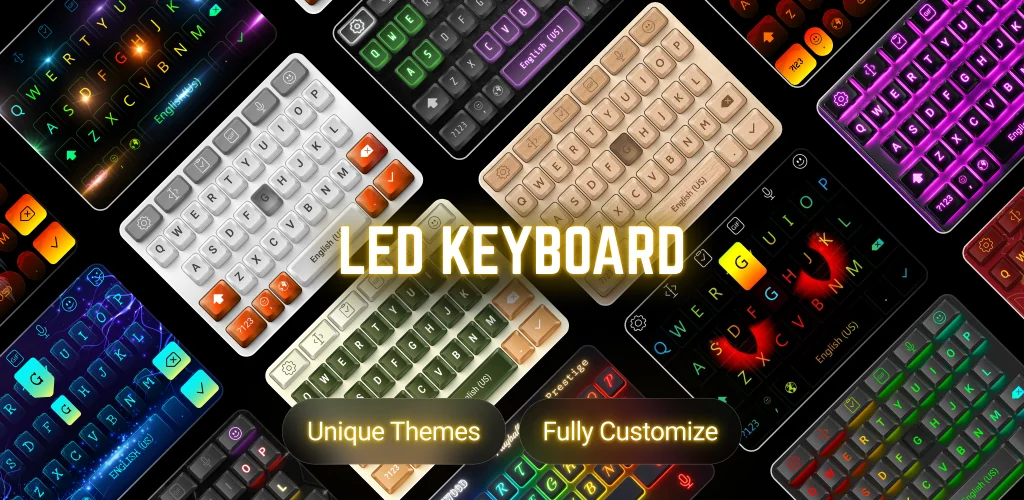
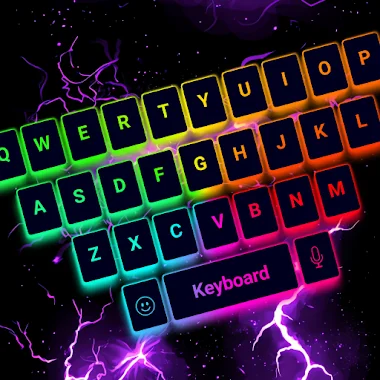
LED Keyboard Neon Themes Glow is a custom keyboard app that swaps your phone's default typing bar for one built around RGB lighting, animated themes, and a full editor for backgrounds, sounds, and key effects. It targets anyone who wants a keyboard that looks less stock and more like a mood board.
The editor lets you build a layout from scratch instead of picking from a fixed set of presets. Key colors, background images, stroke width, and gradient speed are all adjustable, and lighting moves under the keys as you type rather than sitting static. Typing sounds range from mechanical clicks and keystrokes to water drop and typewriter effects, and each can be paired with its own animation. On the input side, the keyboard supports swipe typing with word suggestions and voice dictation for hands-free entry, alongside a clipboard tool for faster copy and paste. Multiple language layouts and dictionaries are included, with adjustable keyboard size and position for different hand sizes or screen setups.
Key Features:
- A DIY keyboard editor lets you set backgrounds, key colors, and lighting animations instead of using fixed layouts.
- Typing sounds include mechanical keyboard RGB sound, keystroke, water drop, typewriter, and click.
- A font library holds hundreds of fonts for stylized text in chat apps and social posts.
- Thousands of emojis, GIFs, and stickers cover reactions and trending sticker packs in any chat app.
- Swipe typing with word suggestions speeds up input, and voice typing handles dictation.
- Multiple keyboard layouts support multi-language typing with adjustable size and position.
Customizing the keyboard in LED Keyboard Neon Themes Glow
Themes go beyond simple color swaps. The app groups them into RGB and neon styles, mechanical-keyboard looks, and cuter, anime-leaning designs, with new sets added on a rolling basis. Backgrounds can come from the in-app library or from a photo on your device, and the same neon and lighting effects that run through the presets carry over into anything you build yourself in the editor. Fonts sit in a separate library from the themes, so the visual skin of the keyboard and the text style you type with can be mixed independently across apps like WhatsApp, Instagram, or Messenger.
Keyboards like LED Keyboard Neon Themes Glow
Gboard sticks to a minimalist layout built around Google search integration and predictive text, with almost none of the visual customization here. SwiftKey leans on AI-based prediction and cloud-synced settings rather than RGB themes or sound packs. LED Keyboard Neon Themes Glow sits at the opposite end from both, aimed squarely at users who care more about how the keyboard looks and sounds than about prediction accuracy.
This keyboard is built for people who want their typing interface to look and sound distinctive across every app on the phone, not just one chat client. Running RGB lighting and animation continuously under every keystroke is a battery draw worth knowing about before you set it as your default input method.



Share your experience with other users.