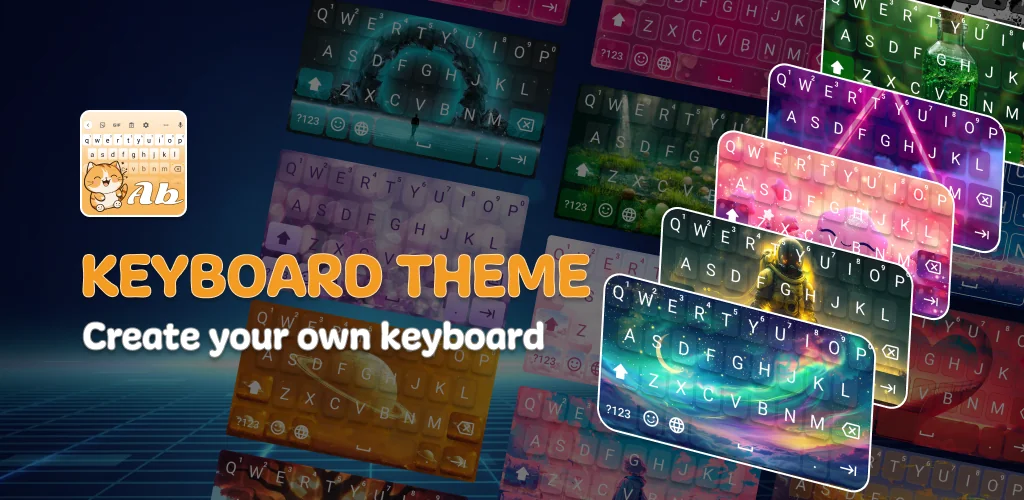
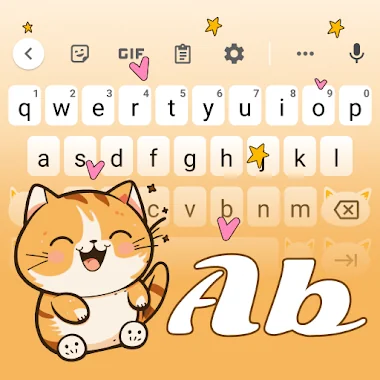
My Keyboard: Themes & Fonts app cover art for Android
My Keyboard: Themes & Fonts Icon

My Keyboard: Themes & Fonts APK for Android

Waleed Adel Original
Also known as: My Keyboard: Themes & Fonts, Keyboard Theme
5M+
Free
Oct 1, 2026

Swap typing smarts for visual control: themes, fonts, and keypress sounds

Download My Keyboard: Themes & Fonts APK 1.0.10 71MB

What is My Keyboard: Themes & Fonts?

Most custom keyboards focus on prediction and auto-correct. This one replaces those with visual and sound personalization, treating the keyboard as a canvas rather than a utility.

My Keyboard: Themes & Fonts lets you swap the default interface for themes built around specific aesthetics (anime, love motifs, cute designs), then layer on font changes and auditory feedback. You pick a theme, adjust the typeface, select a keypress sound, and resize the whole layout to suit your grip. The app positions itself as a styling tool first, with typing enhancements secondary or absent.

What stands out:

  • Theme library spans cute, anime, and love styles, each altering the key background and border design
  • Font selection changes how characters appear as you type, from script styles to block lettering
  • Typing sounds let you assign audio feedback per press: light taps, mechanical clicks, or muted responses
  • Keyboard and font sizing tools adjust both the overall frame and the character height independently
  • Layout changes apply immediately, so you can test combinations without leaving the settings screen

Keyboard sound and size options

The sound picker holds several preset audio profiles. You can assign a different one to the full board or leave it silent. The sizing panel splits into two controls: one scales the keyboard frame (useful on larger screens or when you type one-handed), the other enlarges the font without stretching the keys. That separation matters if you need bigger text but want to keep the layout compact.

Other custom keyboard apps

Where Gboard centers on predictive text and integrated search, and SwiftKey learns your typing patterns through AI-driven dictionaries, My Keyboard: Themes & Fonts skips the intelligence layer entirely. It does not predict your next word or sync a personal dictionary. The trade is visual flexibility: you get theme variety and font control those alternatives do not prioritize. If you type for the look more than the speed, this fits. If auto-correct and word prediction are part of your workflow, the lack becomes obvious fast.

Built for users who treat the keyboard as part of the phone's visual identity rather than a productivity layer. The app contains ads and holds a low rating (1.17 from 230 votes), which suggests friction between the customization promise and the execution. Worth trying if aesthetics outweigh typing assistance, but expect interruptions and check whether the interface behaves reliably on your device before committing.

My Keyboard: Themes & Fonts screenshot 1
My Keyboard: Themes & Fonts screenshot 2
My Keyboard: Themes & Fonts screenshot 3
My Keyboard: Themes & Fonts screenshot 4
My Keyboard: Themes & Fonts screenshot 5

My Keyboard: Themes & Fonts APK Download

What's New in Version 1.0.10

No official changelog provided for My Keyboard: Themes & Fonts version 1.0.10. This update likely includes general stability improvements and bug fixes.

Download Links:

System Requirements

OS Version
Android 7.0 (Nougat) or higher
Architecture
Varies by file (Which one do I need?)
Disk Space
~90 MB free space required
RAM
1 GB
Internet
Not required
Google Services
Required   GMS dependent

APK File Details

Package ID com.keyboard.theme.fontboard.mask.stylish
Available on Google Play
Developer Waleed Adel
License Free
Monetization Contains Ads  
Content Rating Everyone
Interface Language
English +75

English, Arabic, Bulgarian, Czech, German, Spanish, French, Hindi, Hungarian, Indonesian, Italian, Japanese, Korean, Polish, Portuguese, Romanian, Russian, Thai, Turkish, Ukrainian, Vietnamese, Chinese, + 54 localizations

Required Permissions (22)
  • Requires Google Play Services to launch:
    Note: This is an original file. Unlike modded versions with no verification, it validates via your store account. Details
  • Internet
  • Access Network State
  • Vibrate
  • Wake Lock
  • Access Adservices Topics

APK Verification & Virus Scan Results

No Virus Signature Verified Safe & unmodified

Virus scan: Verified safe (0/65) View report. This APK is free of malware and its signature matches the official developer release.

Show File Details (SHA-256, SHA-1, MD5)

SHA-1 Signature:

e137ab6d47e6c13cc2d0cf47bb6f7eadd695f69d

SHA-256 Hash:

f4a7b331cf80384fe593a33f3d79433e66e6a334c2925748004cdcadb50cd380

MD5 Checksum:

ad251aaf879c34e7036aa5141df2eb8e

Frequently Asked Questions

Is My Keyboard: Themes & Fonts safe to download?

Yes, My Keyboard: Themes & Fonts is safe to download. The APK is scanned on every update — no malware or viruses detected. You can verify the full scan report in the Security section above.

How to install XAPK file?

XAPK is a split APK package. Standard Android installer cannot open it directly. Use 'SAI' or 'XAPK Installer' — they handle XAPK files automatically. Download the installer, open the XAPK file with it, and follow the on-screen steps. Read more

What Android version does My Keyboard: Themes & Fonts require?

My Keyboard: Themes & Fonts requires Android 7.0 (API 24) or higher. Optimized for Android 16 (API 36).

Is My Keyboard: Themes & Fonts free?

Yes, it is free to use, but it is ad-supported.

Does My Keyboard: Themes & Fonts require a license check?

Yes, this app performs a license check. You may need to have the Google Play Store installed and be logged in to verify the license.

How to update My Keyboard: Themes & Fonts to the latest version?

Download the latest APK from this page and install it over your existing version — no need to uninstall first. Your data and settings will be preserved. We update the file as soon as a new version is released.

What processor architecture does My Keyboard: Themes & Fonts support?

My Keyboard: Themes & Fonts supports arm64-v8a. This build does not support x86/x86_64 processors, so it will not run on most PC emulators. If you are unsure about your device architecture, check the Device Info section on this page.

Found a problem on this page?

User Reviews & Ratings

Global rating (Play Store): 1.08★ (318)
Site Rating: 5★ (1)
Rate this app

5.00

12345

1

Share your experience with other users.

Download My Keyboard: Themes & Fonts APK - Latest version

Get the official APK file for your Android device. Fast, safe, and free. Download APK