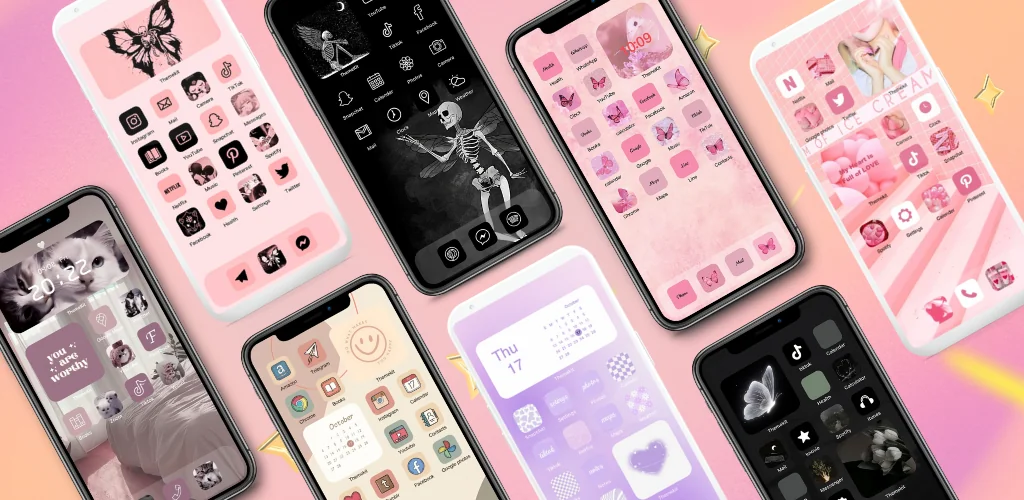
ThemeKit - Themes & Widgets app cover art for Android
ThemeKit - Themes & Widgets Icon

ThemeKit - Themes & Widgets APK for Android

ThemeKit Original
61M+
Free
Aug 13, 2026

Reskins icons and widgets as shortcuts, no launcher swap required.

Download ThemeKit - Themes & Widgets APK 20.4 84MB

What is ThemeKit?

ThemeKit - Themes & Widgets is a home screen customization app that lets you dress up your Android phone with aesthetic icon packs, widgets, and wallpapers, without swapping out your launcher.

The app works as a shortcut layer over your existing home screen. Picking a new icon does not replace the system app icon; it builds a shortcut carrying the new artwork, which you then drop where the original sat. Icons come from a built-in gallery or from your own photos, and the same DIY approach applies to widgets and lock screen art. Two paths run through the app: Style Master, which bundles icon, widget, and wallpaper packs into ready-made themes, and DIY Function, which hands you the blank canvas to design icons and widgets from your own album pictures. A search tool helps narrow down the catalog when you already know the look you want, whether that is minimalist, gothic, or a seasonal set tied to a holiday.

Key Features:

  • Build shortcut icons from 5000+ pre-made designs or your own gallery photos
  • Browse 3000+ ready-made themes bundling icons, widgets, and wallpapers together
  • Style your home screen with 9000+ widget designs, including countdown and weather widgets
  • Pull fresh 4K and Full HD wallpapers from a library that updates daily
  • Design custom icons and widgets from scratch through the DIY Function
  • Manage music and volume from a Control Center overlay powered by Accessibility Services

Icon changer and DIY customization

Setting up a new icon takes a few taps: choose the app you want re-skinned, pick artwork from the icon library or your own gallery, and the app generates a shortcut carrying that image. The widget kit covers a wide range of styles, from countdown timers to weather panels, and each one can be resized and repositioned like a standard Android widget. The DIY route goes further, letting you turn a personal photo into a widget frame or an icon, so a themed home screen can be built entirely from pictures nobody else has used. Wallpaper changes sit in their own section, pulling from a rotating stock of 4K backgrounds rather than a fixed set.

Apps like ThemeKit - Themes & Widgets

ThemeKit - Themes & Widgets sticks to icon packs, widgets, and wallpapers layered on top of whatever launcher you already run, which keeps setup light but caps how deep the customization goes. Nova Launcher replaces the launcher itself and reaches into system-level settings that a shortcut-based tool cannot touch, so anyone chasing grid layout changes or app drawer behavior will outgrow ThemeKit - Themes & Widgets fast. KWGT Kustom Widget Maker takes the opposite angle, skipping pre-made themes entirely in favor of building widgets from scratch with programmable logic, a route for people who want control over every pixel rather than a curated look.

ThemeKit - Themes & Widgets fits Android users who want a quick aesthetic refresh, seasonal themes, and widget variety without installing a new launcher. Because icons apply as shortcuts rather than true replacements, the original app icon can still peek through in certain launchers or app drawers, and the Control Center feature requires granting Accessibility Services permissions to function.

ThemeKit - Themes & Widgets screenshot 1
ThemeKit - Themes & Widgets screenshot 2
ThemeKit - Themes & Widgets screenshot 3
ThemeKit - Themes & Widgets screenshot 4
ThemeKit - Themes & Widgets screenshot 5
ThemeKit - Themes & Widgets screenshot 6
ThemeKit - Themes & Widgets screenshot 7
ThemeKit - Themes & Widgets screenshot 8

ThemeKit APK Download

What's New in Version 20.4

New Version Released!
Experience the best yet with our latest update! Here's what's new:

- Brand new themes, icon packs, and widgets.
- Enhanced stability and bug fixes for better performance.

System Requirements

OS Version
Android 6.0 (Marshmallow) or higher
Architecture
Varies by file (Which one do I need?)
Disk Space
~150 MB free space required
RAM
1 GB
Internet
Not required
Google Services
Required   GMS dependent

APK File Details

Package ID com.themekit.widgets.themes
Available on Google Play
Developer ThemeKit
License Free
Monetization Contains Ads   In-App Purchases
Content Rating Teen (Diverse Content: Discretion Advised)
Interface Language
English +19

English, Thai, German, French, Japanese, Vietnamese, Portuguese, Chinese, Italian, Polish, Russian, Arabic, Hindi, Spanish, Korean, Turkish, + 4 localizations

Required Permissions (114)
  • Requires Google Play Services to launch:
    Note: This is an original file. Unlike modded versions with no verification, it validates via your store account. Details
  • Internet
  • Record Audio
  • Camera
  • Access Network State
  • Read External Storage

APK Verification & Virus Scan Results

Scan In Queue Signature Verified Safe & unmodified

Full antivirus scan in queue; report will appear here shortly. Signature matches the official developer release.

Show File Details (SHA-256, SHA-1, MD5)

SHA-1 Signature:

faf43c41267cba6687fa374e9c0dd839de1b512d

SHA-256 Hash:

c65fcae3af5ca708b965a09046dd9890fbde8aae412f1d4eddd86e629ff39eed

MD5 Checksum:

5344389796987dfc754d8b54a13cbd5b

Frequently Asked Questions

Is ThemeKit safe to download?

ThemeKit has passed a basic integrity check. A full antivirus scan is pending. You can check the current scan status in the Security section above.

How to install XAPK file?

XAPK is a split APK package. Standard Android installer cannot open it directly. Use 'SAI' or 'XAPK Installer' — they handle XAPK files automatically. Download the installer, open the XAPK file with it, and follow the on-screen steps. Read more

What Android version does ThemeKit require?

ThemeKit requires Android 6.0 (API 23) or higher. Optimized for Android 16 (API 36).

Is ThemeKit free?

Yes, it is free to download and use, but it contains ads and offers in-app purchases.

Does ThemeKit require a license check?

Yes, this app performs a license check. You may need to have the Google Play Store installed and be logged in to verify the license.

How to update ThemeKit to the latest version?

Download the latest APK from this page and install it over your existing version — no need to uninstall first. Your data and settings will be preserved. We update the file as soon as a new version is released.

What processor architecture does ThemeKit support?

ThemeKit supports arm64-v8a, armeabi-v7a. This build does not support x86/x86_64 processors, so it will not run on most PC emulators. If you are unsure about your device architecture, check the Device Info section on this page.

Found a problem on this page?

User Reviews & Ratings

Global rating (Play Store): 4.6(691.1K)
Site Rating: 5(1)
Rate this app

5.00

12345

1

Share your experience with other users.

Download ThemeKit APK - Latest version

Get the official APK file for your Android device. Fast, safe, and free. Download APK