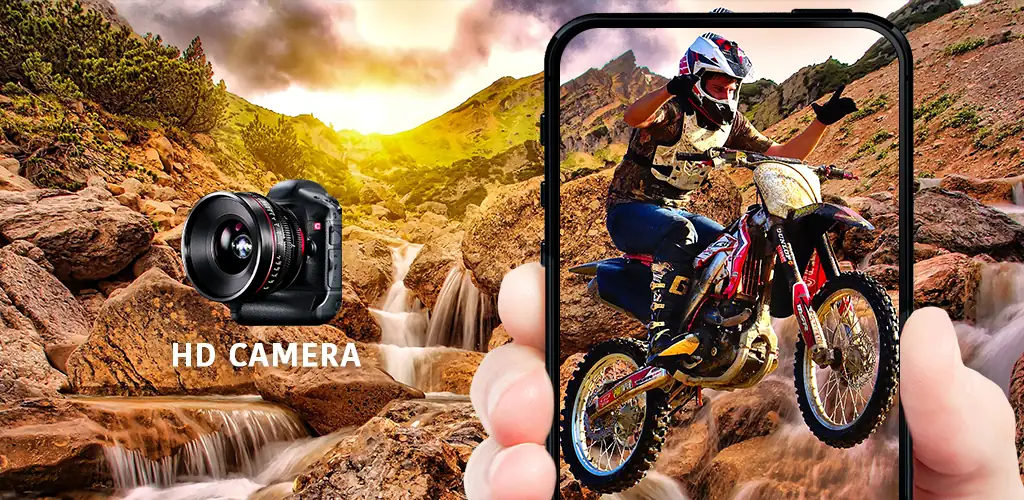
HD Camera app cover art for Android
HD Camera Icon

HD Camera APK for Android

HD Camera Original
150M+
Free
Aug 8, 2026

Manual camera controls paired with live filter previews for instant, styled shots

Download HD Camera APK 1.4.14 6MB

What is HD Camera?

HD Camera is a camera utility built for people who want manual control without wading through a professional editing suite. It layers real-time filters and HDR processing on top of a straightforward shooting interface, so the effect you see before you tap the shutter is the one you get.

The app gives you the standard manual dials you'd expect from a serious camera tool: focus modes, color effects, white balance, ISO, and exposure compensation with lock, plus a torch toggle for low light. Shooting itself isn't limited to a single tap either. Quick Snap fires off a shot instantly, Continuous shooting rattles off a burst for moving subjects, and Auto-stabilize corrects handshake before the file is saved. Stylish HDR kicks in specifically for backlit and dim scenes, pulling detail out of shadows that a standard sensor would just crush to black. Because the filter preview updates in real time, you're framing the shot with the effect already applied instead of guessing how a filter will look after the fact.

Key Features:

  • Professional effects apply different styles for image enhancement without leaving the camera screen
  • Stylish HDR recovers detail in low-light and backlit scenes
  • Real-time Filter previews the final look before the shutter fires
  • Manual controls cover focus, white balance, ISO, and exposure lock
  • Quick Snap, Continuous shooting, and Auto-stabilize cover fast and steady shooting alike
  • The app is built on Open Camera code under the GNU General Public License

Manual controls and shooting modes

Switching between shooting modes doesn't require digging through settings menus. Quick Snap sits ready for a single decisive moment, Continuous shooting is there when a subject won't hold still, and Auto-stabilize handles the shake that ruins otherwise good frames. The manual layer underneath, ISO, white balance, exposure lock, gives the app a pro camera feel that a lot of default phone cameras skip entirely. None of this needs an internet connection; every mode and filter runs locally on the device.

Alternatives to HD Camera

HD Camera is built directly on Open Camera's codebase, so the underlying controls will feel familiar to anyone who has used that app, but the interface here is more styled and filter-forward rather than purely utilitarian. Adobe Lightroom sits at the other end of the spectrum: it leans on post-processing and editing tools rather than the live filter preview HD Camera is built around. Pick HD Camera for quick, styled shots straight out of the camera; pick Lightroom when the editing happens after the shutter, not before it.

This app suits casual photographers who want HDR and manual exposure control without opening a separate editor afterward. Its interface and control set are inherited from Open Camera's open-source foundation, so the experience underneath the filters is a familiar one rather than something built from scratch.

HD Camera screenshot 1
HD Camera screenshot 2
HD Camera screenshot 3
HD Camera screenshot 4
HD Camera screenshot 5
HD Camera screenshot 6
HD Camera screenshot 7
HD Camera screenshot 8

Download HD Camera APK for Android

What's New in Version 1.4.14

- Fixed bug
- Upgrade SDK

Available Files

System Requirements

OS Version
Android 4.4 (Kit Kat) or higher
Architecture
Varies by file (Which one do I need?)
Disk Space
~10 MB free space required
RAM
1 GB
Internet
Not required
Google Services
Required
Permissions (19)
  • Internet
  • Record Audio
  • Camera
  • Access Network State
  • Read External Storage

APK File Details

Package ID hd.camera
Available on Google Play
Developer HD Camera
License Free
Monetization Contains Ads  
Content Rating Everyone

APK Verification & Virus Scan Results

No Virus Signature Verified Safe & unmodified

Virus scan: Verified safe (0/66) View report. This APK is free of malware and its signature matches the official developer release.

Show File Details (SHA-256, SHA-1, MD5)

SHA-1 Signature:

cf776ceaf91fb6b0e27717131e088d159281aa6f

SHA-256 Hash:

f0ad749fb018bc90f500e0b0a3a4d0d4ec4841f81ff470979c5dd541627192f7

MD5 Checksum:

d18753851cc64d6ac4e1fb88ad43f65c

Frequently Asked Questions

Is HD Camera safe to download?

Yes, HD Camera is safe to download. The APK is scanned on every update — no malware or viruses detected. You can verify the full scan report in the Security section above.

How to install XAPK file?

XAPK is a split APK package. Standard Android installer cannot open it directly. Use 'SAI' or 'XAPK Installer' — they handle XAPK files automatically. Download the installer, open the XAPK file with it, and follow the on-screen steps. Read more

What Android version does HD Camera require?

HD Camera requires Android 4.4 (API 19) or higher. Optimized for Android 16 (API 36).

Is HD Camera free?

Yes, it is free to use, but it is ad-supported.

How to update HD Camera to the latest version?

Download the latest APK from this page and install it over your existing version — no need to uninstall first. Your data and settings will be preserved. We update the file as soon as a new version is released.

What processor architecture does HD Camera support?

HD Camera supports universal. If you are unsure about your device architecture, check the Device Info section on this page.

How to enable installation from unknown sources on Android?

Go to Settings → Security (or Settings → Apps → Special access on Android 8+) and enable "Install unknown apps" for your browser or file manager. On Android 8 and above this setting is per-app, not global. Read more

Found a problem on this page?

User Reviews & Ratings

Global rating (Play Store): 4.57(414.6K)
Site Rating: 5(1)
Rate this app

5.00

12345

1

Share your experience with other users.