What is Manual Camera DSLR?
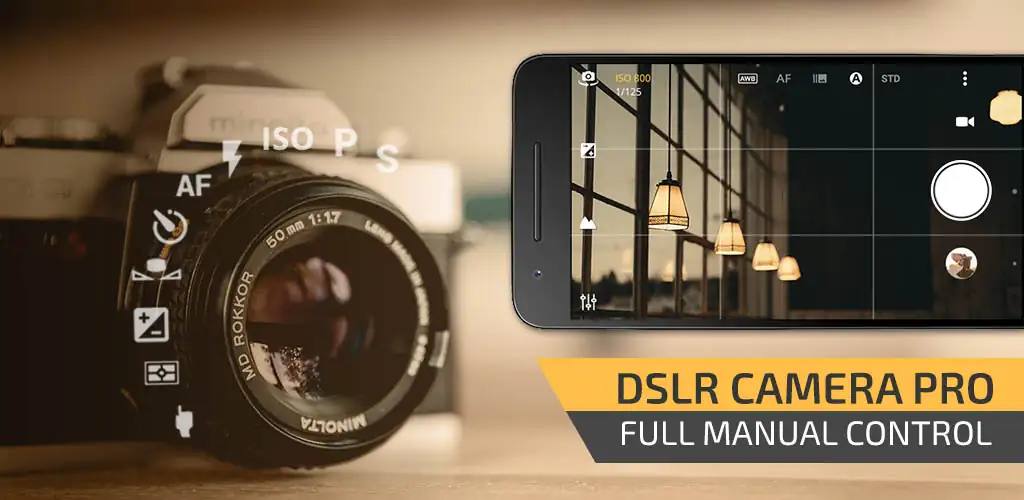
Manual Camera DSLR (Lite) APK offers Android users a robust set of manual camera controls, aiming to transform smartphone photography with DSLR-like precision. This Lite version provides a strong entry point for those seeking more control over their mobile camera settings.
What is Manual Camera DSLR (Lite)?
Manual Camera DSLR (Lite) serves as an advanced camera application, granting users direct control over critical photographic parameters. You can manually adjust ISO sensitivity, shutter speed, exposure compensation, white balance, and even focus. This level of granular control moves beyond the automatic settings of most stock camera apps, allowing for more deliberate image capture. The app requires devices running Android 5.0 or higher with Camera2API enabled by the manufacturer to access its full manual capabilities. Without Camera2API, some advanced functions will not be available.
Key Features:
- Full Manual Controls: Precisely manage ISO, shutter speed, exposure, white balance, and manual focus to dictate how your camera captures light and detail.
- RAW Photo Support: Save images in DNG (RAW) format, preserving maximum image data for extensive post-processing without quality loss.
- Advanced Video Options: Record video with adjustable frame rates and bit rates, including options for timelapse, slow motion, and 4K resolution on compatible devices (Lite version limits 1080p and 5 minutes).
- Burst Mode & Intervalometer: Capture sequences of photos at configurable intervals, a real boon for creating stop motion animations or capturing fast-moving subjects.
- Geotagging & Photo Stamping: Automatically embed GPS location data into your photos or add custom date, time, and text stamps directly onto images.
Practical Use Cases
This app unlocks several creative and technical photography avenues. For low-light scenarios, manually increasing ISO or extending shutter speed can capture details otherwise lost in shadows. You can achieve artistic long-exposure effects, like blurring moving water or light trails, by setting a slow shutter speed. The burst mode and intervalometer come in handy for stop-motion animation projects or for capturing a series of actions to pick the perfect frame. Saving photos in RAW format provides immense flexibility for editing, letting you recover highlights or boost shadows with greater fidelity than JPEGs.
Manual Camera DSLR (Lite) vs similar apps
Compared to apps like ProShot, Manual Camera DSLR (Lite) offers a similar suite of manual controls and RAW support, though ProShot often features a more polished user interface and additional niche features like light painting. Open Camera, a free alternative, also provides manual controls but might lack the robust RAW implementation or the specific burst mode configurability found here. Manual Camera DSLR (Lite) carves its niche by providing a comprehensive set of manual controls, especially its intervalometer and burst mode for stop motion, within a relatively compact package. It's a solid choice for users prioritizing granular control and specific creative video features.
This app is ideal for mobile photographers who feel constrained by their phone's default camera and want to experiment with manual settings. It's also great for creators interested in stop-motion or timelapse video. The Lite version, however, caps photo resolution at 8MP and video at 1080p for a maximum of five minutes, which might be a dealbreaker for professional-grade output.



Share your experience with other users.