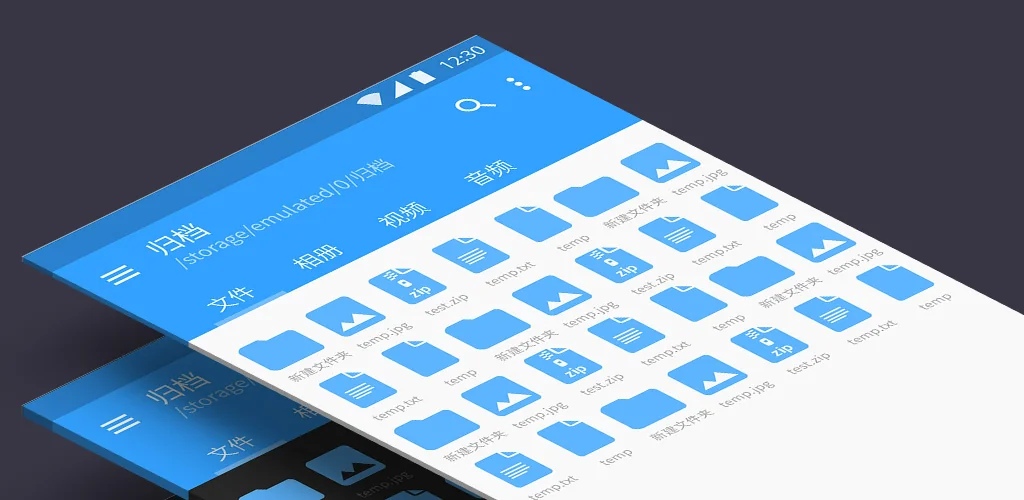
FV File Manager app cover art for Android
FV File Manager Icon

FV File Manager APK for Android

FolderV Original
Also known as: FV File Explorer
3M+
Free
Jul 21, 2026

Advanced file manager with wireless transfer and broad format support.

Download FV File Manager APK 1.27.31 43MB Old versions

What is FV File Manager?

FV File Manager APK offers a robust file management solution, particularly for Android 14 users seeking deeper system access. This utility streamlines file organization and transfer, providing tools beyond standard file browsers.

What is FV File Manager?

FV File Manager functions as a comprehensive file manager for Android devices. Its core capability involves navigating, organizing, and interacting with files and folders across your device's storage. A standout feature, implemented around November 2023, is its ability to access the restricted `/Android/data` and `/Android/obb` directories on Android 14, leveraging the Shizuku service. This grants advanced users control over application data and expansion files that are typically locked down.

The app also simplifies file transfers between your phone and computer. You can manage files over a local area network (LAN) using HTTP, FTP, or SFTP protocols, eliminating the need for USB cables. This method allows for quick sharing of documents, images, and other files with nearby devices without consuming mobile data.

Key Features:

  • Android 14 Data Access: Gain entry to `/Android/data` and `/Android/obb` folders on Android 14 devices through Shizuku integration, offering control over app-specific data.
  • Wireless File Transfer: Move files between your mobile device and a computer over Wi-Fi using HTTP, FTP, or SFTP, which comes in handy for large transfers.
  • Extensive Image Viewer: Preview a wide array of image formats, including common types like JPG and PNG, alongside less common ones such as WebP, HEIF, AVIF, ICO, DNG, and APNG.
  • Archive Extraction: Decompress various compressed file types, including popular formats like ZIP, RAR, 7Z, ISO, and DMG, directly on your device.
  • QR & Barcode Scanner: Quickly identify and process QR codes and barcodes in multiple formats, adding a practical utility to the file manager.

Practical Use Cases

Beyond basic file browsing, FV File Manager shines in specific scenarios. Developers or power users can inspect or modify app data within the `/Android/data` directory on Android 14, a task often requiring root access or complex workarounds. For anyone needing to transfer large media libraries or documents to a PC without a cable, the wireless network management feature is a real lifesaver. It also serves as a capable tool for handling downloaded archive files, letting you extract game data or software packages on the go. The integrated markdown preview is a nice touch for those who work with documentation.

FV File Manager vs similar apps

While popular file managers like Solid Explorer and FX File Explorer offer robust features, cloud integration, and network share support, FV File Manager carves out a specific niche. Its primary differentiator is the direct, Shizuku-powered access to `/Android/data` and `/Android/obb` on Android 14, a capability not universally present in competitors without full root. Users prioritizing this specific system access, coupled with extensive image and archive format support, will find FV File Manager a more tailored fit. For those who simply need cloud sync or a more polished UI for general use, alternatives might feel more comprehensive.

FV File Manager is particularly suited for Android users who require granular control over their device's file system, especially on newer Android versions. Its wireless transfer and broad format support add significant utility. However, setting up Shizuku for the advanced Android 14 features can be a hurdle for less tech-savvy individuals, making its most powerful capabilities somewhat niche.
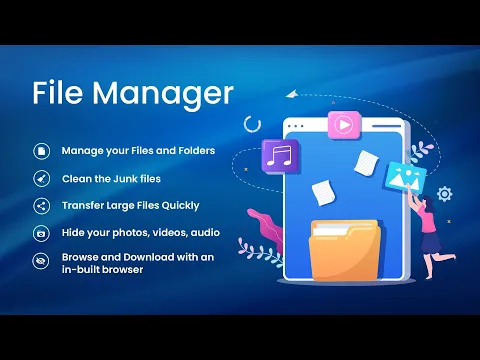
Video of FV File Manager
Screenshot FV File Manager 1
Screenshot FV File Manager 2
Screenshot FV File Manager 3
Screenshot FV File Manager 4
Screenshot FV File Manager 5
Screenshot FV File Manager 6
Screenshot FV File Manager 7
Screenshot FV File Manager 8

FV File Manager APK Download

What's New in Version 1.27.31

Optimization and fix minor bugs.

System Requirements

OS Version
Android 8.0 (OREO) or higher
Architecture
Varies by file (Which one do I need?)
Disk Space
~60 MB free space required
RAM
1 GB
Internet
Not required
Google Services
Required

APK File Details

Package ID com.folderv.file
Available on Google Play
Developer FolderV
License Free
Monetization Contains Ads  
Content Rating PEGI 3
Interface Language
English +76

English, Arabic, Bulgarian, Czech, German, Spanish, French, Hindi, Hungarian, Indonesian, Italian, Japanese, Korean, Polish, Portuguese, Romanian, Russian, Thai, Turkish, Ukrainian, Vietnamese, Chinese, + 55 localizations

Required Permissions (46)
  • Internet
  • Camera
  • Access Network State
  • Read External Storage
  • Write External Storage

APK Verification & Virus Scan Results

Scan In Queue Signature Verified Safe & Original

Antivirus scan in queue, will be scanned soon. This APK is free of malware and its signature matches the official developer release.

Show File Details (SHA-256, SHA-1, MD5)

SHA-1 Signature:

c67827f2b122773d1031b7b75e5bab5726e9a2a6

SHA-256 Hash:

6c9b4c42093717f2bcb3bc3e42d0608c4f09f488aa4c915813908a4c433188bf

MD5 Checksum:

653c20f2ecf99c12e8940c94a347d700

Frequently Asked Questions

Is FV File Manager safe to download?

FV File Manager has passed a basic integrity check. A full antivirus scan is pending. You can check the current scan status in the Security section above.

How to install XAPK file?

XAPK is a split APK package. Standard Android installer cannot open it directly. Use 'SAI' or 'XAPK Installer' — they handle XAPK files automatically. Download the installer, open the XAPK file with it, and follow the on-screen steps. Read more

What Android version does FV File Manager require?

FV File Manager requires Android 8.0 (API 26) or higher. Optimized for Android 15 (API 35).

Is FV File Manager free?

Yes, it is free to use, but it is ad-supported.

How to update FV File Manager to the latest version?

Download the latest APK from this page and install it over your existing version — no need to uninstall first. Your data and settings will be preserved. We update the file as soon as a new version is released.

What processor architecture does FV File Manager support?

FV File Manager supports armeabi-v7a. This build does not support x86/x86_64 processors, so it will not run on most PC emulators. If you are unsure about your device architecture, check the Device Info section on this page.

How to enable installation from unknown sources on Android?

Go to Settings → Security (or Settings → Apps → Special access on Android 8+) and enable "Install unknown apps" for your browser or file manager. On Android 8 and above this setting is per-app, not global. Read more

If you have found any issue or are having difficulty with this page, please .

User Reviews & Ratings

Global rating(Play Store): 4.18(7.2K)
Site Rating: 5(1)
Rate this app

5.00

12345

1

Share your experience with other users.

Download FV File Manager APK - Latest version

Get the official APK file for your Android device. Fast, safe, and free. Download APK