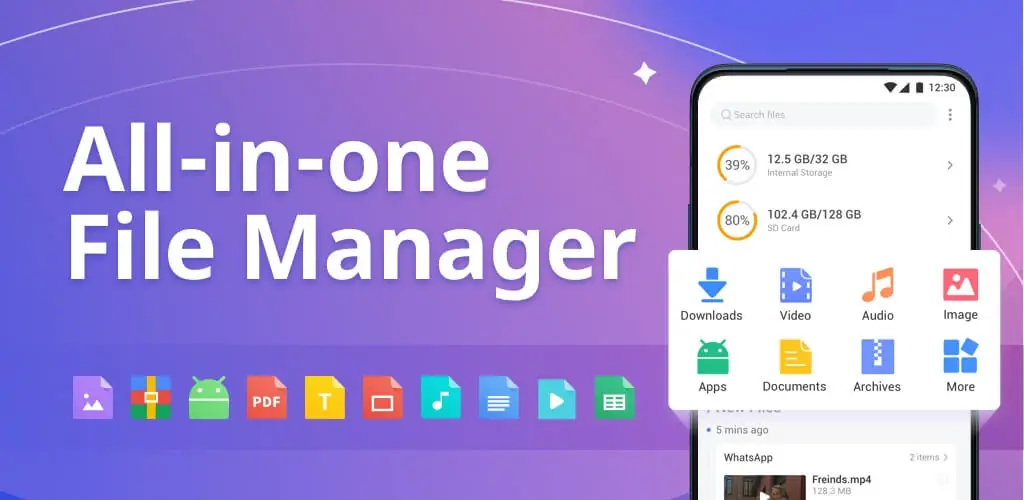
File Manager app cover art for Android
File Manager Icon

File Manager APK for Android

InShot Inc. Original
9M+
Free
Jun 3, 2025

Maximum order in your smartphone's memory — with one touch.

Download File Manager APK 1.5.4.2 25MB

What is File Manager?

The simple and accessible file manager File Manager is a convenient app for managing files and folders on Android devices. It allows you to view, copy, move, delete, and rename files on your smartphone and share files in various repositories. Simple operations with internal memory, SD cards, cloud services, and even a local network are now much easier and faster. Gain full control over your files and a versatile tool for creating folders on your mobile device.

The app benefits every smartphone owner by making it easy to structure documents, photos, and music files. You can easily free up device memory and delete unnecessary files to speed up your smartphone. Block and hide files, and instantly send them via Bluetooth, Wi-Fi, or other apps. A key advantage is the ability to connect to file storage services like Google Drive, Dropbox, OneDrive, and other repositories.

Main Features:

  • A dual-pane interface like on a desktop PC and laptop for easier file movement.
  • FTP/SMB access for managing files on your mobile device via Wi-Fi.
  • A recycle bin for temporarily deleting files with the possibility of recovery.
  • A media analyzer that shows which files are taking up the most memory on your smartphone.
  • Dark mode for eye comfort and working in the dark.
  • Support for archives; creating and unpacking ZIP, RAR, and other file formats.
  • A built-in viewer for reading PDF files, images, videos, and documents without using third-party apps.
  • A built-in music player.
  • Displaying hidden files in device memory and on the system drive.

If you’ve ever had trouble managing files on your smartphone, this program will be useful in all cases. With this file manager, you can find and delete files of any type, including hidden ones. To get more memory space, use the simple functions of File Manager, first granting the app permission to use its full potential.
Also known as: File Manager - XFolder
Video of File Manager
Screenshot File Manager 1
Screenshot File Manager 2
Screenshot File Manager 3
Screenshot File Manager 4
Screenshot File Manager 5
Screenshot File Manager 6
Screenshot File Manager 7
Screenshot File Manager 8

Download File Manager APK for Android

What's New in Version 1.5.4.2

🌟New theme
🌟Cache files cleaning
🌟Bug fixes and performance improvements

Available Files

System Requirements

OS Version
Android 5.0 (Lollipop) or higher
Architecture
Varies by file (Which one do I need?)
Disk Space
~30 MB free space required
RAM
1 GB
Internet
Not required
Google Services
Required
Permissions (30)
  • Internet
  • Access Network State
  • Read External Storage
  • Write External Storage
  • Vibrate

APK File Details

Package ID files.fileexplorer.filemanager
Available on Google Play
Developer InShot Inc.
License Free
Monetization Contains Ads   In-App Purchases
Content Rating Everyone

APK Verification & Virus Scan Results

No Virus Signature Verified Safe & Original

Virus scan: Clean (0/63) View report. This APK is free of malware and its signature matches the official developer release.

Show File Details (SHA-256, SHA-1, MD5)

SHA-1 Signature:

2edeebbdcf4a659380f9c027e9be2088e76b9a34

SHA-256 Hash:

3ca1a456bc7d6599695be41f0f8722eba3c8f395c14b6649d93a84d2e438cf3a

MD5 Checksum:

4708c5bfe26833847de8f1fca00a8627

Frequently Asked Questions

Is File Manager safe to download?

Yes, File Manager is safe to download. The APK is scanned on every update — no malware or viruses detected. You can verify the full scan report in the Security section above.

How to install XAPK file?

XAPK is a split APK package. Standard Android installer cannot open it directly. Use 'SAI' or 'XAPK Installer' — they handle XAPK files automatically. Download the installer, open the XAPK file with it, and follow the on-screen steps. Read more

What Android version does File Manager require?

File Manager requires Android 5.0 (API 21) or higher. Optimized for Android 14 (API 34).

Is File Manager free?

Yes, it is free to download and use, but it contains ads and offers in-app purchases.

How to update File Manager to the latest version?

Download the latest APK from this page and install it over your existing version — no need to uninstall first. Your data and settings will be preserved. We update the file as soon as a new version is released.

Does File Manager require Root access?

No root is required for basic use. File Manager works on standard Android for CPU info, RAM, battery, sensors, and network stats. Root unlocks a small set of advanced system parameters that Android restricts by default.

What processor architecture does File Manager support?

File Manager supports arm64-v8a. This build does not support x86/x86_64 processors, so it will not run on most PC emulators. If you are unsure about your device architecture, check the Device Info section on this page.

If you have found any issue or are having difficulty with this page, please .

User Reviews & Ratings

Global rating(Play Store): 4.72(178.2K)
Site Rating: 5(1)
Rate this app

5.00

12345

1

Share your experience with other users.