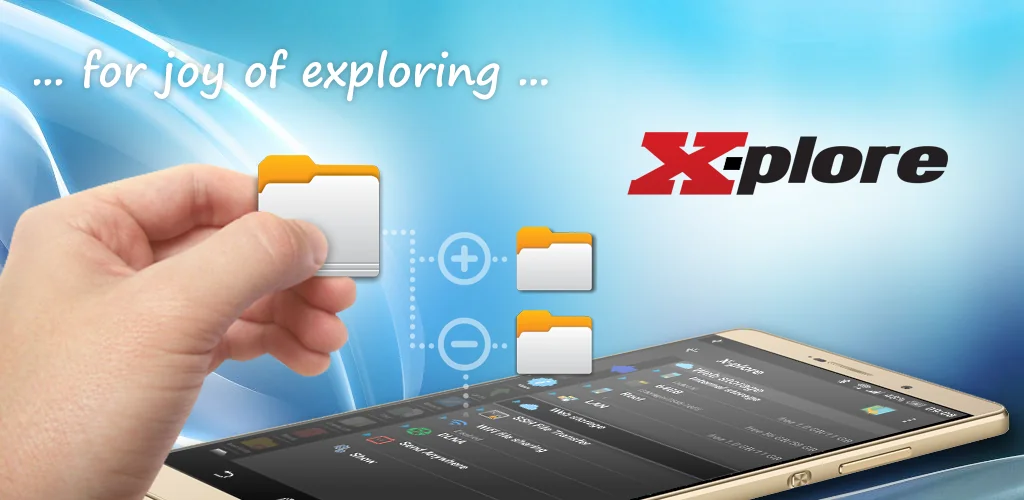
X-plore File Manager app cover art for Android
X-plore File Manager Icon

X-plore File Manager APK for Android

38M+
Free
Nov 9, 2026

Unlock ultimate file control: Organize, secure, and manage everything effortlessly.

Download X-plore File Manager APK 4.53.01 23MB Old versions

What is X-plore File Manager?

Is your Android's file system a chaotic mess? Take control with X-plore File Manager, the ultimate file commander! Think of it as mission control for all your documents, photos, and downloads.

X-plore File Manager isn't just another basic file explorer. It's packed with features to streamline your digital life. Imagine effortlessly dragging and dropping files between two folders at the same time using the dual-pane view – talk about efficiency! Need to grab something from Google Drive, Dropbox, or OneDrive? X-plore File Manager connects to all your favorite cloud services seamlessly. For the more technically inclined, FTP and SFTP server support is also included. Plus, you can lock down your important stuff with built-in file encryption.

Here’s a quick look at what makes X-plore File Manager a must-have:

  • Dual-Pane Power: Copy, move, and organize files between two folders simultaneously.
  • Cloud Connection: Access files stored on Google Drive, Dropbox, OneDrive, and more.
  • Secure Vault: Encrypt sensitive files to keep them safe from prying eyes.
  • Remote Access: Connect to FTP and SFTP servers for advanced file management.
  • Media Player: Play your favorite tunes and videos without leaving the app.

Ready to bring order to your Android files? Download X-plore File Manager today and experience file management like never before! What are you waiting for?

X-plore File Manager video
X-plore File Manager screenshot 1
X-plore File Manager screenshot 2
X-plore File Manager screenshot 3
X-plore File Manager screenshot 4
X-plore File Manager screenshot 5
X-plore File Manager screenshot 6
X-plore File Manager screenshot 7
X-plore File Manager screenshot 8

Download X-plore File Manager APK for Android

What's New in Version 4.53.01

Support for SMB 3

Other versions

System Requirements

OS Version
Android 10 (Q) or higher
Architecture
Varies by file (Which one do I need?)
Disk Space
~30 MB free space required
RAM
1 GB
Internet
Not required
Google Services
Required
Permissions (33)
  • Internet
  • Access Network State
  • Read External Storage
  • Write External Storage
  • Get Accounts

APK File Details

Package ID com.lonelycatgames.Xplore
Available on Google Play
Developer Lonely Cat Games
License Free
Monetization Contains Ads   In-App Purchases
Content Rating Everyone
Interface Language
14 languages

Arabic, German, Spanish, French, Hindi, Italian, Japanese, Korean, Portuguese, Russian, Turkish, Vietnamese, Chinese, + 1 localizations

APK Verification & Virus Scan Results

No Virus Signature Verified Safe & unmodified

Virus scan: Verified safe (0/65) View report. This APK is free of malware and its signature matches the official developer release.

Show File Details (SHA-256, SHA-1, MD5)

SHA-1 Signature:

ec776c6b6be9507c226f09270f43eed8a5f0308d

SHA-256 Hash:

fbf77e0f46fef344aab6b1df539deec75693b740ae79dc0e37a4698df03f7536

MD5 Checksum:

352cb97cb6fa509d20d4c1cd3107b439

Frequently Asked Questions

Is X-plore File Manager safe to download?

Yes, X-plore File Manager is safe to download. The APK is scanned on every update — no malware or viruses detected. You can verify the full scan report in the Security section above.

How to install XAPK file?

XAPK is a split APK package. Standard Android installer cannot open it directly. Use 'SAI' or 'XAPK Installer' — they handle XAPK files automatically. Download the installer, open the XAPK file with it, and follow the on-screen steps. Read more

What Android version does X-plore File Manager require?

X-plore File Manager requires Android 10 (API 29) or higher. Optimized for Android 17 (API 37).

Is X-plore File Manager free?

Yes, it is free to download and use, but it contains ads and offers in-app purchases.

How to update X-plore File Manager to the latest version?

Download the latest APK from this page and install it over your existing version — no need to uninstall first. Your data and settings will be preserved. We update the file as soon as a new version is released.

Does X-plore File Manager require Root access?

No root is required for basic use. X-plore File Manager works on standard Android for CPU info, RAM, battery, sensors, and network stats. Root unlocks a small set of advanced system parameters that Android restricts by default.

What processor architecture does X-plore File Manager support?

X-plore File Manager supports arm64-v8a. This build does not support x86/x86_64 processors, so it will not run on most PC emulators. If you are unsure about your device architecture, check the Device Info section on this page.

Found a problem on this page?

User Reviews & Ratings

Global rating (Play Store): 3.92★ (256.4K)
Site Rating: 5★ (1)
Rate this app

5.00

12345

1

Share your experience with other users.