
iLovePDF: PDF Editor & Scanner app cover art for Android
iLovePDF: PDF Editor & Scanner Icon

iLovePDF: PDF Editor & Scanner APK for Android

iLovePDF Original
20M+
Free
Apr 14, 2026

Scan, convert, edit, and sign PDFs effortlessly on your Android.

Download iLovePDF: PDF Editor & Scanner APK 3.12.2 270MB

What is iLovePDF: PDF Editor & Scanner?

Tired of juggling multiple apps just to handle a single PDF document? Imagine having a complete PDF editor and document scanner right in your pocket! iLovePDF: PDF Editor & Scanner is here to revolutionize how you manage files on your Android device, making paperless productivity a breeze.

This isn’t just another basic PDF converter; it’s an all-in-one powerhouse. Whether you need to quickly scan a physical document, convert an image to PDF, or transform an Office file, iLovePDF: PDF Editor & Scanner has you covered. I was genuinely impressed by how seamlessly it integrates so many essential tools, saving you time and hassle. Why struggle with complicated software when you can get everything done on your smartphone or tablet?

From annotating important reports to securely signing contracts on the go, iLovePDF: PDF Editor & Scanner makes complex tasks surprisingly simple. You can even optimize your files by compressing them for easier sharing or merging multiple documents into one polished PDF. It truly puts professional-grade mobile PDF tools at your fingertips.

Key Features:

  • Phone Scanner with OCR: Snap photos of documents, receipts, or whiteboards and instantly turn them into high-quality PDFs. The built-in OCR (Optical Character Recognition) even lets you convert scanned text into editable PDF files with impressive accuracy.
  • Versatile PDF Converter: Easily transform JPG images into PDFs, or convert your Microsoft Office documents (Word, Excel, PowerPoint) to and from PDF format. This is incredibly handy for cross-platform compatibility.
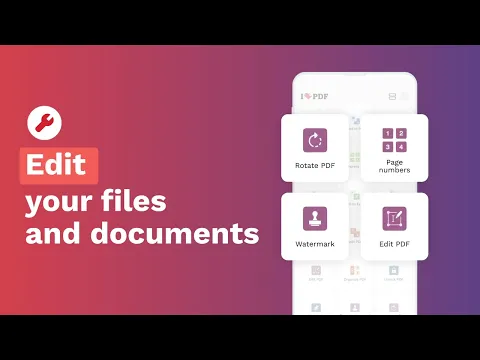
  • Intuitive PDF Editor: Highlight text, add notes, draw, or insert images directly into your PDFs. You can also quickly fill PDF forms and e-sign PDF documents using just your finger, making paperwork a thing of the past.
  • Document Optimizer & Organizer: Compress PDF files to reduce their size without losing quality, merge PDF documents together, split PDF pages, or add watermarks and page numbers for a professional touch.

Ready to boost your productivity and simplify your document workflow? Download iLovePDF: PDF Editor & Scanner today and experience the ultimate document management solution for your Android device.
Also known as: iLovePDF: PDF Editor & Scanner, iLovePDF
Video of iLovePDF: PDF Editor & Scanner
Screenshot iLovePDF: PDF Editor & Scanner 1
Screenshot iLovePDF: PDF Editor & Scanner 2
Screenshot iLovePDF: PDF Editor & Scanner 3
Screenshot iLovePDF: PDF Editor & Scanner 4
Screenshot iLovePDF: PDF Editor & Scanner 5
Screenshot iLovePDF: PDF Editor & Scanner 6
Screenshot iLovePDF: PDF Editor & Scanner 7
Screenshot iLovePDF: PDF Editor & Scanner 8

Download iLovePDF: PDF Editor & Scanner APK for Android

What's New in Version 3.12.2

Meet the new Image Viewer, plus a smoother experience across the board!
• New Image Viewer: Edit images without leaving the app. Crop, rotate, adjust brightness, apply filters, add highlights, notes, and more.
• Improved tablet experience: A refreshed look and feel with better navigation, making everything easier to find and use.
• Smoother for everyone: Fluid animations and an improved flow across all devices.
Update now to try the new Image Viewer.

Available Files

System Requirements

OS Version
Android 8.0 (OREO) or higher
Architecture
Varies by file (Which one do I need?)
Disk Space
~350 MB free space required
RAM
2 GB
Internet
Not required
Google Services
Required
Permissions (22)
  • Internet
  • Camera
  • Access Network State
  • Read External Storage
  • Write External Storage

APK File Details

Package ID com.ilovepdf.www
Available on Google Play
Developer iLovePDF
License Free ( No Ads)
Monetization In-App Purchases
Content Rating Everyone
Interface Language
English +38

English, Thai, German, French, Japanese, Vietnamese, Spanish, Korean, Portuguese, Turkish, Chinese, Italian, Polish, Russian, Arabic, Hindi, Romanian, Hungarian, Ukrainian, + 20 localizations

APK Verification & Virus Scan Results

Scan In Queue Signature Verified Safe & Original

Antivirus scan in queue, will be scanned soon. This APK is free of malware and its signature matches the official developer release.

Show File Details (SHA-256, SHA-1, MD5)

SHA-1 Signature:

b53a11eb95be27ee72a3e89681812ea7327adf32

SHA-256 Hash:

59c2311f4799adca06ec3d33fde28ec4f1c487be3a194e1251fd99c237bf50a2

MD5 Checksum:

fa9bc3c22649f81707f145979b885c62

Frequently Asked Questions

Is iLovePDF: PDF Editor & Scanner safe to download?

iLovePDF: PDF Editor & Scanner has passed a basic integrity check. A full antivirus scan is pending. You can check the current scan status in the Security section above.

How to install XAPK file?

XAPK is a split APK package. Standard Android installer cannot open it directly. Use 'SAI' or 'XAPK Installer' — they handle XAPK files automatically. Download the installer, open the XAPK file with it, and follow the on-screen steps. Read more

What Android version does iLovePDF: PDF Editor & Scanner require?

iLovePDF: PDF Editor & Scanner requires Android 8.0 (API 26) or higher. Optimized for Android 16 (API 36).

Is iLovePDF: PDF Editor & Scanner free?

Yes, the app is free to download, but it contains in-app purchases for additional content.

How to update iLovePDF: PDF Editor & Scanner to the latest version?

Download the latest APK from this page and install it over your existing version — no need to uninstall first. Your data and settings will be preserved. We update the file as soon as a new version is released.

What processor architecture does iLovePDF: PDF Editor & Scanner support?

iLovePDF: PDF Editor & Scanner supports arm64-v8a, x86, armeabi-v7a, x86_64. If you are unsure about your device architecture, check the Device Info section on this page.

How to enable installation from unknown sources on Android?

Go to Settings → Security (or Settings → Apps → Special access on Android 8+) and enable "Install unknown apps" for your browser or file manager. On Android 8 and above this setting is per-app, not global. Read more

If you have found any issue or are having difficulty with this page, please .

User Reviews & Ratings

Global rating(Play Store): 4.66(285.1K)
Site Rating: 5(1)
Rate this app

5.00

12345

1

Share your experience with other users.