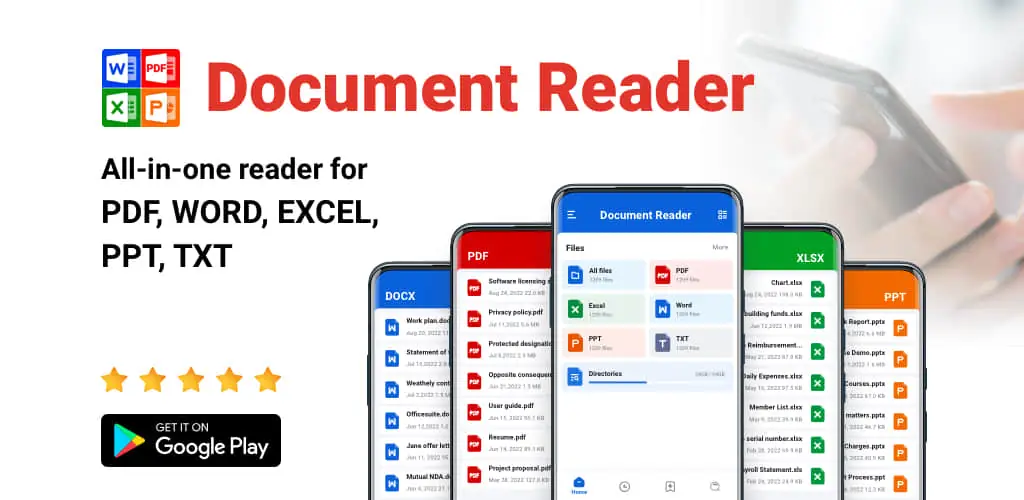
Document Reader & PDF Editor app cover art for Android
Document Reader & PDF Editor Icon

Document Reader & PDF Editor APK for Android

112M+
Free
Feb 12, 2026

Your All-in-One Mobile Office Solution

Download Document Reader & PDF Editor APK 1.2.9.72 61MB

What is Document Reader & PDF Editor?

Ever felt overwhelmed trying to open different document types on your Android phone or tablet? Wish you had one app to handle everything? Well, look no further than Document Reader & PDF Editor!

Document Reader & PDF Editor is your all-in-one solution for viewing and managing office files. Whether it’s a PDF, Word document, Excel spreadsheet, PowerPoint presentation, or even a simple TXT file, Document Reader & PDF Editor has you covered. It’s like having a universal key for all your document needs, right in your pocket.

Why choose Document Reader & PDF Editor? Because it’s incredibly user-friendly. Imagine opening the app and seeing all your documents neatly organized into folders. No more endless scrolling! Finding what you need is a breeze with its built-in quick search. You can even bookmark important files for instant access. And the best part? You don’t even need an internet connection to view your documents. Perfect for those times when you’re on the go or have limited Wi-Fi.

But Document Reader & PDF Editor is more than just a viewer. Think of it as your personal document assistant:

  • PDF Powerhouse: Zoom in and out, jump to specific pages, and switch between landscape and portrait mode. You can even print and share PDFs directly from the app.
  • Word Wizard: Handle all your DOC, DOCX, and DOCS files with ease. The quick search feature helps you locate specific text within your documents.
  • Excel Expert: Open XLS, XLSX, and TXT files quickly and find the data you need without any hassle.
  • PowerPoint Pro: Viewing PPT, PPTX, PPS, and PPSX files is smooth and seamless, with fast performance and high-quality display.

Document Reader & PDF Editor offers a clean and simple interface. It’s designed to be intuitive, even if you’re not tech-savvy. The app sorts your documents by file path, size, name, and last edit date, making organization a snap.

And that’s not all! The developers are constantly adding new features. Expect things like image-to-PDF conversion, document editing capabilities, and support for even more file formats (RAR, ZIP, MOBI, HTML) in the future. Plus, a night mode is on the way, perfect for comfortable reading in low light.

For Android 11 and higher, the app needs “MANAGE_EXTERNAL_STORAGE” permission. This is a standard Android permission that allows the app to access and manage files stored on your device.

Ready to simplify your document handling? Download Document Reader & PDF Editor today and experience the convenience of having all your files at your fingertips!
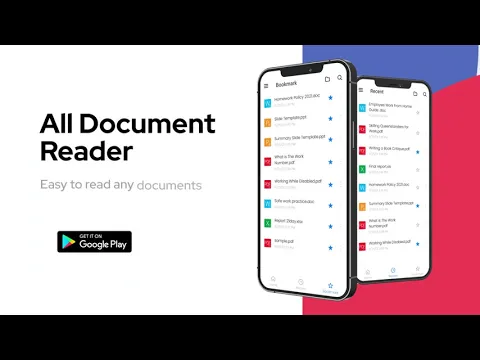
Also known as: Document Reader & PDF Editor, All Document Reader
Video of Document Reader & PDF Editor
Screenshot Document Reader & PDF Editor 1
Screenshot Document Reader & PDF Editor 2
Screenshot Document Reader & PDF Editor 3
Screenshot Document Reader & PDF Editor 4
Screenshot Document Reader & PDF Editor 5
Screenshot Document Reader & PDF Editor 6
Screenshot Document Reader & PDF Editor 7
Screenshot Document Reader & PDF Editor 8

Download Document Reader & PDF Editor APK for Android

What's New in Version 1.2.9.72

No official changelog provided for Document Reader & PDF Editor version 1.2.9.72. This update likely includes general stability improvements and bug fixes.

Available Files

System Requirements

OS Version
Android 6.0 (Marshmallow) or higher
Architecture
Varies by file (Which one do I need?)
Disk Space
~80 MB free space required
RAM
1 GB
Internet
Not required
Google Services
Required
Permissions (24)
  • Internet
  • Camera
  • Access Network State
  • Read External Storage
  • Write External Storage

APK File Details

Package ID all.documentreader.filereader.office.viewer
Available on Google Play
Developer QR Code Scanner.
License Free
Monetization Contains Ads   In-App Purchases
Content Rating Everyone
Interface Language
English +77

English, Arabic, Bulgarian, Czech, German, Spanish, French, Hindi, Hungarian, Indonesian, Italian, Japanese, Korean, Polish, Portuguese, Romanian, Russian, Thai, Turkish, Ukrainian, Vietnamese, Chinese, + 56 localizations

APK Verification & Virus Scan Results

Scan In Queue Signature Verified Safe & Original

Antivirus scan in queue, will be scanned soon. This APK is free of malware and its signature matches the official developer release.

Show File Details (SHA-256, SHA-1, MD5)

SHA-1 Signature:

96b2bf3e35a8b2fc897ce9edd6b02ee703e3e302

SHA-256 Hash:

35d6c1f44573926ec53198dd27c1ec690dd55714d9cd09e1105aa5ebb8408c97

MD5 Checksum:

100639f0b1ca8b0f1535127ead6aad24

Frequently Asked Questions

Is Document Reader & PDF Editor safe to download?

Document Reader & PDF Editor has passed a basic integrity check. A full antivirus scan is pending. You can check the current scan status in the Security section above.

How to install XAPK file?

XAPK is a split APK package. Standard Android installer cannot open it directly. Use 'SAI' or 'XAPK Installer' — they handle XAPK files automatically. Download the installer, open the XAPK file with it, and follow the on-screen steps. Read more

What Android version does Document Reader & PDF Editor require?

Document Reader & PDF Editor requires Android 6.0 (API 23) or higher. Optimized for Android 15 (API 35).

Is Document Reader & PDF Editor free?

Yes, it is free to download and use, but it contains ads and offers in-app purchases.

How to update Document Reader & PDF Editor to the latest version?

Download the latest APK from this page and install it over your existing version — no need to uninstall first. Your data and settings will be preserved. We update the file as soon as a new version is released.

What processor architecture does Document Reader & PDF Editor support?

Document Reader & PDF Editor supports arm64-v8a. This build does not support x86/x86_64 processors, so it will not run on most PC emulators. If you are unsure about your device architecture, check the Device Info section on this page.

How to enable installation from unknown sources on Android?

Go to Settings → Security (or Settings → Apps → Special access on Android 8+) and enable "Install unknown apps" for your browser or file manager. On Android 8 and above this setting is per-app, not global. Read more

If you have found any issue or are having difficulty with this page, please .

User Reviews & Ratings

Global rating(Play Store): 4.56(251.7K)
Rate this app

0.00

12345

not yet rated

Share your experience with other users.