PDF Scanner - Document Scanner app cover art for Android
PDF Scanner - Document Scanner Icon

PDF Scanner - Document Scanner APK for Android

75M+
Free
Aug 17, 2026

Scans paper into searchable PDFs with instant edge detection and OCR

Download PDF Scanner - Document Scanner APK 6.2.9 141MB

What is PDF Scanner?

PDF Scanner - Document Scanner is a document scanner app that turns a phone camera into a portable scanning station, capturing paper documents, receipts, and IDs as clean digital PDF or JPG files in seconds.

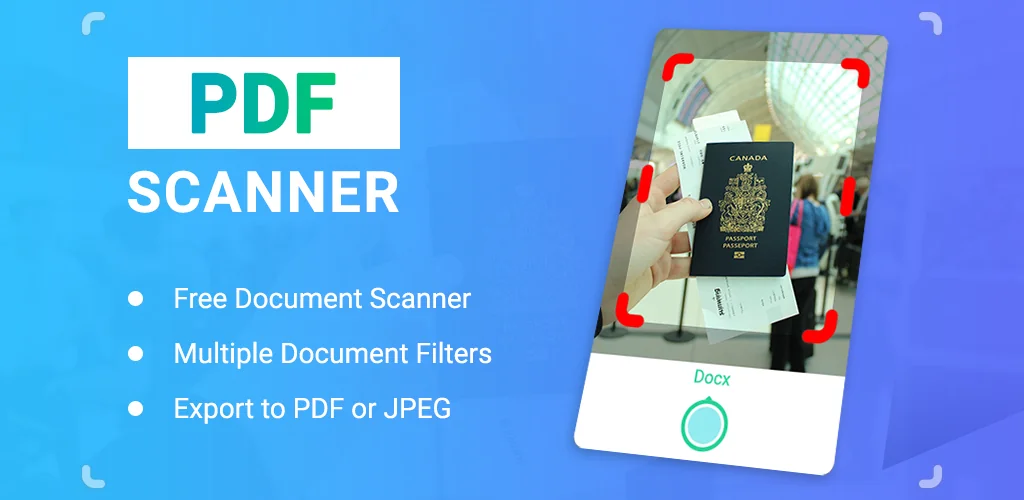
The scanning process starts with the camera viewfinder, where auto edge detection locks onto the document’s borders and crops it automatically. From there the app applies HD document enhancement to sharpen text and flatten uneven lighting. Users working through a stack of papers can rely on batch scanning to capture multiple pages in one session and stitch them into a single multi-page PDF, which matters for anyone digitizing a contract or a set of receipts instead of one page at a time. The app also switches between color, grayscale, and black & white output depending on what the document needs. Built-in OCR pulls text out of the image so it can be copied, edited, or searched rather than retyped by hand.

Key Features:

  • Auto edge detection crops each page as it is captured, so there’s no manual trimming afterward.
  • The OCR text scanner converts scanned pages into editable, searchable text.
  • Batch scanning lets you build one multi-page PDF from several shots in a row.
  • HD enhancement sharpens contrast and clarity for cleaner document scanning results.
  • Output supports grayscale as well as full color and black & white modes.
  • Finished files sync through cloud integration for saving and sharing across devices.

Modes and everyday uses

Under the hood, PDF Scanner - Document Scanner is really one scanning engine wearing six labels: PDF scanner, document scanner, mobile scanner, receipt scanner, ID scanner, and photo scanner. Each mode points the same camera and cropping logic at a different kind of paper. A student photographing lecture notes gets the same edge detection as an office worker scanning an invoice or someone digitizing an old photo or certificate. The ID scanner mode is worth noting on its own since it handles small, glossy cards that regular document capture tends to fumble, keeping text legible without warping the card’s edges. None of this requires toggling settings buried in a menu; picking the mode from the home screen is enough.

Alternatives to PDF Scanner - Document Scanner

Adobe Scan ties its scanning into Adobe Document Cloud and leans on Adobe’s own OCR engine, which suits anyone already living inside Acrobat or Creative Cloud. Microsoft Lens goes the other direction, feeding scans straight into OneNote, OneDrive, and Word for people whose work already runs through Microsoft 365. PDF Scanner - Document Scanner doesn’t chase either ecosystem; it stays focused on fast capture and export across the receipt, ID, and photo scanner modes without asking users to buy into a larger platform.

Students, office workers, and business professionals digitizing paper on the move are the core audience here. Free versions of scanner apps typically carry ads, and OCR accuracy still depends on lighting and handwriting quality rather than the software alone.

PDF Scanner - Document Scanner screenshot 1
PDF Scanner - Document Scanner screenshot 2
PDF Scanner - Document Scanner screenshot 3
PDF Scanner - Document Scanner screenshot 4
PDF Scanner - Document Scanner screenshot 5
PDF Scanner - Document Scanner screenshot 6
PDF Scanner - Document Scanner screenshot 7

Download PDF Scanner - Document Scanner APK for Android

What's New in Version 6.2.9

No official changelog provided for PDF Scanner - Document Scanner version 6.2.9. This update likely includes general stability improvements and bug fixes.

Download Link:

System Requirements

OS Version
Android 7.0 (Nougat) or higher
Architecture
Varies by file (Which one do I need?)
Disk Space
~200 MB free space required
RAM
2 GB
Internet
Not required
Google Services
Required
Permissions (21)
  • Internet
  • Camera
  • Access Network State
  • Read External Storage
  • Write External Storage

APK File Details

Package ID com.camscanner.documentscanner.pdfscanner.textscanner.photos.scanner
Available on Google Play
Developer Tools & Utilities Apps
License Free
Monetization Contains Ads   In-App Purchases
Content Rating Everyone
Interface Language
English +75

English, Arabic, Bulgarian, Czech, German, Spanish, French, Hindi, Hungarian, Italian, Japanese, Korean, Polish, Portuguese, Romanian, Russian, Thai, Turkish, Ukrainian, Vietnamese, Chinese, + 55 localizations

APK Verification & Virus Scan Results

No Virus Signature Verified Safe & unmodified

Virus scan: Verified safe (0/63) View report. This APK is free of malware and its signature matches the official developer release.

Show File Details (SHA-256, SHA-1, MD5)

SHA-1 Signature:

e1056496b8e412b4498001cd6538208f7b3c5fb6

SHA-256 Hash:

c48fdec4389678f9b36eefb8d02fefd367436c8d02da931230e9424989d96e52

MD5 Checksum:

872d9ed11fa7c226f5170e8fd4495d80

Frequently Asked Questions

Is PDF Scanner safe to download?

Yes, PDF Scanner is safe to download. The APK is scanned on every update — no malware or viruses detected. You can verify the full scan report in the Security section above.

How to install XAPK file?

XAPK is a split APK package. Standard Android installer cannot open it directly. Use 'SAI' or 'XAPK Installer' — they handle XAPK files automatically. Download the installer, open the XAPK file with it, and follow the on-screen steps. Read more

What Android version does PDF Scanner require?

PDF Scanner requires Android 7.0 (API 24) or higher. Optimized for Android 16 (API 36).

Is PDF Scanner free?

Yes, it is free to download and use, but it contains ads and offers in-app purchases.

How to update PDF Scanner to the latest version?

Download the latest APK from this page and install it over your existing version — no need to uninstall first. Your data and settings will be preserved. We update the file as soon as a new version is released.

Does PDF Scanner require Root access?

No root is required for basic use. PDF Scanner works on standard Android for CPU info, RAM, battery, sensors, and network stats. Root unlocks a small set of advanced system parameters that Android restricts by default.

What processor architecture does PDF Scanner support?

PDF Scanner supports arm64-v8a, armeabi-v7a. This build does not support x86/x86_64 processors, so it will not run on most PC emulators. If you are unsure about your device architecture, check the Device Info section on this page.

Found a problem on this page?

User Reviews & Ratings

Global rating (Play Store): 4.73(475.7K)
Site Rating: 5(1)
Rate this app

5.00

12345

1

Share your experience with other users.