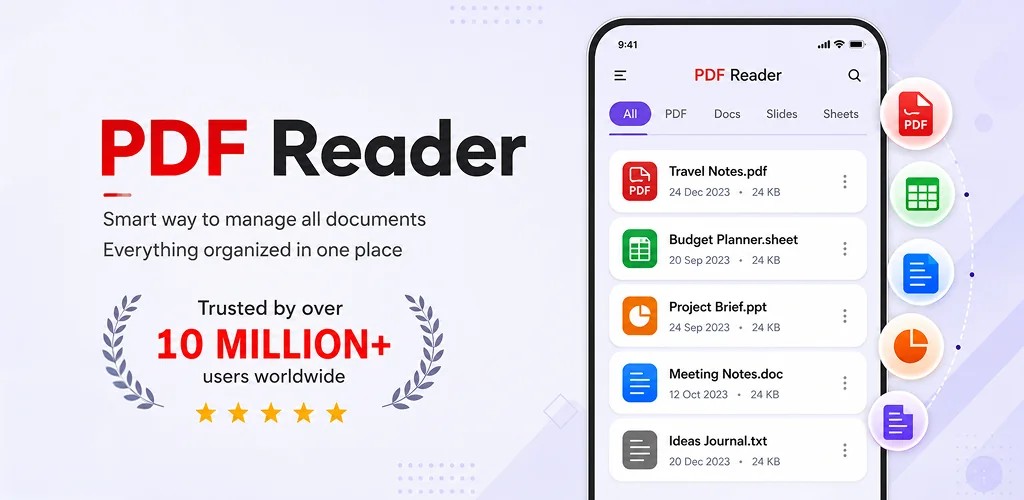
PDF Reader, Editor, Converter app cover art for Android
PDF Reader, Editor, Converter Icon

PDF Reader, Editor, Converter APK for Android

EAGLE APPS Original
Also known as: Document Reader - Edit PDF
12M+
Free
Jul 24, 2026

All-in-one mobile PDF reader, editor, converter, and scanner with OCR.

Download PDF Reader, Editor, Converter APK 4.0.29 125MB

What is PDF Reader, Editor, Converter?

The PDF Reader, Editor, Converter APK offers a comprehensive suite for managing PDF documents directly on your mobile device. This all-in-one utility combines a robust reader, editor, converter, and scanner, making it a powerful tool for anyone handling digital documents. It aims to simplify tasks like viewing reports, signing contracts, or converting images into professional PDF files.

What is PDF Reader, Editor, Converter?

PDF Reader, Editor, Converter serves as a central hub for all things PDF. Users can open and read PDF files with features like night mode for comfortable viewing and bookmarking for quick navigation. The application handles large documents efficiently, ensuring smooth scrolling and quick access to content. It's built to manage various PDF formats without a hitch.

The app also packs a full editing suite. You can modify existing PDF files by highlighting key text, adding comments, or underlining important sections. For official documents, electronic signature functionality allows for paperless signing. Beyond basic annotations, the editor can merge multiple PDFs into one, split large files, rotate pages to correct orientation, or delete unwanted sections.

Key Features:

  • Integrated PDF Reader: Smoothly open and view PDF files with night mode, zoom, and page bookmarking for easy reference.
  • Advanced Editing Tools: Modify PDFs by adding text, watermarks, page numbers, or using tools to highlight, underline, and comment.
  • Versatile PDF Converter: Convert PDFs to popular formats like Word, Excel, JPG, or PNG, and create new PDFs from images, documents, or scanned files.
  • Document Scanner with OCR: Scan physical documents, receipts, or ID cards directly into PDF format, with OCR technology to extract editable text.
  • File Management & Security: Merge, split, compress, rotate, and secure PDFs with password protection, or unlock existing password-protected files.

Practical PDF Use Cases

This application shines in scenarios where diverse PDF tasks converge. Students might scan lecture notes, convert research papers to different formats, and then merge them into a single study guide. Professionals can sign client contracts electronically, compress large reports for email, or secure sensitive documents with password protection. Business users find it handy for converting invoices to PDFs from images, splitting annual reports into smaller sections, or extracting text from scanned forms using OCR. It really streamlines the whole document workflow on the go.

PDF Reader, Editor, Converter vs similar apps

Compared to established players like Adobe Acrobat Reader or Foxit PDF Reader, PDF Reader, Editor, Converter distinguishes itself by offering a broader, more integrated set of features without a subscription model or intrusive ads. While Adobe provides excellent viewing and basic annotation, its advanced editing and conversion often sit behind a paywall. Foxit offers a strong feature set, but PDF Reader, Editor, Converter bundles scanning with OCR and a full suite of security and management tools (merge, split, compress) into a single, ad-free package. If you need an all-in-one solution that doesn't nickel and dime you for every advanced function, PDF Reader, Editor, Converter is a solid pick.

For users needing a comprehensive PDF toolkit on their Android device, PDF Reader, Editor, Converter offers a compelling solution. It handles everything from casual reading to complex document manipulation. One minor drawback is its relatively larger file size compared to basic PDF readers, which might eat up a bit more storage on older devices.

Screenshot PDF Reader, Editor, Converter 1
Screenshot PDF Reader, Editor, Converter 2
Screenshot PDF Reader, Editor, Converter 3
Screenshot PDF Reader, Editor, Converter 4
Screenshot PDF Reader, Editor, Converter 5
Screenshot PDF Reader, Editor, Converter 6
Screenshot PDF Reader, Editor, Converter 7
Screenshot PDF Reader, Editor, Converter 8

PDF Reader, Editor, Converter APK Download

What's New in Version 4.0.29

• PDF Converter Tools Introduced Try New Features
• Improved PDF Editor Version Try Editing Files
• Supports files for PDF Scanner, PDF Editor and Convert into any Format
• Open and view HWP documents directly in the app
• Improved compatibility for Korean Documents (HWP)
• Performance and stability improvements

System Requirements

OS Version
Android 8.0 (OREO) or higher
Architecture
Varies by file (Which one do I need?)
Disk Space
~150 MB free space required
RAM
2 GB
Internet
Not required
Google Services
Required   GMS dependent

APK File Details

Package ID com.pdfviewer.pdfreader.eagle.apps
Available on Google Play
Developer EAGLE APPS
License Free
Monetization Contains Ads   In-App Purchases
Content Rating PEGI 3
Interface Language
English +75

English, Arabic, Bulgarian, Czech, German, Spanish, French, Hindi, Hungarian, Indonesian, Italian, Japanese, Korean, Polish, Portuguese, Romanian, Russian, Thai, Turkish, Ukrainian, Vietnamese, Chinese, + 54 localizations

Required Permissions (44)
  • Requires Google Play Services to launch:
    Note: This is an original file. Unlike modded versions with no verification, it validates via your store account. Details
  • Internet
  • Camera
  • Access Network State
  • Read External Storage
  • Write External Storage

APK Verification & Virus Scan Results

Scan In Queue Signature Verified Safe & Original

Antivirus scan in queue, will be scanned soon. This APK is free of malware and its signature matches the official developer release.

Show File Details (SHA-256, SHA-1, MD5)

SHA-1 Signature:

ee7b67efdf8a8015e384c23d155860239c997e97

SHA-256 Hash:

746dd71ae3559528cfed776638b0ba71a7d4f8a626c602fe2523573e675ad048

MD5 Checksum:

e7d7fd24c963049e84bac19278a1b914

Frequently Asked Questions

Is PDF Reader, Editor, Converter safe to download?

PDF Reader, Editor, Converter has passed a basic integrity check. A full antivirus scan is pending. You can check the current scan status in the Security section above.

How to install XAPK file?

XAPK is a split APK package. Standard Android installer cannot open it directly. Use 'SAI' or 'XAPK Installer' — they handle XAPK files automatically. Download the installer, open the XAPK file with it, and follow the on-screen steps. Read more

What Android version does PDF Reader, Editor, Converter require?

PDF Reader, Editor, Converter requires Android 8.0 (API 26) or higher. Optimized for Android 16 (API 36).

Is PDF Reader, Editor, Converter free?

Yes, it is free to download and use, but it contains ads and offers in-app purchases.

Does PDF Reader, Editor, Converter require a license check?

Yes, this app performs a license check. You may need to have the Google Play Store installed and be logged in to verify the license.

How to update PDF Reader, Editor, Converter to the latest version?

Download the latest APK from this page and install it over your existing version — no need to uninstall first. Your data and settings will be preserved. We update the file as soon as a new version is released.

What processor architecture does PDF Reader, Editor, Converter support?

PDF Reader, Editor, Converter supports arm64-v8a. This build does not support x86/x86_64 processors, so it will not run on most PC emulators. If you are unsure about your device architecture, check the Device Info section on this page.

If you have found any issue or are having difficulty with this page, please .

User Reviews & Ratings

Global rating(Play Store): 4.32(105.4K)
Site Rating: 5(1)
Rate this app

5.00

12345

1

Share your experience with other users.

Download PDF Reader, Editor, Converter APK - Latest version

Get the official APK file for your Android device. Fast, safe, and free. Download APK