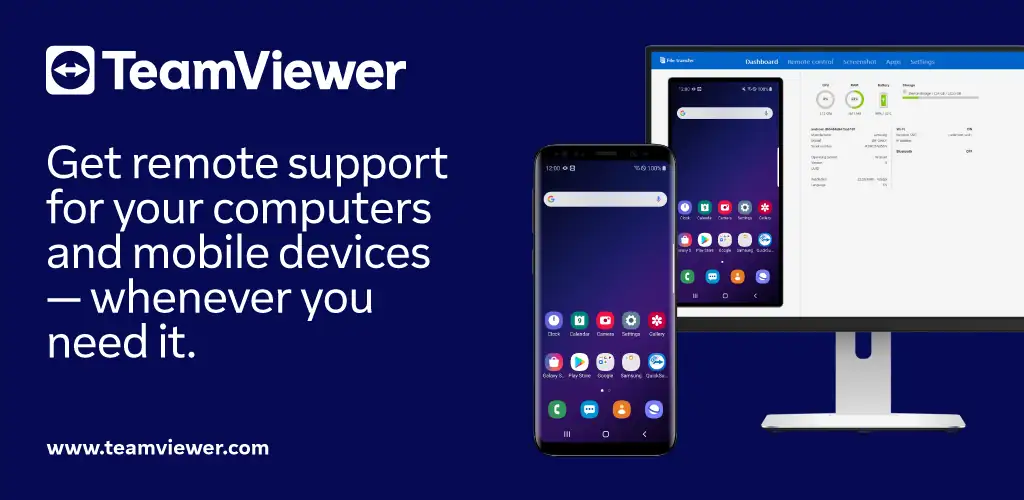

TeamViewer QuickSupport app cover art for Android
TeamViewer QuickSupport Icon

TeamViewer QuickSupport APK for Android

TeamViewer Original
71M+
Free
Sep 4, 2026

Grant remote access for IT troubleshooting, file transfers, and live device control

Download TeamViewer QuickSupport APK 15.81.237 53MB

What is TeamViewer QuickSupport?

Ever needed tech help on your phone but couldn't explain what's wrong over a call? TeamViewer QuickSupport is a remote desktop support tool that lets a trusted IT partner see your screen, control your device, and fix problems in real time. You share a session code, approve the connection, and hand over control while staying in the driver's seat.

The app operates through session-based access. You open it, share your ID or enter a code into the Join Session box, and approve every connection request manually. The remote partner can then operate your screen, adjust settings, view diagnostics, and transfer files. The connection runs over 256 Bit AES encryption, and you can end the session whenever you want. One catch: the app must stay open on your screen. Background sessions don't connect.

Key Features:

  • Remote control hands your screen and settings over to the support partner, so they can troubleshoot without talking you through each tap
  • File transfer moves documents, logs, or configs back and forth during the session
  • Wi-Fi settings management lets the partner push network configs directly to your device
  • System diagnostics surface device info and real-time screenshots so the partner knows what they're working with
  • App management shows the full installed app list and lets the partner start or uninstall apps remotely

Device compatibility and session control

The app supports device-level integration across Samsung, Nokia, Sony, Honeywell, Zebra, Asus, Lenovo, HTC, LG, ZTE, Huawei, Alcatel, One Touch, and TLC hardware. Before granting access, you see the partner's name, email, country, and license type. Dark mode is available, and the screen can rotate during sessions. Chat runs alongside the remote connection if you need to clarify something mid-session.

Other remote desktop support apps

Where tools like AnyDesk and Chrome Remote Desktop focus on general screen sharing across platforms, TeamViewer QuickSupport is built for IT troubleshooting workflows with file transfer, diagnostic views, and app-level control in one session. AnyDesk prioritizes low-latency screen mirroring, and Chrome Remote Desktop ties access to a browser. This one integrates deeper with Android hardware and surfaces device-specific settings during support calls.

Built for IT teams and support staff handling mobile troubleshooting. The app requires you to approve every connection manually, so unattended access isn't an option.

TeamViewer QuickSupport screenshot 1
TeamViewer QuickSupport screenshot 2
TeamViewer QuickSupport screenshot 3
TeamViewer QuickSupport screenshot 4
TeamViewer QuickSupport screenshot 5
TeamViewer QuickSupport screenshot 6
TeamViewer QuickSupport screenshot 7
TeamViewer QuickSupport screenshot 8

TeamViewer QuickSupport APK Download

What's New in Version 15.81.237

- Added unattended access support for new Android devices.
- Minor fixes and Improvements.

Download Link:

System Requirements

OS Version
Android 12L (Snow Cone) or higher
Architecture
Varies by file (Which one do I need?)
Disk Space
~70 MB free space required
RAM
1 GB
Internet
Not required

APK File Details

Package ID com.teamviewer.quicksupport.market
Available on Google Play
Developer TeamViewer
License Free ( No Ads)
Content Rating Everyone
Interface Language
English +20

English, Thai, German, French, Japanese, Vietnamese, Spanish, Portuguese, Chinese, Italian, Polish, Russian, Arabic, Hindi, Korean, Turkish, + 5 localizations

Required Permissions (35)
  • Internet
  • Access Network State
  • Read External Storage
  • Write External Storage
  • Access Fine Location

APK Verification & Virus Scan Results

Scan In Queue Signature Verified Safe & unmodified

Full antivirus scan in queue; report will appear here shortly. Signature matches the official developer release.

Show File Details (SHA-256, SHA-1, MD5)

SHA-1 Signature:

3e22144e1ba9151c08838d4c5eff236db48aaa32

SHA-256 Hash:

0b9b2b2948e208ef422081d61bcf64f07f704ca591aa4943c696e1c25de1c825

MD5 Checksum:

21a028399819fa83f41af62666830fef

Frequently Asked Questions

Is TeamViewer QuickSupport safe to download?

Yes, TeamViewer QuickSupport is safe to download. The APK is scanned on every update — no malware or viruses detected. You can verify the full scan report in the Security section above.

How to install XAPK file?

XAPK is a split APK package. Standard Android installer cannot open it directly. Use 'SAI' or 'XAPK Installer' — they handle XAPK files automatically. Download the installer, open the XAPK file with it, and follow the on-screen steps. Read more

What Android version does TeamViewer QuickSupport require?

TeamViewer QuickSupport requires Android 12L (API 32) or higher. Optimized for Android 16 (API 36).

Is TeamViewer QuickSupport free?

Yes, this app is completely free to download and use.

How to update TeamViewer QuickSupport to the latest version?

Download the latest APK from this page and install it over your existing version — no need to uninstall first. Your data and settings will be preserved. We update the file as soon as a new version is released.

What processor architecture does TeamViewer QuickSupport support?

TeamViewer QuickSupport supports arm64-v8a, x86, armeabi-v7a, x86_64. If you are unsure about your device architecture, check the Device Info section on this page.

How to enable installation from unknown sources on Android?

Go to Settings → Security (or Settings → Apps → Special access on Android 8+) and enable "Install unknown apps" for your browser or file manager. On Android 8 and above this setting is per-app, not global. Read more

Found a problem on this page?

User Reviews & Ratings

Global rating (Play Store): 4.34(162.7K)
Site Rating: 5(1)
Rate this app

5.00

12345

1

Share your experience with other users.

Download TeamViewer QuickSupport APK - Latest version

Get the official APK file for your Android device. Fast, safe, and free. Download APK