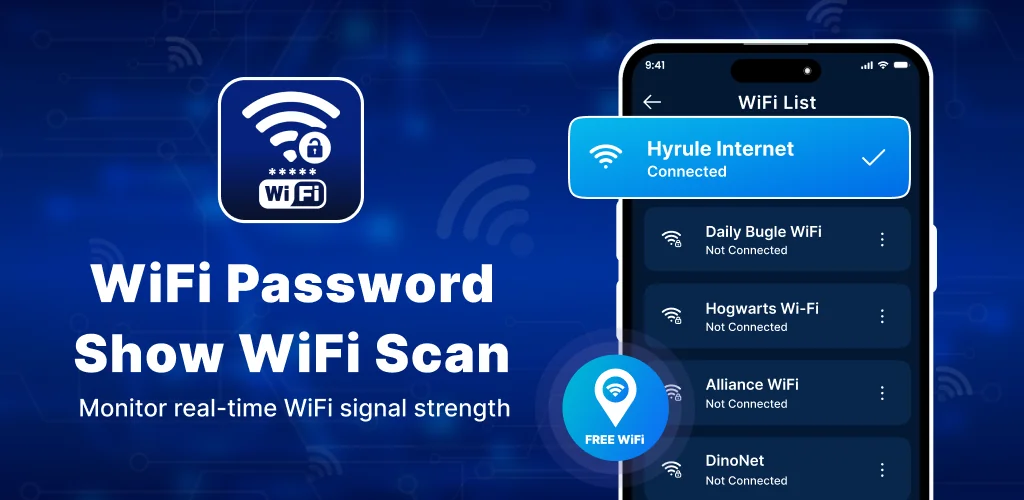

Wifi Password Show: Wifi Scan app cover art for Android
Wifi Password Show: Wifi Scan Icon

Wifi Password Show: Wifi Scan APK for Android

4M+
Free
Sep 16, 2026

WiFi toolkit displaying saved passwords, network devices, and internet speed tests.

Download Wifi Password Show: Wifi Scan APK 2.7 46MB

What is Wifi Password Show: Wifi Scan?

Finding open wireless connections or retrieving forgotten keys takes minutes when you install the Wifi Password Show: Wifi Scan. This utility combines speed testing, signal metering, and password recovery into a single control panel for Android devices. Instead of digging through deep system menus to share access with a friend, you generate a scannable code directly on your screen. It works fast.

What is Wifi Password Show: Wifi Scan?

The application serves as a central hub for managing local wireless hardware. It identifies surrounding access points, evaluates connection performance, and identifies every phone or computer attached to your router.

You can run ping checks with one tap. Download and upload rates show up on screen instantly. The built-in scanner detects unauthorized devices leeching off your connection, allowing you to kick off intruders and keep your bandwidth private.

Security tools include a custom password generator that builds complex alphanumeric strings to protect your home network. If you need to share access with visitors, the QR generator formats your network details into a scannable image so guests jump online without typing long keys.

Key Features:

  • Password Viewer: Displays stored security keys for networks your phone previously joined.
  • Speed Inspector: Measures ping, download, and upload rates on your active connection.
  • Device Monitor: Lists all hardware currently connected to your local network band.
  • QR Code Sharing: Creates and scans codes for instant wireless network authentication.

How to use Wifi Password Show: Wifi Scan

Android requires active location permissions to scan nearby SSIDs due to operating system privacy rules, which might surprise users expecting a simple plug-and-play setup. Ads pop up frequently. Once granted, the built-in map plots public access points nearby, helping you locate connection spots while traveling. Turning your smartphone into a portable hotspot takes seconds through the dedicated tethering shortcut. The software also includes a live signal meter that pinpoints structural dead zones across your house or office layout.

Wifi Password Show: Wifi Scan vs similar apps

Fing provides deeper IP packet inspection for network administrators, whereas Wifi Password Show: Wifi Scan targets general users who need simple password retrieval and sharing tools. While advanced diagnostic utilities display complex channel interference graphs for network engineers, this tool focuses on quick speed checks and clear password display. Pick what fits.

Home network owners and travelers seeking fast key sharing will find practical utility here. It will not hack routers. The app cannot crack encrypted access points you have never joined before, functioning strictly as an administrative utility for known hardware. Banner ads appear inside main menus, which occasionally slows down navigation.

Wifi Password Show: Wifi Scan screenshot 1
Wifi Password Show: Wifi Scan screenshot 2
Wifi Password Show: Wifi Scan screenshot 3
Wifi Password Show: Wifi Scan screenshot 4
Wifi Password Show: Wifi Scan screenshot 5
Wifi Password Show: Wifi Scan screenshot 6
Wifi Password Show: Wifi Scan screenshot 7
Wifi Password Show: Wifi Scan screenshot 8

Wifi Password Show: Wifi Scan APK Download

What's New in Version 2.7

- Bug Fix

Download Links:

System Requirements

OS Version
Android 7.0 (Nougat) or higher
Architecture
Varies by file (Which one do I need?)
Disk Space
~60 MB free space required
RAM
1 GB
Internet
Not required
Google Services
Required   GMS dependent

APK File Details

Package ID tool.wifi.connect.wifimaster.app
Available on Google Play
Developer Global Coporation
License Free ( No Ads)
Content Rating Everyone
Interface Language
English +75

English, Arabic, Bulgarian, Czech, German, Spanish, French, Hindi, Hungarian, Indonesian, Italian, Japanese, Korean, Polish, Portuguese, Romanian, Russian, Thai, Turkish, Ukrainian, Vietnamese, Chinese, + 54 localizations

Required Permissions (28)
  • Requires Google Play Services to launch:
    Note: This is an original file. Unlike modded versions with no verification, it validates via your store account. Details
  • Internet
  • Camera
  • Access Network State
  • Read External Storage
  • Write External Storage

APK Verification & Virus Scan Results

Scan In Queue Signature Verified Safe & unmodified

Full antivirus scan in queue; report will appear here shortly. Signature matches the official developer release.

Show File Details (SHA-256, SHA-1, MD5)

SHA-1 Signature:

77a7c4b3e00b0b711890632a4ed6d27f36059d31

SHA-256 Hash:

a700b97c61b67c0ebb1b8764d06480ec72653f4ec876ab8b8b34a0d8e3c91178

MD5 Checksum:

bb66293d9923b65a177b6fdb3010c28a

Frequently Asked Questions

Is Wifi Password Show: Wifi Scan safe to download?

Wifi Password Show: Wifi Scan has passed a basic integrity check. A full antivirus scan is pending. You can check the current scan status in the Security section above.

How to install XAPK file?

XAPK is a split APK package. Standard Android installer cannot open it directly. Use 'SAI' or 'XAPK Installer' — they handle XAPK files automatically. Download the installer, open the XAPK file with it, and follow the on-screen steps. Read more

What Android version does Wifi Password Show: Wifi Scan require?

Wifi Password Show: Wifi Scan requires Android 7.0 (API 24) or higher. Optimized for Android 16 (API 36).

Is Wifi Password Show: Wifi Scan free?

Yes, this app is completely free to download and use.

Does Wifi Password Show: Wifi Scan require a license check?

Yes, this app performs a license check. You may need to have the Google Play Store installed and be logged in to verify the license.

How to update Wifi Password Show: Wifi Scan to the latest version?

Download the latest APK from this page and install it over your existing version — no need to uninstall first. Your data and settings will be preserved. We update the file as soon as a new version is released.

Does Wifi Password Show: Wifi Scan require Root access?

No root is required for basic use. Wifi Password Show: Wifi Scan works on standard Android for CPU info, RAM, battery, sensors, and network stats. Root unlocks a small set of advanced system parameters that Android restricts by default.

Found a problem on this page?

User Reviews & Ratings

Site Rating: 5(1)
Rate this app

5.00

12345

1

Share your experience with other users.

Download Wifi Password Show: Wifi Scan APK - Latest version

Get the official APK file for your Android device. Fast, safe, and free. Download APK