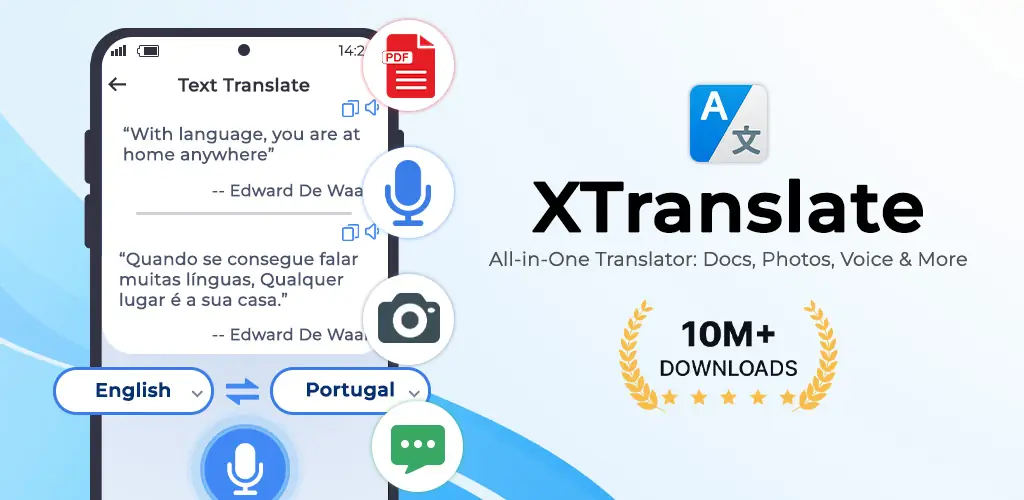

What is XTranslate?
Ever stared at a foreign PDF, knowing you needed the info but dreading the messy copy-paste translation? XTranslate - Photo, Voice, PDF is the first app I’ve found that actually translates entire documents – PDFs, Word files, even spreadsheets – while keeping their original formatting intact. Seriously, it’s a huge relief for anyone dealing with international reports or ebooks.
I stumbled upon XTranslate - Photo, Voice, PDF when I had a user manual for a new gadget, all in German. Previous translators just mangled the layout. But this one? It processed the whole PDF, spitting out an English version that looked exactly like the original. Beyond documents, it’s like having a universal translator in your pocket. Point your camera at a street sign or menu, and poof, it’s in your language. Want to chat with someone new? Its voice translation handles conversations on the fly.
We’ve all been there, trying to decipher an email or news article in a language we barely understand. XTranslate - Photo, Voice, PDF can even translate text right off your phone screen, making foreign content instantly accessible. It quickly became my go-to for everything from travel to understanding online articles.
Here’s what you get:
- ✅ Document File Translation: Translate PDFs, DOCs, XLS, and more, preserving the original layout. Perfect for manuals or business reports.
- ✅ Camera & Photo Translation: Instantly translate text from signs, menus, or images using your camera or existing photos.
- ✅ Voice & Conversation Translation: Speak naturally and get real-time translations for smooth chats with anyone, anywhere.
- ✅ Screen Translation: Understand any text on your phone screen – emails, social feeds, ebooks – with a quick tap.
Why let language barriers slow you down? If you’re tired of struggling with foreign files or just want to understand the world around you better, you really ought to give XTranslate - Photo, Voice, PDF a try. It’s a genuinely useful tool.




Share your experience with other users.