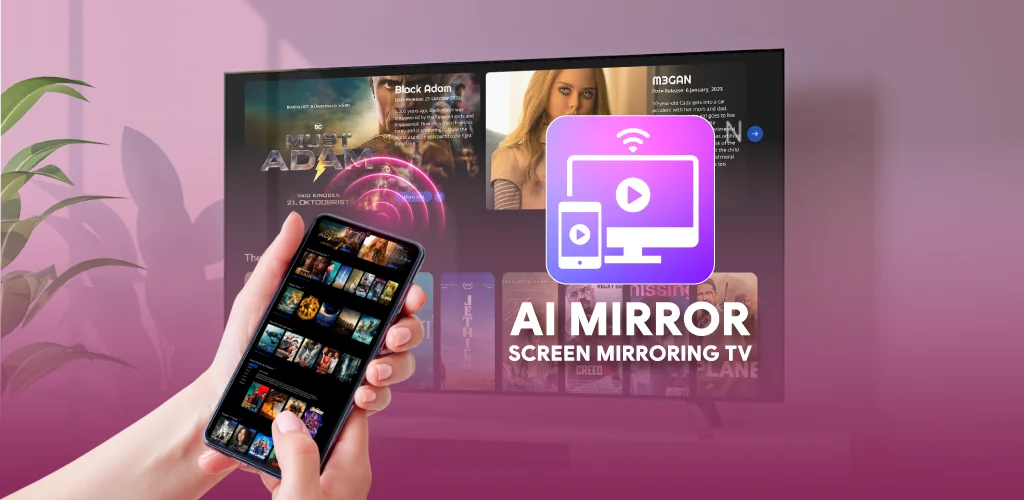
AI Mirror: Screen Mirroring TV app cover art for Android
AI Mirror: Screen Mirroring TV Icon

AI Mirror: Screen Mirroring TV APK for Android

Insumos XP Original
12M+
Free
Aug 13, 2026

Mirrors your phone to any smart TV and turns it into a remote too.

Download AI Mirror: Screen Mirroring TV APK 1.0.2 53MB

What is AI Mirror: Screen Mirroring TV?

AI Mirror: Screen Mirroring TV is a screen mirroring and casting app that sends whatever is on your phone to a smart TV over Wi-Fi, no cable involved. It covers the basics people actually want: watching videos on a bigger screen, showing off photos, or running a presentation without hunting for an HDMI adapter.

The app connects to a TV in seconds using standard wireless display technology, then keeps the connection running while you switch between tasks. Once mirrored, the phone doubles as a universal remote, with controls for volume, menu navigation, and playback sitting right on the screen instead of a separate box. Video casting works from local files or personal media on the device, and the app is built to keep that playback steady rather than stuttering every time something taxes the connection. Three modes cover most of what people need: screen mirroring, video cast, and remote control, and switching between them does not require restarting the connection.

Key Features:

  • Screen mirroring pushes phone content to a TV display with no cable required.
  • The built-in universal TV remote handles volume, menu navigation, and playback from the phone.
  • Video casting streams local files and personal media directly to the connected TV.
  • Wireless setup relies on wifi display technology to link phone and TV in seconds.
  • The app targets most modern smart TV systems for consistent connection quality.

How to mirror phone to smart TV

Casting starts with a single tap once the phone and TV sit on the same network. There is no pairing code to memorize and no menu to dig through: the app finds the TV, connects, and starts mirroring. From there, users can hop between mirroring a live screen, tossing a specific video over for playback, or just using the phone as a remote while the TV runs on its own. That flexibility matters for anyone juggling a mixed household of streaming apps and a TV that was not built with a phone in mind. The tradeoff is that everything here depends on the wireless network in the room; a weak or crowded Wi-Fi signal is the most common reason mirroring stutters or lags on any app in this category.

Apps like AI Mirror: Screen Mirroring TV

AI Mirror: Screen Mirroring TV competes with tools like Google Home, which leans on native Chromecast support and adds broader smart home controls beyond casting. Miracast, by contrast, is a protocol baked directly into many phones and TVs, so it needs no separate app at all. AI Mirror: Screen Mirroring TV sits in between: it is a dedicated, standalone option for people who want mirroring and a remote without setting up a smart home ecosystem or digging through hardware settings.

This app suits phone owners who want their photos, videos, or a presentation on a bigger screen without buying a streaming stick or running cables across the room. Every feature here runs through the local Wi-Fi connection, so a spotty network affects mirroring speed and video playback the same way it would with any wireless display tool.

AI Mirror: Screen Mirroring TV screenshot 1
AI Mirror: Screen Mirroring TV screenshot 2
AI Mirror: Screen Mirroring TV screenshot 3
AI Mirror: Screen Mirroring TV screenshot 4
AI Mirror: Screen Mirroring TV screenshot 5
AI Mirror: Screen Mirroring TV screenshot 6

AI Mirror: Screen Mirroring TV APK Download

What's New in Version 1.0.2

No official changelog provided for AI Mirror: Screen Mirroring TV version 1.0.2. This update likely includes general stability improvements and bug fixes.

Available Files:

System Requirements

OS Version
Android 8.0 (OREO) or higher
Architecture
Varies by file (Which one do I need?)
Disk Space
~70 MB free space required
RAM
1 GB
Internet
Not required
Google Services
Required   GMS dependent

APK File Details

Package ID com.mirroring.app.casttv
Available on Google Play
Developer Insumos XP
License Free
Monetization Contains Ads  
Content Rating Everyone
Interface Language
English +16

English, French, Korean, Turkish, Chinese, Portuguese, Russian, Thai, Vietnamese, Japanese, German, Spanish, Hindi, Italian, Arabic, + 2 localizations

Required Permissions (35)
  • Requires Google Play Services to launch:
    Note: This is an original file. Unlike modded versions with no verification, it validates via your store account. Details
  • Internet
  • Record Audio
  • Access Network State
  • Read External Storage
  • Write External Storage

APK Verification & Virus Scan Results

Scan In Queue Signature Verified Safe & unmodified

Full antivirus scan in queue; report will appear here shortly. Signature matches the official developer release.

Show File Details (SHA-256, SHA-1, MD5)

SHA-1 Signature:

7416c40352c5a9921e861cba41b8ad6b3c46276d

SHA-256 Hash:

b4dfaceee747d0420b6b212d5983e51781788b3ed155634add50f77aae5d743b

MD5 Checksum:

d5168687009f33ec0f6242b02b73c444

Frequently Asked Questions

Is AI Mirror: Screen Mirroring TV safe to download?

AI Mirror: Screen Mirroring TV has passed a basic integrity check. A full antivirus scan is pending. You can check the current scan status in the Security section above.

How to install XAPK file?

XAPK is a split APK package. Standard Android installer cannot open it directly. Use 'SAI' or 'XAPK Installer' — they handle XAPK files automatically. Download the installer, open the XAPK file with it, and follow the on-screen steps. Read more

What Android version does AI Mirror: Screen Mirroring TV require?

AI Mirror: Screen Mirroring TV requires Android 8.0 (API 26) or higher. Optimized for Android 16 (API 36).

Is AI Mirror: Screen Mirroring TV free?

Yes, it is free to use, but it is ad-supported.

Does AI Mirror: Screen Mirroring TV require a license check?

Yes, this app performs a license check. You may need to have the Google Play Store installed and be logged in to verify the license.

How to update AI Mirror: Screen Mirroring TV to the latest version?

Download the latest APK from this page and install it over your existing version — no need to uninstall first. Your data and settings will be preserved. We update the file as soon as a new version is released.

What processor architecture does AI Mirror: Screen Mirroring TV support?

AI Mirror: Screen Mirroring TV supports armeabi-v7a. This build does not support x86/x86_64 processors, so it will not run on most PC emulators. If you are unsure about your device architecture, check the Device Info section on this page.

Found a problem on this page?

User Reviews & Ratings

Global rating (Play Store): 2.98(6.4K)
Site Rating: 5(1)
Rate this app

5.00

12345

1

Share your experience with other users.

Download AI Mirror: Screen Mirroring TV APK - Latest version

Get the official APK file for your Android device. Fast, safe, and free. Download APK