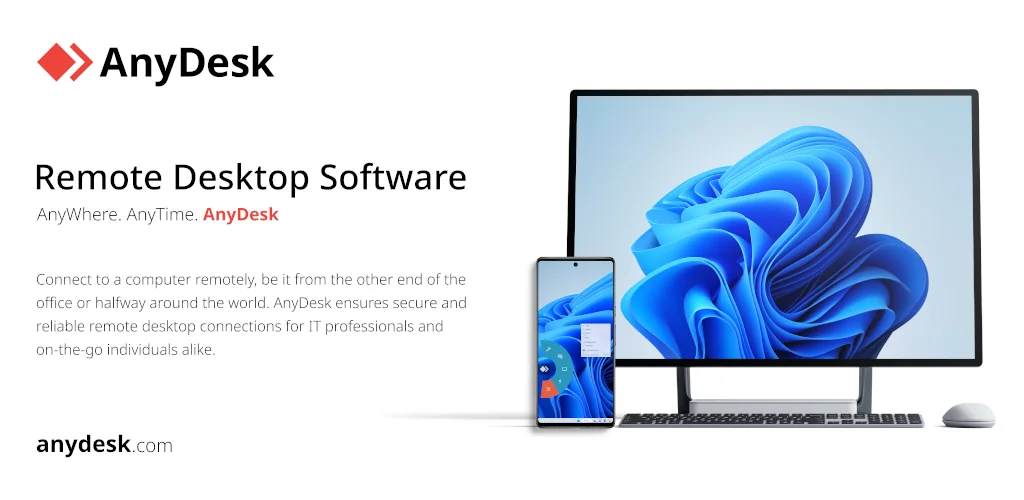

AnyDesk app cover art for Android
AnyDesk Icon

AnyDesk APK for Android

- Remote Desktop
102M+
Free
Aug 3, 2025

Secure remote access to your computer.

Download AnyDesk APK 8.0.4 38MB

What is AnyDesk?

If you often need to access your device remotely, no matter where you are, install the AnyDesk Remote Desktop application and use it wherever you are. It is a program for remote access to a computer that allows you to connect to another device via the Internet as if you were sitting right in front of it. The advantages of such a service are undeniable, and its functions will always be useful for every user.

Main features:

  • Remote desktop access – this is the ability to remotely control another computer. You see the screen of the remote computer on your device and can control the mouse and keyboard, run programs, edit files, and perform other actions.
  • Cross-platform – the program works on various operating systems, including Windows, macOS, Linux, Android, iOS, and Chrome OS. This allows you to connect to devices with different operating systems regardless of your location.
  • Good performance – the application is famous for its high speed and low latency. This ensures a smooth and responsive remote access experience, even when working with graphically intensive applications.
  • High level of security – AnyDesk uses TLS 1.2 encryption to protect the connection and provides two-factor authentication for your security.
  • File transfer – using the built-in manager, you can establish a connection between the remote device and your computer.
  • Remote printing – print documents from a remote device on your local printer.
  • Session recording for further documentation
  • Collaboration with multiple users simultaneously.
  • Customization to your individual preferences and choosing a program logo.
  • Automatic startup and deployment in networks.
  • Personal address book for saving contacts.
  • Technical support for remote work around the clock.
  • Server management for system administrators.
  • Online training and access to your own files.

AnyDesk is rightfully considered the most versatile and powerful application for remote access and provides you with various scenarios for its use.
Also known as: AnyDesk Remote Desktop
Video of AnyDesk
Screenshot AnyDesk 1
Screenshot AnyDesk 2
Screenshot AnyDesk 3
Screenshot AnyDesk 4
Screenshot AnyDesk 5
Screenshot AnyDesk 6
Screenshot AnyDesk 7
Screenshot AnyDesk 8

Download AnyDesk Remote Desktop APK for Android

What's New in Version 8.0.4

Fixed Bugs
* Fixed minor UI issues.
* Improved stability.
* Fixed issues with login in AnyDesk One.

Available Files

System Requirements

OS Version
Android 5.0 (Lollipop) or higher
Architecture
Varies by file (Which one do I need?)
Disk Space
~50 MB free space required
RAM
1 GB
Internet
Not required
Permissions (23)
  • Internet
  • Record Audio
  • Access Network State
  • Read External Storage
  • Write External Storage

APK File Details

Package ID com.anydesk.anydeskandroid
Available on Google Play
Developer AnyDesk Software GmbH
License Free ( No Ads)
Content Rating Everyone
Interface Language
English +0

English

APK Verification & Virus Scan Results

No Virus Signature Verified Safe & Original

Virus scan: Clean (0/63) View report. This APK is free of malware and its signature matches the official developer release.

Show File Details (SHA-256, SHA-1, MD5)

SHA-1 Signature:

91d3f68e3e90260358dc3491ee34ec1b6cf51fe8

SHA-256 Hash:

0a88d47fb4d817318a38d10088f7fb5d3123bc768371072d1e1a8264df470e71

MD5 Checksum:

b249e5d6dad94ce7e50d35190f391b0d

Frequently Asked Questions

Is AnyDesk safe to download?

Yes, AnyDesk is safe to download. The APK is scanned on every update — no malware or viruses detected. You can verify the full scan report in the Security section above.

How to install XAPK file?

XAPK is a split APK package. Standard Android installer cannot open it directly. Use 'SAI' or 'XAPK Installer' — they handle XAPK files automatically. Download the installer, open the XAPK file with it, and follow the on-screen steps. Read more

What Android version does AnyDesk require?

AnyDesk requires Android 5.0 (API 21) or higher. Optimized for Android 15 (API 35).

Is AnyDesk free?

Yes, this app is completely free to download and use.

How to update AnyDesk to the latest version?

Download the latest APK from this page and install it over your existing version — no need to uninstall first. Your data and settings will be preserved. We update the file as soon as a new version is released.

What processor architecture does AnyDesk support?

AnyDesk supports arm64-v8a. This build does not support x86/x86_64 processors, so it will not run on most PC emulators. If you are unsure about your device architecture, check the Device Info section on this page.

How to enable installation from unknown sources on Android?

Go to Settings → Security (or Settings → Apps → Special access on Android 8+) and enable "Install unknown apps" for your browser or file manager. On Android 8 and above this setting is per-app, not global. Read more

If you have found any issue or are having difficulty with this page, please .

User Reviews & Ratings

Global rating(Play Store): 2.63(124.5K)
Site Rating: 5(1)
Rate this app

5.00

12345

1

Share your experience with other users.