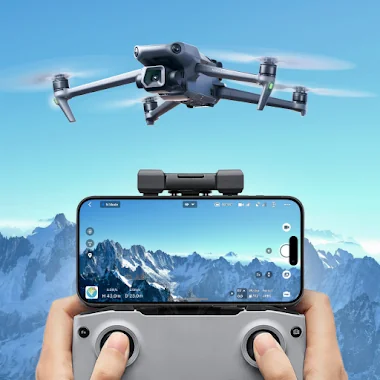
Go Fly Drone Remote Controller app cover art for Android
Go Fly Drone Remote Controller Icon

Go Fly Drone Remote Controller APK for Android

Also known as: Drone Controller
5M+
Free
Jul 8, 2026

Universal drone remote control with live camera view and smart flight modes.

Download Go Fly Drone Remote Controller APK 1.4.0 141MB

What is Go Fly Drone Remote Controller?

Go Fly Drone Remote Controller provides a mobile solution for drone remote control, allowing users to pilot various drones, flycams, and UAVs directly from their smartphone. This application aims to centralize flight management and camera operations, offering an alternative interface for drone enthusiasts.

What is Go Fly Drone Remote Controller?

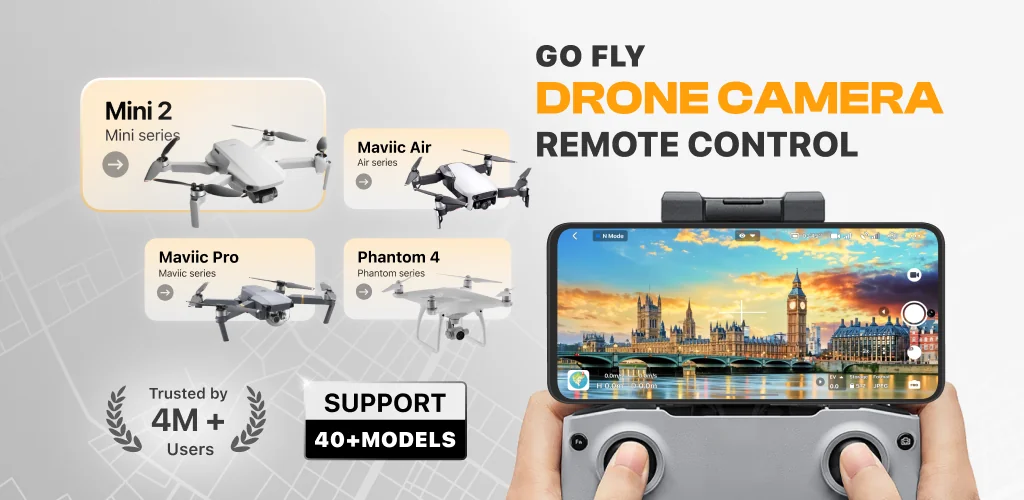
Go Fly Drone Remote Controller functions as a third-party drone controller, connecting your mobile device to compatible unmanned aerial vehicles. It presents an intuitive interface for basic flight maneuvers and live camera feeds. Users can monitor their drone's perspective in real-time, facilitating both casual flights and more structured aerial tasks. The app supports a broad spectrum of drone models, positioning itself as a versatile tool for different hardware setups. It simplifies the process of getting airborne and capturing visuals.

Key Features:

  • Drone Panorama Photography: Capture expansive panoramic images and video sequences directly through your drone's camera, viewed on your phone. This feature streamlines aerial content creation.
  • UAV Forecast: Access real-time weather data, including temperature, wind speed, and precipitation levels. This predictive tool helps assess optimal and safe flying conditions before launch.
  • Drone No-Fly Zone Map: Receive immediate alerts and visual guidance regarding restricted airspace. The map highlights areas near airports, military installations, and other sensitive locations, aiding compliance.
  • Smart Flight Modes: Engage intelligent flight patterns, leveraging drone GPS navigation for enhanced control. These modes simplify complex aerial maneuvers, improving flight stability and precision.
  • Find My Drone: Utilize a built-in GPS tracker to pinpoint your drone's last known location. This function proves invaluable for recovery in unexpected landing scenarios or signal loss.

Practical Use Cases for Drone Pilots

Pilots can leverage Go Fly Drone Remote Controller for more than just basic flight. The integrated UAV Forecast mitigates risks by providing crucial atmospheric data, preventing flights in adverse conditions. For content creators, the Panorama Photography mode streamlines capturing wide-angle aerial shots, directly viewable and manageable from the phone. Furthermore, the No-Fly Zone Map acts as a critical safety net, ensuring operations remain within legal and safe boundaries. This suite of tools makes the app suitable for both recreational flying and preliminary professional scouting.

Go Fly Drone Remote Controller vs similar apps

Compared to manufacturer-specific applications like DJI Fly or Autel Sky, Go Fly Drone Remote Controller aims for broader compatibility across diverse drone brands. While official apps offer deep integration and often proprietary features for their hardware, Go Fly Drone Remote Controller provides a more generalized control interface. For users seeking advanced features in a third-party app, Litchi is a well-known alternative, often praised for its mission planning capabilities. Go Fly Drone Remote Controller stands out with its comprehensive safety features like the No-Fly Zone Map and UAV Forecast, which are not always as prominent in other universal controllers.

This application is best suited for drone operators seeking an all-in-one mobile interface with strong safety and camera features, particularly if they own multiple drone brands. Honestly, the biggest consideration is its subscription model, which might deter users accustomed to free official apps or one-time purchases. Also, as a non-official app, compatibility can sometimes vary between drone models and firmware updates.
Video of Go Fly Drone Remote Controller
Screenshot Go Fly Drone Remote Controller 1
Screenshot Go Fly Drone Remote Controller 2
Screenshot Go Fly Drone Remote Controller 3
Screenshot Go Fly Drone Remote Controller 4
Screenshot Go Fly Drone Remote Controller 5
Screenshot Go Fly Drone Remote Controller 6
Screenshot Go Fly Drone Remote Controller 7
Screenshot Go Fly Drone Remote Controller 8

Go Fly Drone Remote Controller APK Download

What's New in Version 1.4.0

- Improved video streaming stability from drone
- Fixed unexpected app crashes on certain devices
- Optimized FPV display performance

System Requirements

OS Version
Android 8.1 (Oreo) or higher
Architecture
Varies by file (Which one do I need?)
Disk Space
~200 MB free space required
RAM
2 GB
Internet
Not required
Google Services
Required

APK File Details

Package ID com.apponfire.android.droneapp
Available on Google Play
Developer Apponfire Co. Ltd.
License Free
Monetization Contains Ads   In-App Purchases
Content Rating PEGI 3
Interface Language
English +0

English

Required Permissions (28)
  • Internet
  • Access Network State
  • Read External Storage
  • Write External Storage
  • Access Fine Location

APK Verification & Virus Scan Results

No Virus Signature Verified Safe & Original

Virus scan: Clean (0/62) View report. This APK is free of malware and its signature matches the official developer release.

Show File Details (SHA-256, SHA-1, MD5)

SHA-1 Signature:

4b9e27342b170f5f5b7dfc5f4d520e7b020403d8

SHA-256 Hash:

db8ac4a8f1d3a27b015f4075f85c354ae7fad92e49e0e4536a84d772e0bc24c0

MD5 Checksum:

5976f5a3fbbf24587d84e4288661da72

Frequently Asked Questions

Is Go Fly Drone Remote Controller safe to download?

Yes, Go Fly Drone Remote Controller is safe to download. The APK is scanned on every update — no malware or viruses detected. You can verify the full scan report in the Security section above.

How to install XAPK file?

XAPK is a split APK package. Standard Android installer cannot open it directly. Use 'SAI' or 'XAPK Installer' — they handle XAPK files automatically. Download the installer, open the XAPK file with it, and follow the on-screen steps. Read more

What Android version does Go Fly Drone Remote Controller require?

Go Fly Drone Remote Controller requires Android 8.1 (API 27) or higher. Optimized for Android 15 (API 35).

Is Go Fly Drone Remote Controller free?

Yes, it is free to download and use, but it contains ads and offers in-app purchases.

How to update Go Fly Drone Remote Controller to the latest version?

Download the latest APK from this page and install it over your existing version — no need to uninstall first. Your data and settings will be preserved. We update the file as soon as a new version is released.

Does Go Fly Drone Remote Controller require Root access?

No root is required for basic use. Go Fly Drone Remote Controller works on standard Android for CPU info, RAM, battery, sensors, and network stats. Root unlocks a small set of advanced system parameters that Android restricts by default.

What processor architecture does Go Fly Drone Remote Controller support?

Go Fly Drone Remote Controller supports arm64-v8a. This build does not support x86/x86_64 processors, so it will not run on most PC emulators. If you are unsure about your device architecture, check the Device Info section on this page.

If you have found any issue or are having difficulty with this page, please .

User Reviews & Ratings

Global rating(Play Store): 4.13(82.1K)
Site Rating: 5(1)
Rate this app

5.00

12345

1

Share your experience with other users.

Download Go Fly Drone Remote Controller APK - Latest version

Get the official APK file for your Android device. Fast, safe, and free. Download APK